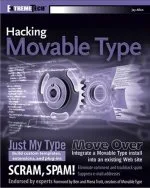
Now that I’ve announced the book, I’ve had a couple of emails on the lines of “So I’m guessing you’re not switching to WordPress now, huh?”, and indeed I’m not. The book, however, is not the only thing that’s keeping me with MT and I’d like to use this (rather long) entry as a list of reasons why I’m not likely to switch any time soon.
Firstly, MT is what I’m used to. As of the middle of next month, I’ll have been using it for 2 years – whereas I’ve been using WordPress for less than 3 months. It’s the same reason why I use Windows as opposed to Linux – sure, Linux may be more secure and less likely to crash, but I know how Windows works and I feel comfortable in that environment.
Secondly, there’s the templating system, which I’m afraid to say, sucks. Again, maybe I’m just used to how MT works, but altering the way comments display in WordPress requires a lot more time and knowledge than it does in MT. In MT, the templates are totally separate from the MT source code – in WordPress, that separation isn’t so finely defined. Indeed, when you edit wp-comments.php (in 1.2) you’re faced with a 20 lines of PHP that you can’t edit before being able to dig in. And even then, you get comments like “if you delete this the sky will fall on your head” – hardly reassuring for a newbie.
Want to alter how the RSS feeds display? Then you have to edit a page with lots of PHP code which can’t be removed for fear of the sky falling on your head, and with a warning about this being an integral part of WordPress. You also need to know what the file is called since it’s not linked in the WordPress interface. Adding new pages, especially new types of feeds, seems to require a good understanding of PHP – adding a new template in MT is far, far easier.
WordPress isn’t all bad though, and it’s a whole load easier to install than MT is. In fact, a newbie to blogging* would be better off installing WordPress than MT, and includes nice blog-centric features like a links manager. But if you want to control how your site displays and don’t know much PHP then MT is the way to go, in my opinion.
(* = a newbie to blogging would really be better off on a service like Blogger or Typepad, but if they wanted something they could run themselves, WP would be easier than MT)
WordPress also wins on the comments front, despite what I said above, since it has much better comment management features built-in (although in 1.2 they are rather hidden away). That said, MT is brilliant once you have MT-Blacklist installed, since it deals with all the duplicate comments and spam perfectly, but that isn’t included out of the box (though it will be available with MT 3.1).
Rebuilds seem to be a bone of contention with some – if your web server isn’t so fast, they can take forever. I’ve never really had that problem as my host’s servers seem to run well (and I have optimised MT a bit to make it faster) but some people do find that rebuilds take forever for them. With that in mind, I suggest you wait for MT3.1 which adds support for dynamic pages. This will give you the best of both worlds – pages that get requested often like your indexes and feeds can be static, whereas other pages can be generated on the fly as needed. Sure, you can install a caching plug-in for WordPress but it’s not something that’s there out of the box (in 1.2, at least). The result is that rebuilds will be much quicker since only 2 or 3 files are being regenerated each time, plus, unlike in WordPress, you won’t have the PHP preprocessor kicking in and doing an SQL query every single time someone requests your RSS feed.
Rebuilds are also quicker in MT3.x due to its more efficient use of SQL queries and background tasks. Since upgrading to MT3, this site has been a whole lot faster, though I am working a new search script to replace mt-search which is a little slow.
Both packages have plug-ins and while WordPress kicks MT2.x’s arse in that respect, MT3.x does have much better plug-in support and many more hooks to allow developers to integrate their plug-ins with the MT interface without needing to modify the MT source code (detect a theme here?). For example, with MT-Blacklist installed, the comments mass editor has a ‘despam’ link added for running comments through the blacklist and removing the bad ones. As more plug-ins designed for MT3.x are released I’m sure we’ll see some truly great plug-ins that integrate tightly with MT.
MT’s help is better. There are some very extensive help documents provided with MT, whereas WP has a few links back to its rather sparse documentation pages on its web site. There’s also the wiki but like many wikis it suffers from a lack of structure, and some areas are quite patchy, in my opinion. Trying to have information only display on an individual entry page meant having to use a seemingly undocumented PHP function, for example. Apparently the #wordpress chat room is a good source of help but I’m not comfortable with asking for help in chat rooms and it assumes that you have an IRC client and that you’re on a connection that doesn’t block IRC like my university does.
This is getting quite long but as you can see, I have my reasons for not switching. What this isn’t is a “WordPress sucks and I can’t believe you all use it” rant, it is merely pointing out that WP is not for me. I’m sure that when WP reaches maturity it’ll be much better and I may give it another look when it hits 2.1 or something, but I’ve yet to be totally impressed. MT is at 3.01 now and feels much more mature than WordPress does. That said, my test install isn’t about to disappear any time soon, though a test install is what what it will remain.
I’ll leave comments open on here – I know this may seem controversial to some of you so please play nice.