
Brain transplant

IDE #0 ERROR

Christine’s laptop has been a bit poorly lately. Before Christmas, it wouldn’t boot up – the ‘Starting Windows’ graphic would show and then it’d stop at BSOD with ‘Unmountable Boot Volume’ as the error. I was able to fix it by starting the computer in Windows Recovery Mode, opening a Command Prompt and using CHKDSK to sort out errors on the hard drive. That did the trick.

But this happened again last week. I did the same thing, but this time CHKDSK found a whole host of bad sectors. While Windows would then boot up afterwards, it was rather slow, and a white flag appeared in the bottom left of the screen, telling me that Windows was having problems with the disk. Not good.

Rather than risk any further disk problems, and Christine losing all of her files, I bought a new hard disk to replace the old one. I took the old disk out (thankfully not too difficult a task with her laptop – an Acer), and put the new disk in, then put the old disk in a USB enclosure. Next, I downloaded CloneZilla and burnt it to a blank CD, then booted the computer up using the CD and had it clone the old drive onto the new drive. I had to run it in ‘–rescue’ mode, as when I tried it with the default settings it failed when it hit the bad sectors. Copying the data took around 6 hours, as this was a 640 GB hard drive.

Thankfully, it was a success, and the computer now boots up and runs fine. The new disk is a 5400rpm 640 GB Samsung drive, which is of the same specification as the old disk – a Western Digital Scorpio Blue (which apparently isn’t very good). I did look at a 7200rpm drive, but would have needed to wait longer for it to be delivered – this drive was available immediately.

Having suffered from a major disk failure back in October 2004 (when some irreplaceable data was lost forever), I’m keen not to replicate the experience in a hurry.

30 Day Song Challenge Day 1: Your Favourite Song

Monty Picon

I’m going to give the 30 Day Song Challenge a go. You’re asked to post a different song each day – your favourite, least favourite, guilty pleasure, or that best describes you. I’ll try to embed YouTube videos where possible so that you can listen to them yourself, but as some of the official videos have embedding blocked I won’t always be able to do this. This will mean a lot of extra posts, but it’s only for a month if you don’t care for it…

Day 1 is your favourite song. This is rather difficult, as I don’t have an all-time favourite song. Instead, I’m going to choose a song that has been one of my favourites for over 15 years, and I still enjoy listening to today: “Set You Free” by N-Trance. Even though it’s been around a long time, it has aged well and as far as I’m aware it still gets played at nightclubs quite a bit (I wouldn’t know for sure because I haven’t been clubbing in ages…).

More Melodic

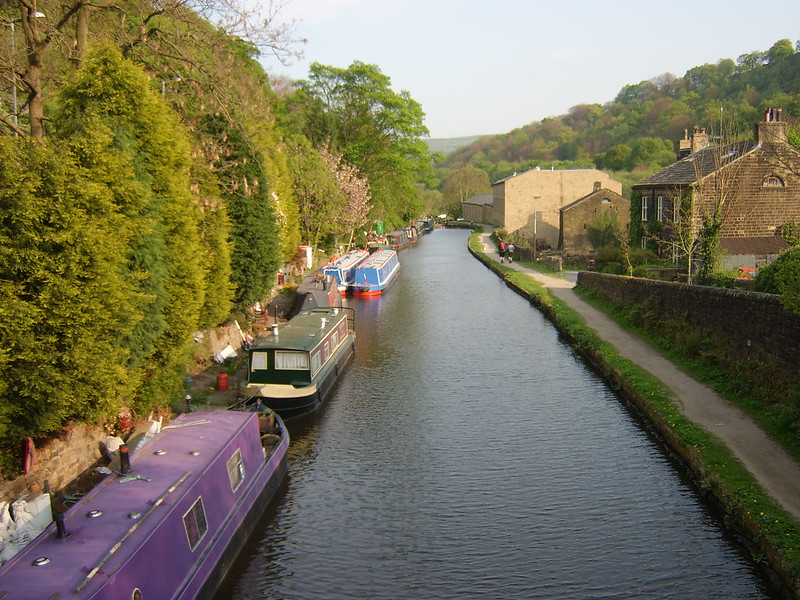
Rochdale Canal

For the first time in over 8 years, this blog is not running on Movable Type. Because I’ve migrated to Melody.

Announced in June 2009, Melody is a fork of Movable Type 4 maintained by volunteers, many of whom formerly worked for Six Apart (MT’s original developer). It carries on in the same direction as MT version 4, rather than the very enterprise-focussed MT version 5 which is now being developed by a Japanese company called Infocom.

Because of its common heritage with MT, you can switch to Melody by installing it over Movable Type, and then simply tidying up the bits that are no longer needed – there’s a handy migration guide, too. It’ll keep all of your blogs, comments and settings.

Because Melody is new, and not quite ready for a 1.0 release, there are a few minor issues still and the admin interface still looks like it needs a little polish. In particular, a number of plugins no longer work; for now, you won’t have to type the word ‘ball’ when commenting and you won’t be able to log in using your Facebook account, but hopefully new versions of those plugins will surface soon.

If you see any other funkiness, let me know.

Enabling hardware acceleration on Firefox 4

Red Panda

A release candidate of Firefox 4 has finally been released after a very protracted beta phase (over six months), and the final release should be coming very soon. One of the major new features is hardware acceleration – using your graphics card to help to make the browser faster and more responsive – and it’s available to varying degrees for Windows XP, 7, Vista, Mac OS X and Linux users. XP users get basic DirectX 9 acceleration, Vista and 7 users get DirectX 10, and if you have Mac OS X Snow Leopard 10.6.3 or above you get to use OpenGL.

Hardware acceleration will be enabled automatically if your computer and drivers supports it, so to check whether it’s working, open a new tab and type ‘about:support’ in the address bar. Scroll right down to the bottom, and there’ll be a section called ‘Graphics’. On the very last line, you’re looking for ‘GPU Acclerated Windows’ – if it says 1/1, then you’re all set. 0/1 means that you’re not using the hardware acceleration. Thanks to Joedrew for this information.

If it is disabled, the next thing to do is to try to enable it. On a Mac, you’ll need to be running Snow Leopard and ideally version 10.6.3, so upgrade to that if you can. On Windows, you’ll probably need to update your graphics drivers. Right now, only Intel, AMD (ATI) and nVidia graphics are supported, so if your graphics card is by someone else, you’re out of luck. But for those three, once you know what type of graphics card you have, head to the manufacturer’s web site and download the latest drivers. In most cases, your drivers will need to be quite new – ATI and nVidia issued updates in June 2010 which are required for hardware acceleration to be enabled.

How good is hardware acceleration? On my test machine, which runs Windows XP and has Intel integrated graphics, I tried Microsoft’s flying images demo in Firefox 4 beta 12 and Internet Explorer 8. Firefox managed a steady 60 frames per second with no problems, whilst IE8 struggled to make 6 frames per second. IE8 also needed 50% CPU usage for just 1 tab, whilst Firefox needed 45% with 9 other tabs open.

There’s some more information on the Mozilla Wiki, including the specific driver versions supported. If you haven’t updated your graphics drivers in a while, now may be a good time to do so, so that you can make full use of Firefox 4’s extra oomph when it’s finally released later this year.

Och Aye The Noo and all that

Edinburgh Castle

Tomorrow, Christine and I are off to Edinburgh for four nights. It’ll be my first trip for a couple of years – I was there for a (unsuccessful) job interview in January 2009 – but Christine’s first time, apart from changing trains at Waverley station.

Whilst we both need a break (February has been especially hard for me at work), we’ve also got quite a bit of annual leave that we have to take before the end of the month and so are using the extra time off work to go somewhere a little further afield.

Growing up in York meant that Edinburgh was only 2 1/2 hours by train, so I had a number of day trips whilst growing up. Getting there from Sowerby Bridge and Bradford requires a bit more time and effort since you have to change at York, hence why I haven’t been much lately. It’s a shame as I really like Edinburgh.

Foursquare Thursday will happen as usual tomorrow, through the magic of scheduled posting, as it’s already been written. I have mental drafts for more Foursquare posts for the next few weeks too.
See you next week.