
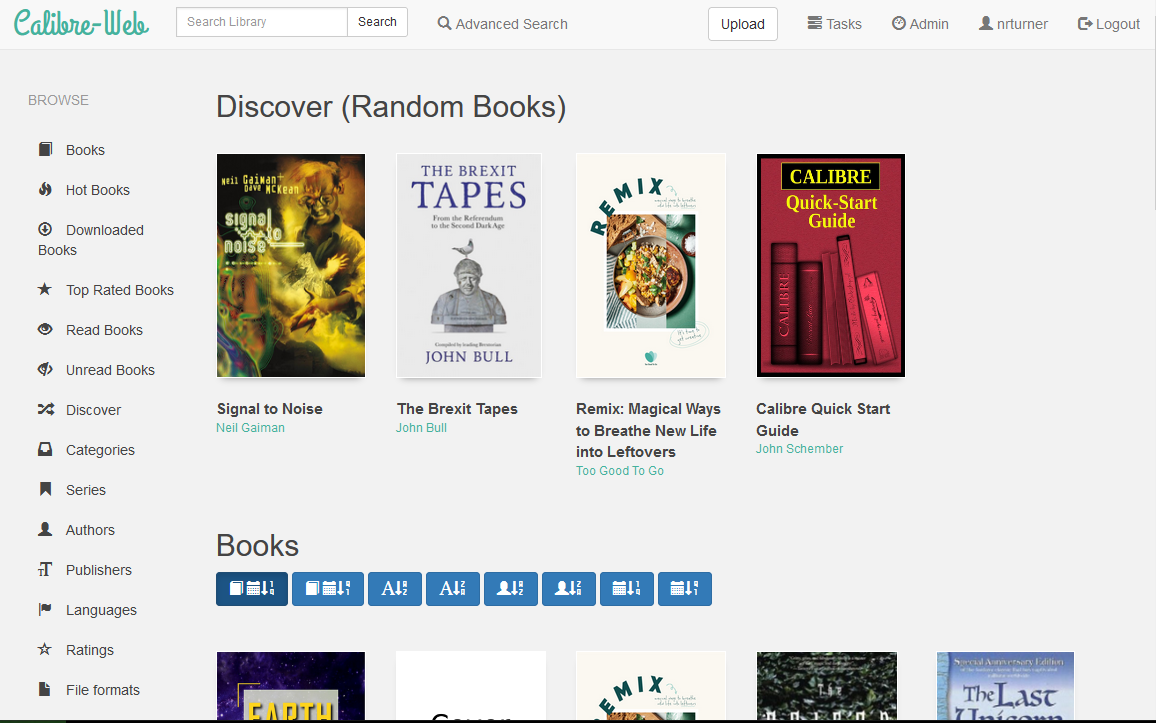
If, like me, you’ve picked up a number of e-books over the years, you may use Calibre as your e-book manager. It’s a desktop application with an optional web interface, but it has its drawbacks. The user interface is clunky, and it tries to cram lots of advanced features in – even the latest version 7 is overwhelming for new users. So, if you can forego the desktop application, there’s an alternative called calibre-web that does the same thing in a web browser, and with a much nicer interface.
Once installed, you can migrate your existing metadata.db from Calibre and the e-book folders, and calibre-web will pick up where you left off. I particularly like the ability to download metadata from sources such as Google Books, to get more complete data about each book besides its author and title. There’s a built-in e-reader, or you can use an app that supports OPDS – I used Aldiko.
By far the easiest way to install it is using Docker. There’s a good image on DockerHub; it’s maintained by a third-party but recommended by calibre-web’s developers. Once installed, it doesn’t require much additional configuration.
By default, calibre-web doesn’t allow uploads, but you can amend this in the Admin settings. The settings toggle s rather buried away, and it took me some time to find. But once uploads are enabled, it allows you to completely replace the desktop Calibre app if you want to. You can also set up multiple user accounts, if you want to share your calibre-web server with others.
I have calibre-web installed on the same Raspberry Pi as my Plex and Home Assistant servers. Indeed, calibre-web essentially offers a kind-of Plex for e-books, seeing as Plex doesn’t offer this itself. Unfortunately, most of my e-books were purchased through Amazon, and so only accessible through their Kindle apps and devices. But for the handful of books that I’ve picked up through the likes of Unbound and Humble Bundle, it’s helpful to have them in one place.


Are you able to access your calibre-web outside of your LAN(anywhere with wifi)?
Yes, but I have a reverse proxy and port forwarding set up, using Nginx Proxy Manager. Will write another blog post about it soon.