There’s a few life developments that have happened in the years since I stopped blogging regularly, and one of those was in July 2021 – I started wearing glasses.
I hadn’t noticed that my vision was deteriorating, but it was picked up at a routine eye test. I had a suspicion that the optometrist had found I needed glasses as he tweaked the lenses, and suddenly the last couple of lines on the eye chart got much more clear. Oh well, I managed 37 years without needing to wear them.
I’m fortunate that I can just wear one pair of glasses for both near and distance vision, so I don’t need to take them on and off for different tasks, or wear bi-focals. And they make a difference – as someone who uses screens all day at work, my eyes aren’t as tired at the end of the day as they were before.
Of course, July 2021 was around the time when we still needed to wear facemasks on public transport, so I got the lovely experience of my glasses steaming up.
You may also notice that I’m overdue for my next eye test, so I promise that I’ll book another one soon. I’ve contemplated getting contact lenses next time, but it depends how much my glasses cost. And I don’t mind wearing glasses too much.
So, as I mentioned a couple of weeks ago, I’ve set up Home Assistant (HA) to control the various smart devices that we have around the home. At the time, I just used a snap package, but now I’ve migrated to using Docker, and here’s why.
Firstly, there are some disadvantages of installing Home Assistant using a snap package. Namely:
The snap package isn’t an official release by the Home Assistant project, and is instead built by a third party.
This means that, at time of writing, it’s a couple of releases behind the latest official release.
It also means that it’s not a formally supported way of running Home Assistant, and there are fewer resources out there to help you if you’re stuck.
I had issues updating previously installed custom components from HACS
So, on the whole, Docker is better for running HA than Snap. But I wanted to run HA on my Raspberry Pi 4 which has Ubuntu Core on it, and that only offers Snap. But wait… you can install Docker on Snap, and the Docker Snap package is one maintained by Canonical so it’s regularly updated.
You can see where this is going. What if I install Docker using Snap, and then install Home Assistant into Docker? Well, that’s what I did, and I’m pleased to inform you that it works.
Docker on Snap, step-by-step
If you want to try this yourself, here’s the steps that I followed. However, please be aware that you can’t migrate a Home Assistant setup from Snap to Docker. Whilst HA does offer a backup tool, the option to restore a backup is only available on Home Assistant Operating System, and it seems that manually copying the files across won’t work either. So, if you currently use Snap, you’ll have to set up HA again from scratch afterwards. You’ll also, at the very least, need to run snap stop home-assistant-snap before you start.
Install Docker. You can do this by logging into your machine using SSH and typing in snap install docker.
Enable networking. There’s probably a better way of doing this, but for me, just running chmod 777 /var/run/docker.sock worked.
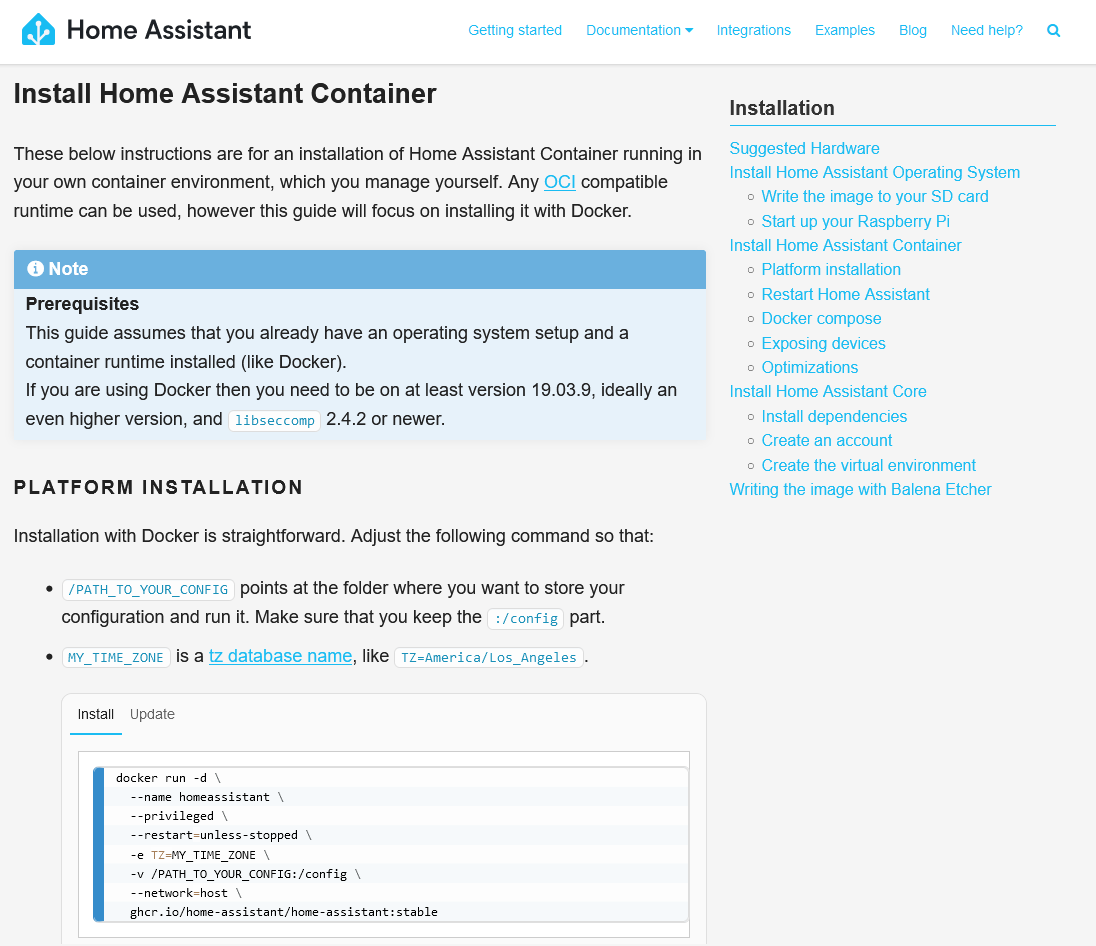
Install Home Assistant. You’ll need to enter quite a long shell command, which is: docker run -d \ --name homeassistant \ --privileged \ --restart=unless-stopped \ -e TZ=MY_TIME_ZONE \ -v /PATH_TO_YOUR_CONFIG:/config \ --network=host \ ghcr.io/home-assistant/home-assistant:stable The two variables in bold will need changing. For ‘MY_TIME_ZONE‘ you’ll need to type in your time zone, which in my case is ‘Europe/London‘, and for ‘PATH_TO_YOUR_CONFIG‘ is a folder where you want your configuration files. I suggest /home/[username]/homeassistant .
Grab a drink, as the installation will take a few minutes, and then open http://[your IP address]:8123 in a web browser. If it’s worked, then you’ll be presented with HA’s onboarding screen.
Again, if you had the HA snap package installed, then if everything’s working with Docker, you’ll need to uninstall any related HA packages (like HACS, toolbox and configurator) and then the home-assistant-snap itself. And then you’ll need to set up all of your devices again. The good news is that, if you decide to move your HA installation to a new machine, you can just migrate the Docker image in future.
Wouldn’t it be better just running Docker?
Okay, so you may be wondering why I’ve set up HA this way. After all, it would probably be easier just to install Raspberry Pi OS Lite and put Docker on that, without using Snap. Well, there’s a method to my madness:
I like running Ubuntu Core because it’s so minimalist. It comes with the bare minimum of software installed, which means that there’s less risk of your system being compromised if a software vulnerability is found and exploited.
I already have Plex running quite happily in Snap, and didn’t want to have to migrate that as well.
In other words, this was the easiest way of running HA in Docker with my current setup. And I’m happy with it – I’m running the latest version of HA and it seems to work better.
There are a couple of additional steps that I still need to complete, which are:
Enabling SSL/TLS for remote access
Enabling mDNS broadcasts for Apple HomeKit integration
I’m working on these. Home Assistant Cloud is the easiest way of setting up secure access and I’m considering it. It’s a paid-for service, but it does financially support HA’s development, and seems to much easier than the alternatives. As for mDNS, I’m still working on this, and I imagine there’ll be things I need to tweak in both Docker and Snap to get it to work.
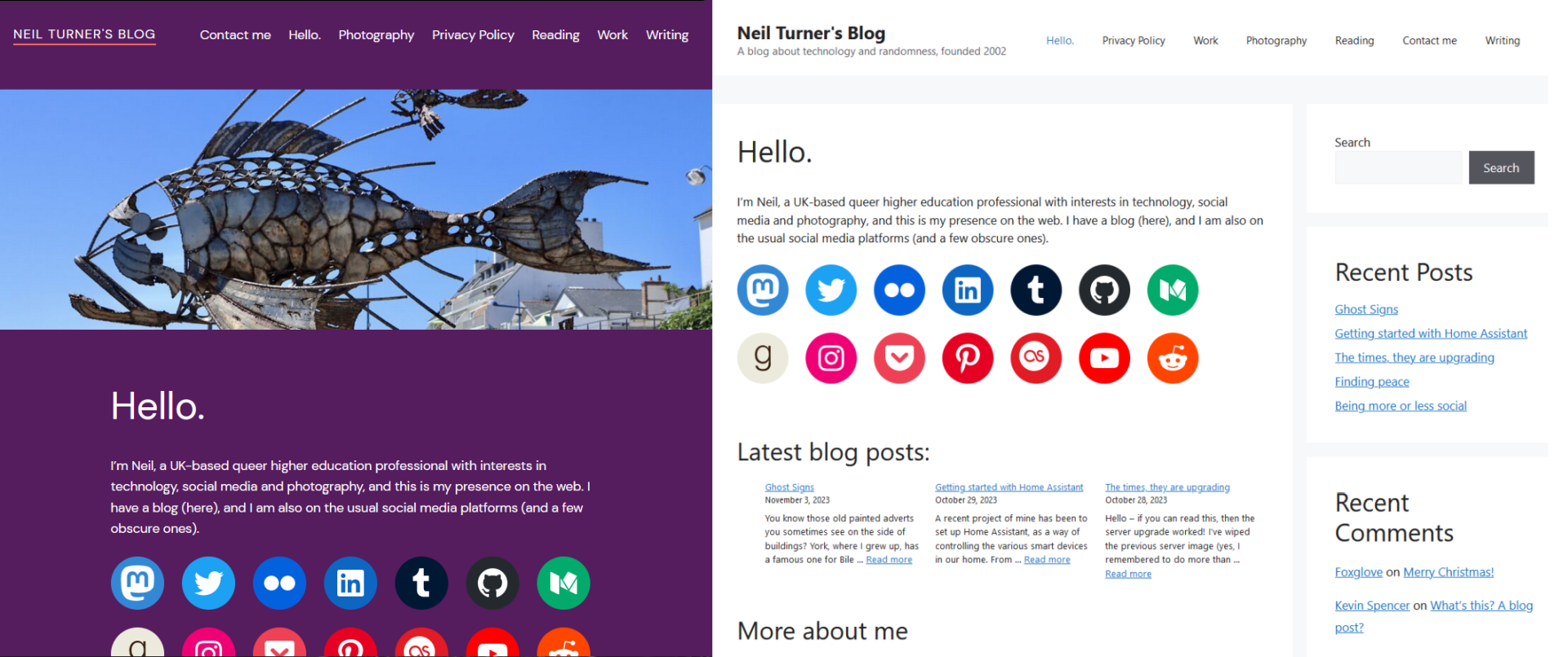
I’ve deployed a new theme on the blog. If you’re reading this in your feed reader, firstly, go you, because so few people do nowadays, but also, please click through and have a look.
The theme I’m using is GeneratePress, with mostly default settings. This replaces one of the default WordPress themes that I was using before.
Why the change? Mainly page bloat; whilst the default WordPress themes are very extensible, the output code includes shedloads of extra JavaScript, CSS and style tags which result in web pages which are bigger than they should be. Whilst I’m at no risk of exceeding the data transfer limits offered by my hosting company, it does affect the speed of the site, and not everyone has unlimited mobile data or a fast connection.
I learnt HTML at a time when it was the done thing to hand-code pages – indeed, back when I used Blogger and later Movable Type as my blogging tools, for the most part I used themes that I had written all myself. JavaScript was used very sparingly, and the HTML and CSS code was nice, clean and simple. So seeing the code soup that was being outputted by the default themes was off-putting.
I also think about this blog post by Terence Eden, ‘the unreasonable effectiveness of simple HTML‘, where he gives an example of someone applying for housing benefit on a PlayStation Portable (PSP). This is presumably because it’s the only portable device with a web browser that she can use. But because the HTML on gov.uk is so clean and lightweight, the old, under-powered web browser on the PSP is still able to render it, and she’s able to get the information that she needs. A big, flashy web site oozing with various JavaScript frameworks, loads of tracking scripts and adverts everywhere just isn’t going to work on such an old device.
Web pages are getting so full of cruft, that they require more processing power than video playback.
So, that’s why I’m going with a lightweight theme. It makes the web site much more accessible to more people. GeneratePress seems to output lighter code that displays fast, and it offers a good balance between extensibility and speed. It won’t be for everyone, but it seems to work well for me.
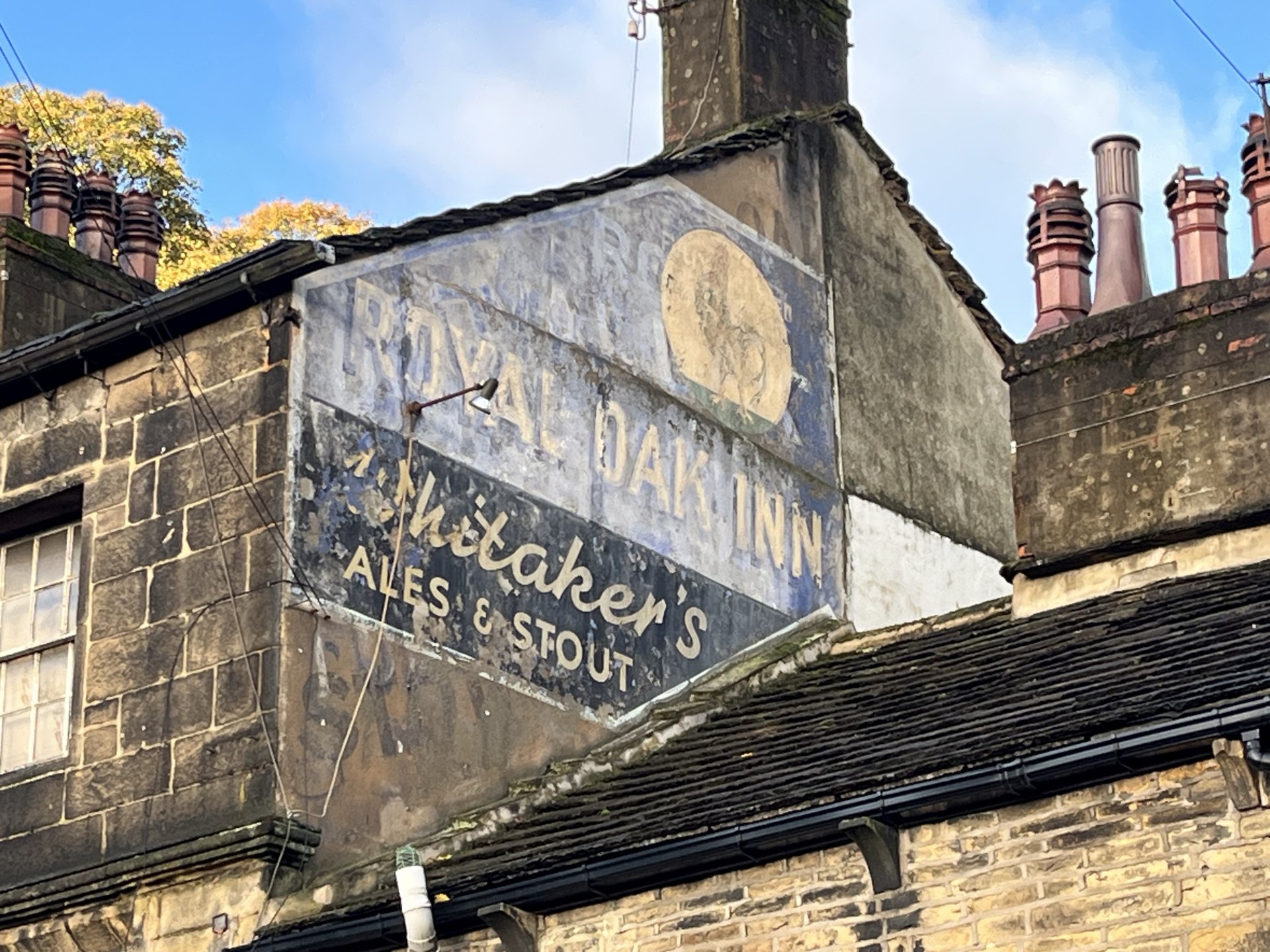
You know those old painted adverts you sometimes see on the side of buildings? York, where I grew up, has a famous one for Bile Beans, due to its prominent location, but there’s also one in Halifax too.
Ianvisits mentioned this last week, and it’s encouraging to have seen the list grow in the days since. It’s not just painted adverts like this that are welcome – signs for old and defunct shops can be added too.
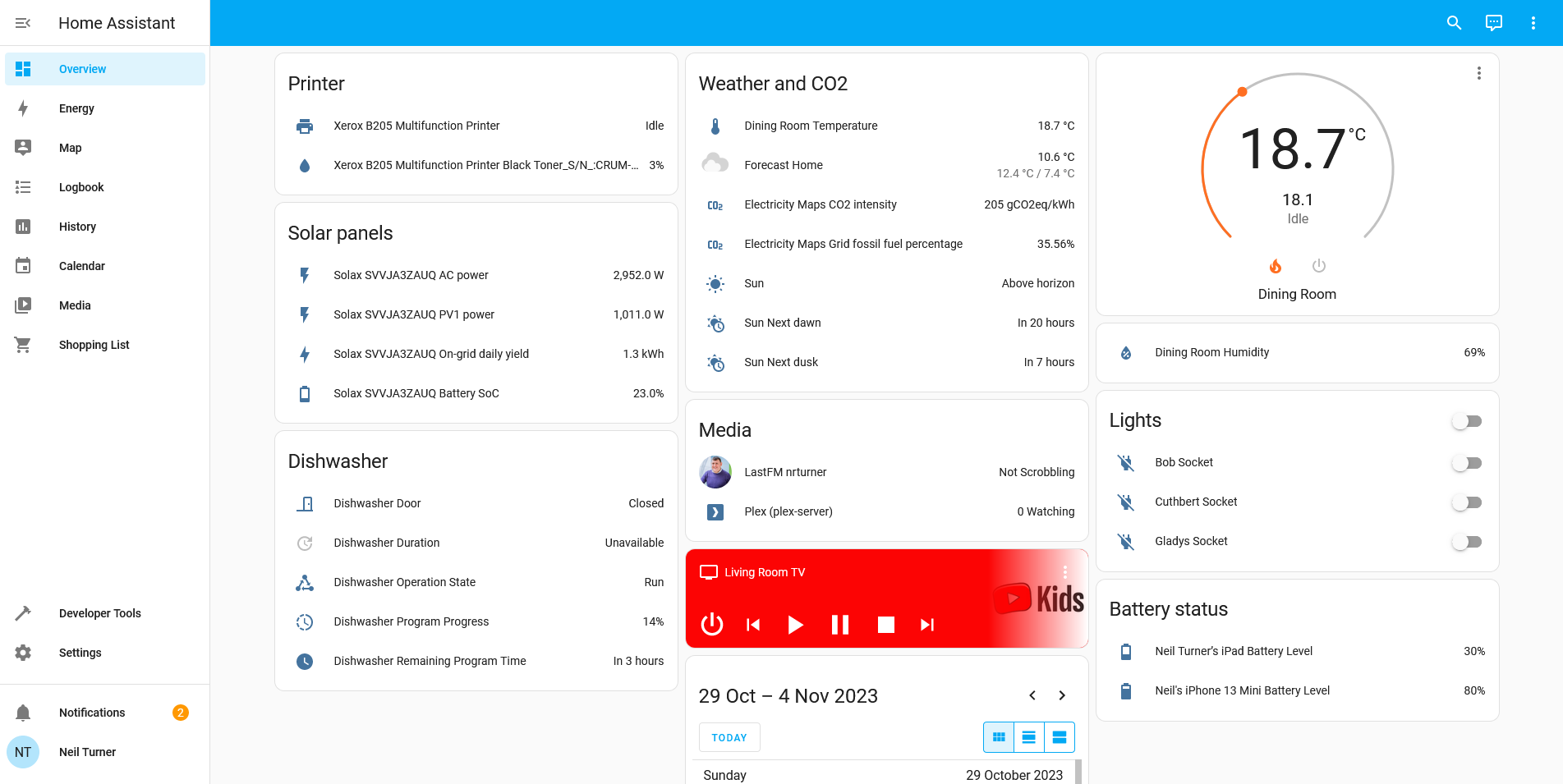
A recent project of mine has been to set up Home Assistant, as a way of controlling the various smart devices in our home.
From bridge to assistant
You may remember, back in February, that I had dabbled with Homebridge, a more basic tool which was designed to bridge devices into Apple’s HomeKit universe which aren’t otherwise supported.
I’ve ditched Homebridge, as it didn’t really do what I wanted it to do. If you want to primarily use Apple’s Home ecosystem, but have a few devices which don’t support it, then it’s great. But that doesn’t really apply to our home – although I’m an iPhone and iPad user, I no longer have a working Mac and so I use a Windows desktop, and my wife uses Android devices. Consequently, the only device that we own which natively supports HomeKit is our LG smart TV.
Home Assistant is essentially a replacement for Apple Home, Google Home, Samsung SmartThings and whatever Amazon’s Alexa provides. That means that it provides its own dashboard, and lots of possibilities for automations. But instead of your dashboard being hosted on a cloud server somewhere, it’s on a device in your own home.
Setting it up
Like with Homebridge and HOOBS, you can buy a Home Assistant hub with the software pre-installed. If you already have a device, such as a spare Raspberry Pi, then you can either install HAOS (a complete operating system based around Home Assistant) or just install Home Assistant on an existing system. I chose the latter, and now I have Home Assistant sat on the same device as my Plex Server, using Ubuntu Core and the relevant Snap package.
Once set up, Home Assistant will auto-discover some devices; it immediately found both my ADSL router and my Google Wifi hub using UPnP. You can then add devices yourself. Home Assistant supports way, way more devices than its competitors, due to its hobbyist nature. For example, there’s an IPP integration which means that you can view your printer’s status, including how much ink is left. Despite it being a ‘smart device’ of sorts, Google Home won’t show this in its app. You can also bring in web services like Google Calendar and last.fm.
Some integrations are easier to set up than others though. In most cases, one of the first instructions for setting up an integration is ‘sign up for a developer account with your device manufacturer’. Whilst the instructions are usually quite clear, you’ll find yourself spending lots of time copying and pasting OAuth keys and client secrets to be able to connect your devices. In the case of my Nest Thermostat, this included paying a non-refundable $5 USD charge to access the relevant APIs.
Another thing which took some trial and error to get right was enabling remote access. If you want to be able to view and control your devices when you’re out of the home, then there’s a few additional steps you’ll need to complete. These include:
Configuring port forwarding on your router
Setting up a DNS server
Home Assistant recommends DuckDNS, which is pretty simple and seems to work okay, but again it’s something that requires some technical know-how.
One limitation of using Home Assistant as a Snap on Ubuntu Core is that you can’t use addons, so setting up DuckDNS meant manually editing Home Assistant’s configuration.yaml file. Indeed, some integrations require this, and so it’s worth backing up this file regularly. You can, however, install a separate snap which enables the Home Assistant Community Store (HACS), and this allows you to install additional (but less-well tested) integrations. I initially couldn’t get this to work, but managed to install it literally whilst writing this paragraph.
If you’re willing to pay, then for £6.50 per month, you can get Home Assistant Cloud. As well as providing an income for Home Assistant’s developers, it offers an easier and secure remote access solution, and integrates Google Assistant and Alexa.
Privacy matters
It should also be noted that Home Assistant has a greater focus on privacy. By hosting an IoT hub yourself, you can limit how much data your devices send to cloud servers, which may be in places like China with markedly different attitudes to privacy. Indeed, the integration with my Solax inverter (for our solar panels) connects directly to the inverter, rather than the Solax Cloud service. It’s therefore not surprising that many of the Home Assistant developer team are based in Europe.
Looking to the future, I’m hoping more of my devices will support Matter – indeed, this week, Matter 1.2 was released, adding support for devices like dishwashers. Theoretically, our existing Google Home devices can all be Matter hubs, but none of my other devices yet support it, and may never will. Home Assistant can work with Matter devices, if you buy their SkyConnect dongle, and again, it will mean that more of your device communications can be done within in your home and not using the cloud. That should be faster, and better for privacy.
Overall, I’m quite happy Home Assistant, even though it’s taken a long time to get every device added and some trial and error. I appreciate being able to see (almost) all of my devices on one dashboard, and it feels like I have more oversight and control over the smart devices in our home. I hope that, with greater Matter support, it’ll become easier for less-experienced users to use in future.
Hello – if you can read this, then the server upgrade worked!
I’ve wiped the previous server image (yes, I remembered to do more than one type of backup this time), and installed a freshly upgraded version of Linux. This means it’s running on Debian 12 (codenamed ‘bookworm’), and version 12 of Sympl. Sympl is a set of tools for Debian that makes managing a web server remotely a little easier, and is forked from Symbiosis which was originally developed by my hosting company Bytemark.
Going nuclear and starting from a fresh installation was for two reasons:
The next version of WordPress, which will be 6.4, will have a minimum recommended PHP version of 8.1. This server was running version PHP 7.3, and whilst I’m sure future versions would work up to a point, it’s a good opportunity to upgrade.
I’ve had a few issues with the previous installation. The FTP server software never seemed to work correctly, and the database (MariaDB) would lock up almost every time I posted a new blog post. Hopefully, this won’t happen anymore.
As this is a fresh WordPress installation, there may be a few things which don’t quite work yet. I’ve imported the existing blog posts and pages, and the theme is mostly the same, but I need to re-install the plugins and probably need to amend some settings. I’ll sort these issues out over the next few days.
There are some of you who have been subscribed to this blog’s feed for many, many years. I started writing a blog way back in 2002 – back when Web 2.0 was just starting to become a thing – and kept it going for almost 20 years.
And then a botched server upgrade resulted in everything being wiped, including my backups.
It had been my intention to try and salvage what I could; after all, many of my old blog posts should be in the Web Archive, and in other places across the internet too. But working full-time and being a dad just doesn’t leave much spare time, and I tend to prefer to use my free time to consume media (mostly reading) rather than producing new blog posts, or, more pertinently, bringing back old ones.
But it isn’t just a time issue. If I ended up taking a sabbatical from work, or parental leave, then I still wouldn’t go back to re-fill this blog’s arhcives. I’ve made a decision that what happened has happened, and I’m drawing a line under it.
There were some good blog posts over the years, that generated a lot of comments and links at the time. Others highlighted key points in my life; graduating university, relationship milestones, becoming a father and so on. But, my reasons for not undertaking blog archaeology are as follows:
I don’t stand by some of the things I wrote
I wrote more than one post about enjoying the DVDs of various sitcoms written by a well-known comedy writer in the 1990s and 2000s. Unfortunately, said comedy writer, who I am not going to name, is now a major figure in the pushback against rights for trans* people in the UK, and as a member of the LGBTQ+ community myself, I can’t support that. This is just one example, but my opinions have changed over the years, and I don’t really want to go back and revisit what I’ve written on some topics. Especially things like my changing relationship with Apple products, and politics.
It’s worth noting that, when I started my blog in 2002, I was only 17 – I’m now fast approaching my forties, and with that comes more wisdom and knowledge of how the world works, and being aware of my priviledges as a white, middle class cisgendered male person.
I also don’t think that people really want to read about how much alcohol I was drinking in my early years at university, or the regular apologies for not blogging as often as I thought I should.
There are things I wrote about that I don’t want in the public domain anymore
Being a parent and the responsibilities it brings changes you as a person – just ask a neuroscientist. Early on, I talked about and shared photos of our child in a way that I wouldn’t do now; nowadays, I try to keep much of their identity off the internet – including their name and gender. They haven’t consented to that information being out there, and are too young to understand the implications of consent. And I wouldn’t want them to read things written about them when they’re older that might upset them.
In my previous relationship, between 2005 and 2009, we agreed that I would only use a pseudonym when talking about my partner, and though we separated nearly 15 years ago, I still consider myself bound by the conditional consent that we agreed at the time. Maybe when our child is older, we could agree something similar.
Some stuff is really out of date
Early on, I tracked the development of the development of the web browser that would become Mozilla Firefox, and blogged about the changes in each beta release in great detail, up to the release of version 1.0 in 2004. But after almost 20 years, so much has changed; the screenshots I took are probably all gone too, and so I don’t think there’s a lot to be gained by bringing those old posts back.
Because I’ve always had an interest in technology, there are many old posts that I’ve written that are outdated. I’m sure some contain advice which, if followed today, would be actively detrimental rather than helpful.
Perhaps, if I somehow managed to get the time and resources to bring back the really good posts, it would be worthwhile. But there would be a lot of poor quality content to sift through, and I certainly wouldn’t want to bring anything back without reading it first.
Seeing as how the likelihood of me having that time is low, then I have had to make peace with the fact that all that content is going to have to remain scattered to the digital winds of the internet. And that’s okay.
An update (January 2024)
Okay so I’ve already gone back on my word and started bringing back some old posts. My aim is to re-instate blog posts that are still getting traffic – I’m tracking dead links in WordPress and Google Site Console, and if they’re linking to things that still have value, I’ll re-instate them. I’m also aiming to have at least one post from each month, going back to January 2002. Overall, I may bring back about 1-2% of what was here before.
Good grief, has it really been almost 6 months since my last blog post?
I mostly dropped by to link out to a couple of additional social media profiles that you can follow, should you wish to. I appreciate that many people are leaving Twitter/X/whatever Elon Musk decides it’s called this week, and not everyone is leaving in the same direction.
Firstly, I’ve just signed up to Bluesky. It’s invite only at the moment, so I doff my cap to a work colleague who gave me her first invite. I’ve just made the one post there and I’ll see how I get on with it.
I managed to – eventually – get my account verified there, which is how I show as ‘@neilturner.me.uk’ and not a bsky.social address. It should have been straightforward, but over the years my DNS settings have seemingly got out of sync, and this has required some fixing. Hopefully everything works now.
And I’m on Meta’s Threads, which I joined on launch day back in August. Again, I’ve just made the one post there. It doesn’t look like many people that I followed on Instagram are active on Threads – my feed seems to basically be the same 5 people.
For the first time in a long while, I’ve uploaded photos to my Flickr photostream. These are mostly from various days out since August last year.
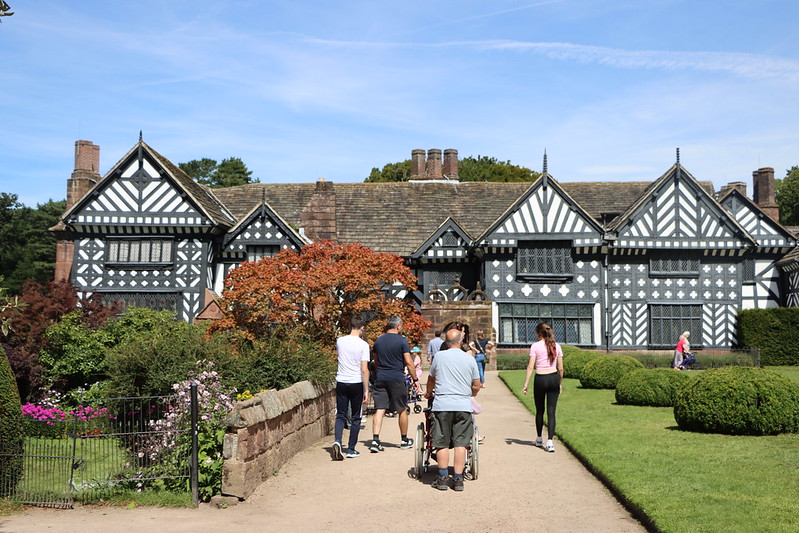
Speke Hall
Speke Hall is a National Trust property on the edge of Liverpool – indeed, it’s next to the runway of Liverpool John Lennon Airport. It’s a Tudor manor house surrounded by well-kept gardens, which include a maze, a discovery trail and play areas. It’s just over and hour’s drive for us, and this was our second visit – our first was in winter 2019. Flickr album link.
York Gate Garden
York Gate Garden is to the north of Leeds. It’s quite small but well laid-out, and you can spend over an hour exploring it. There’s also the obligatory café and gift shop. Flickr album link.
Sowerby Bridge Rushbearing
Rushbearing is an annual tradition that takes place in Sowerby Bridge every year – normally the first weekend in September. Historically, it was the delivery of rushes to the various local churches; whilst this still happens in a ceremonial capacity, the parade also calls at many local pubs, and has various Morris and traditional dancing troupes joining in each year. Other communities in the Pennines have similar rituals. Flickr album link.
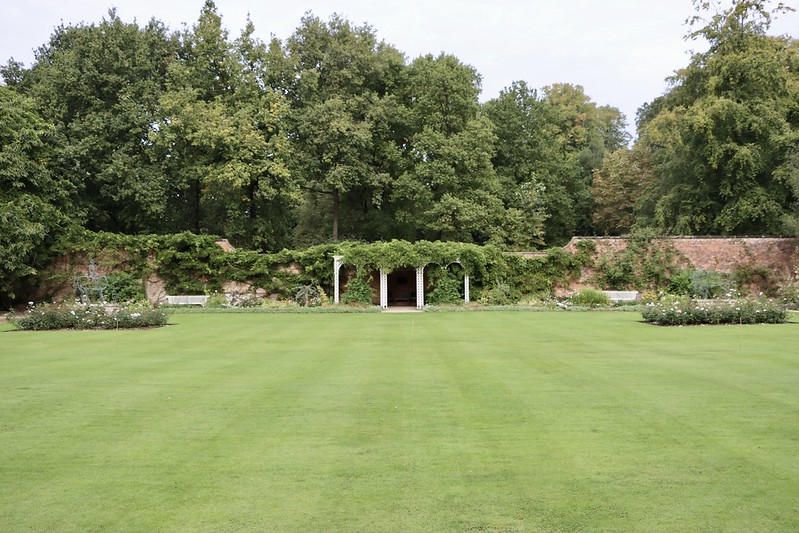
Hare Hill Garden
Hare Hill is another National Trust property – we’re members, and so we try to get our money’s worth every year. I literally have a spreadsheet tracking how much we spend against the annual cost of membership. This was one property that we hadn’t visited, that was also within driving distance for a day out – it’s in Cheshire, near Alderley Edge. There’s a walled garden, and a landscaped forest area. It’s not worth travelling for a whole day, so we also went to Nether Alderley Mill on the same day, which is nearby. Flickr album link.
Huddersfield Snowdogs
Most towns and cities have had some kind of art trail, where they produce a series of white fibreglass models, have local artists and community groups paint them, and then place them around on a trail for visitors to follow. Birmingham had Cow Parade, Hull had Larkin with Toads, Liverpool had Superlambananas, Bristol had Gromit, and in September and October 2022, Kirklees, the metropolitan district including Huddersfield, Dewsbury, Holmfirth and Mirfield, had Snowdogs. We went to have a look at some of those around Huddersfield – here’s a link to the Flickr album showing a few of them.
Yorkshire Wildlife Park
The Yorkshire Wildlife Park is the largest zoo that’s close to us, being on the east side of Doncaster, and we had day tickets gifted to us last Christmas. This was a relatively short visit, as we were with friends who also had kids. Being a newer zoo, the zoo doesn’t have a huge variety of animals but those that it does have are afforded very large enclosures, and there are very good photography opportunities. It has the UK’s largest collection of polar bears, and a large pride of lions that were re-homed from a cramped zoo in Romania. Flickr album link.
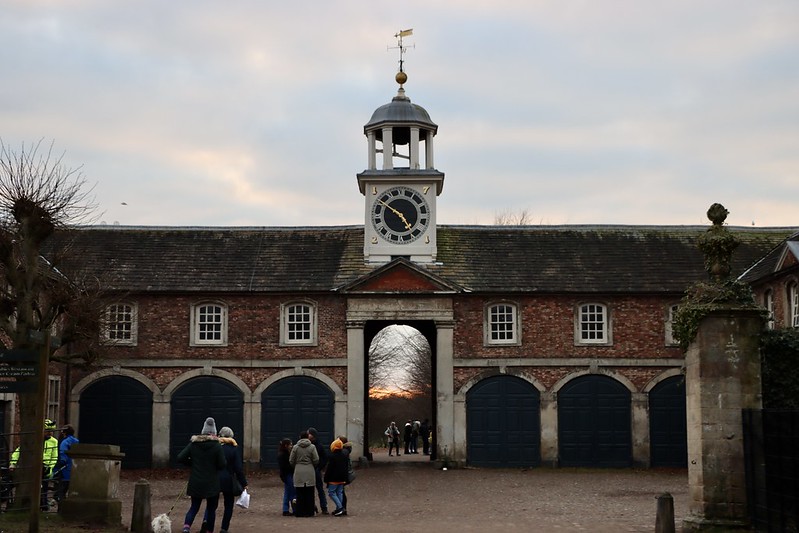
Castle Howard Christmas
Castle Howard is a stately home in North Yorkshire, and every winter they dress up their rooms for Christmas. It’s always a sparkling visual delight, and this year’s theme was the musical Into the Woods. This was our first visit – you have to book in advance, and it’s not cheap, but the tickets do include access to the rest of the site, including an excellent playground for kids. Flickr album link.
Dunham Massey
Yes, it’s another National Trust property – Dunham Massey, near Altrincham to the south west of Manchester. This was our second visit; both times we’ve been in the winter, as it has excellent winter gardens. I advise getting there early; both times we’ve arrived in the afternoon and it’s been a struggle to get parked, even in winter. I didn’t actually take any photos of the house this time, but we did find out more about it as we went on the walking tour of the grounds. It’s notable as the property was mostly vacant for the 19th century, and so unlike many other stately homes, its grounds weren’t reshaped by the likes of Capability Brown. Flickr album link.
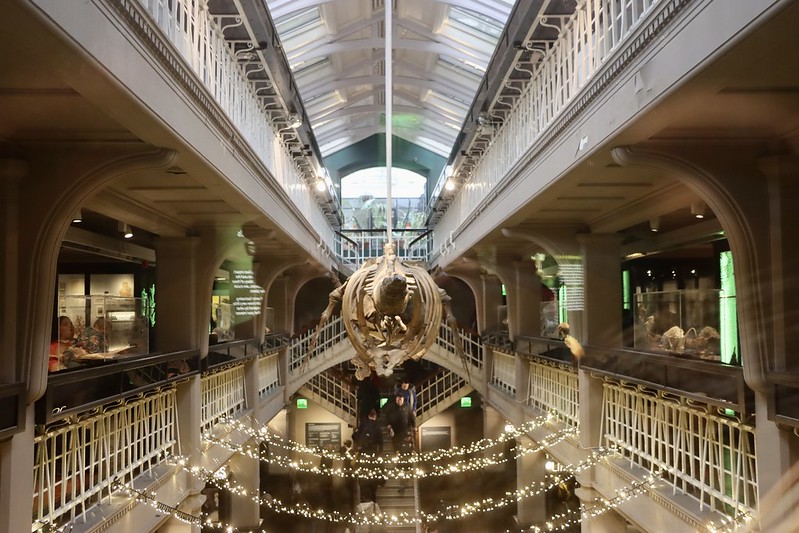
Manchester Museum
The Manchester Museum is based at the University of Manchester, and this year re-opened after a multi-year refurbishment and extension project. It’s one of our favourite museums, with a wide variety of exhibits, and very accessible for children. Our favourite part is the vivarium, which, despite it being a museum, has live exhibits – mainly frogs and lizards. Flickr album link.
Martin Mere
Over in Lancashire, we had a day out at Martin Mere, a wetland area managed by the Wildfowl and Wetland Trust. The site is in two parts; one part has a visitor centre and some captive species of birds including flamingoes (and some otters), but the remaining three quarters of the site is home to wild birds. A large, enclosed bird hide lets you see the main lake in the mere, and it’s worth popping by when the staff spread bird seed out as literally thousands of aquatic birds descend – including hooper swans, if you visit at the right time of year. When we visited, part of the site was closed off due to Avian Flu but hopefully it will be open in full now. There were also a number of Lego models of birds, but we went on the last day. Flickr album link.
Hardcastle Crags
We’re on National Trust property again, although not so far afield – Hardcastle Crags sits just north of Hebden Bridge and is our closest site. In the middle of the site is Gibson Mill, which is open as a museum, café and shop, and is completely off grid – there’s no mains electricity, gas, water or sewerage. Its drinking water is filtered from the water, and it has composting toilets. Meanwhile solar panels and a hydroelectric motor provide electricity, and a wood burning stove provides heat. As we’ve recently invested in solar panels, I was quite interested to see how they were managing; when we visited, an additional generator was behind the back of the mill and they were unable to sell hot food. Flickr album link.
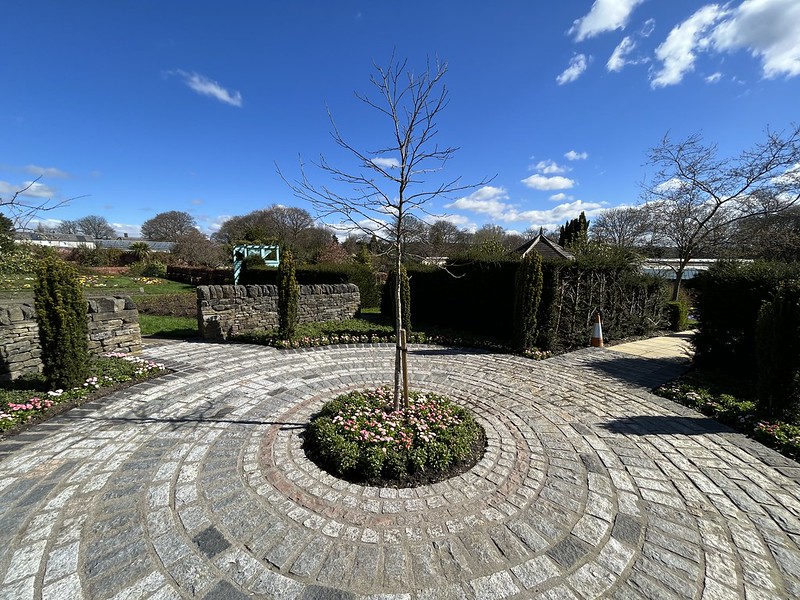
Manor Heath Park
Manor Heath Park is one of Halifax’s public parks, and recently it has re-opened its walled garden and Jungle Experience, an indoor butterfly house with tropical plants. These photos were all taken on my iPhone 13 Mini, as it wasn’t a planned trip and I didn’t have my usual camera (Canon EOS 70D) with me. Flickr album link.
York Castle Museum
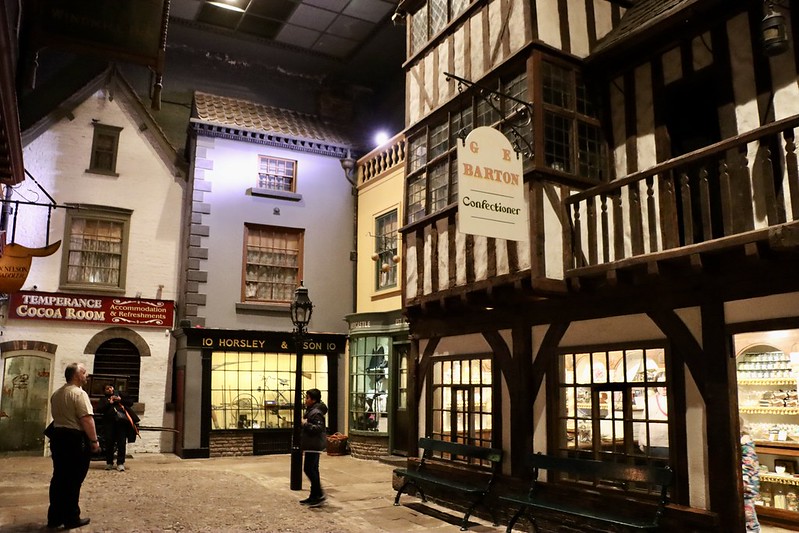
One of York’s better established museums, the Castle Museum is also one of my favourites, but I’d not visited since 2009. It includes Kirkgate, a recreated street of shops, and part of the old York jail which counted Dick Turpin as one of its more famous inmates. We whizzed around in a couple of hours thanks to a somewhat disinterested seven-year-old but you can probably spend longer. Flickr album link.
Murton Park
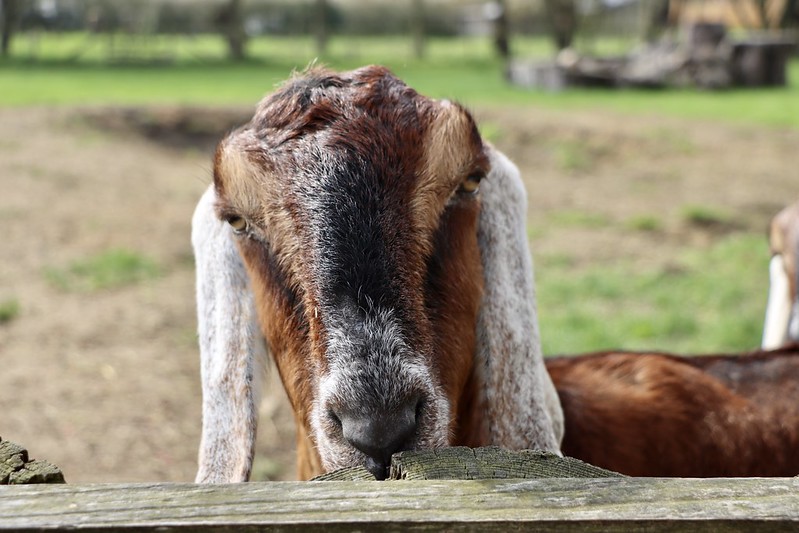
On the edge of York is Murton Park, which incorporates the Yorkshire Museum of Farming and the remaining stub of the Derwent Valley Light Railway. It’s a bit of mix of different things – as well as animals and lots of farm machinery, there’s a Viking village (which a re-enactment society were using) and a model Roman fort, which was being used by an American Cowboy re-enactment society. We last visited in 2018 and there’s clearly been an effort to expand the range of activities for kids, which is nice. Flickr album link.
That’s about 9 months of photos uploaded. I still need to do some tagging on a few images, but please enjoy. I am trying to use Flickr more, even though it’s not got the same community feel that it did in the early days. I understand its new owners, Smugmug, are trying their best but are up against a lot of technical debt – indeed, some parts of the site appear unchanged in the nearly 20 years that I’ve been a member.
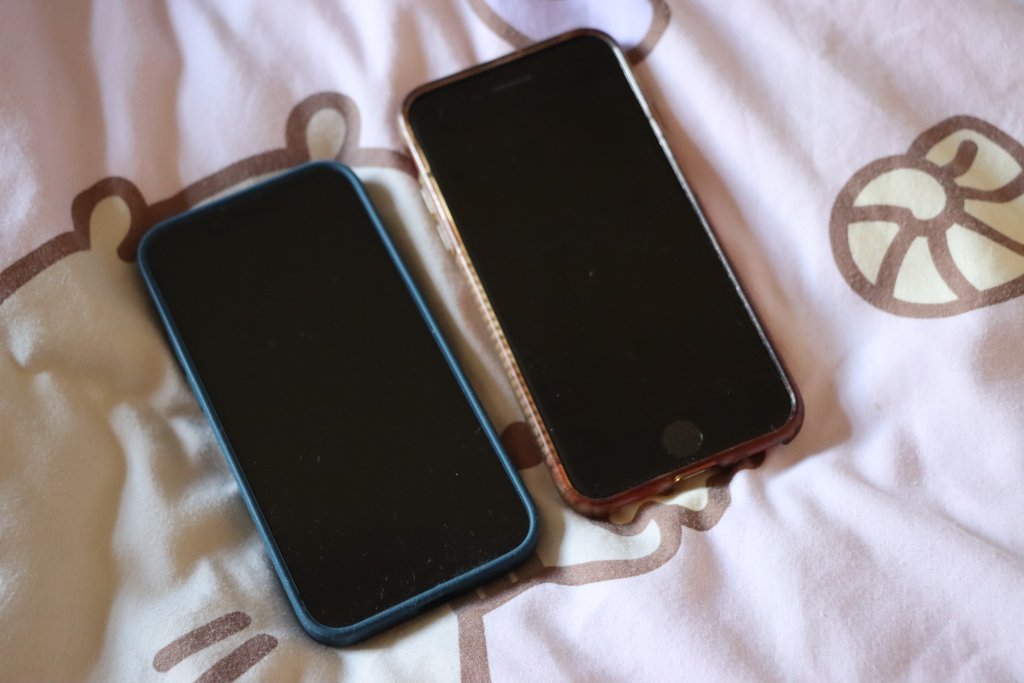
iPhone 13 Mini (blue, 128 GB), bought in spring 2023
As you can see, with each model I’ve kept it a little longer than the previous one. Before my first iPhone, I would generally keep a phone handset for 18-24 months at a time, and indeed that was the case with my first iPhone – it was on its last legs by the time I traded it in. Its replacement, the iPhone 5 laster a little longer but I had issues charging it after a while. The iPhone 5s laster slightly longer again, but in the hot summer of 2018 its battery started expanding and the back was coming away from the phone body, so I decided it was high time for a replacement.
I was hoping to get my iPhone 8 to make it to five years, and in late 2021 I even had the battery replaced to give it some extra life. Alas, this new battery was also starting to wear out – I would have to recharge my phone more than once a day to get through.
Whilst I could have had yet another new battery fitted, I suspect that Apple won’t support such an old model much longer with new iOS updates, and they were offering up to two years 0% finance on new models. I’m not eligible to upgrade with my current phone network, as I’m on a 2 year fixed SIM-only contract, so buying the new phone direct from Apple on 0% finance seemed like the best option.
Apple conveniently provides a Compare iPhone models tool, and so I was able to decide between the various models on offer to work out which was best for me. As you may note from the above, my purchases of the 5s and 8 were at times when physically larger models were available, but I’ve generally preferred the smaller iPhone models. That pretty much ruled out buying an iPhone 14, as there’s ‘mini’ version available – and it was also £200 more than the iPhone 13 Mini.
Apple also offers its iPhone SE range, and the current third generation is essentially an iPhone 8 body with iPhone 13 internals. However, that means a smaller screen, and Touch ID rather than Face ID, as well as a more basic camera, slower 5G, less water resistance and no support for MagSafe, when compared with the iPhone 13 Mini.
The iPhone 13 Mini is also slightly smaller and lighter (albeit by a mere four grammes) than the iPhone SE. Despite this, the screen is bigger, as the bezel is smaller – it doesn’t need to accommodate the home button for Touch ID.
As for the iPhone 14, as well as it being too large for my liking and more expensive, it’s not much of an upgrade. Again, there’s an even better camera, the ability to make SOS calls via satellite, crash detection and slightly better battery life, but the processor is the same as the 13 Mini and SE; the only benefit is one extra GPU core.
Having had the new phone for a week, I’ve appreciated the extra speed, and the convenience of Face ID which seems to work well, even when I’m wearing glasses. The transfer process from old phone to new also went pretty well and I was mostly up and running on the new phone in a couple of hours – some of which was spent installing iOS 16.4. The new camera is also great and I’ve taken a couple of photos with the ultra-wide aperture lens (giving a fish-eye appearance).
Hopefully I’ll be able to keep this new phone going for the full five years. Whilst it’s always nice to have the latest and greatest device, I also appreciate the cost savings of not upgrading regularly. If everyone held onto their phones for several years, I’m sure there would be wider environmental benefits.