Cute at Somerset House

The Cute exhibition at Somerset House in London.

After we spent the morning at the Bank of England Museum, the second place we visited on our trip to London was Somerset House for their Cute exhibition.

Like previous exhibitions at Somerset House, Cute includes some new commissioned art and existing pieces, as well as donated memorabilia. Back in 2021, we went to an exhibition about the Beano, and this filled the same space in the South Wing. It’s an exploration of cute things and its impact on society, including kawaii.
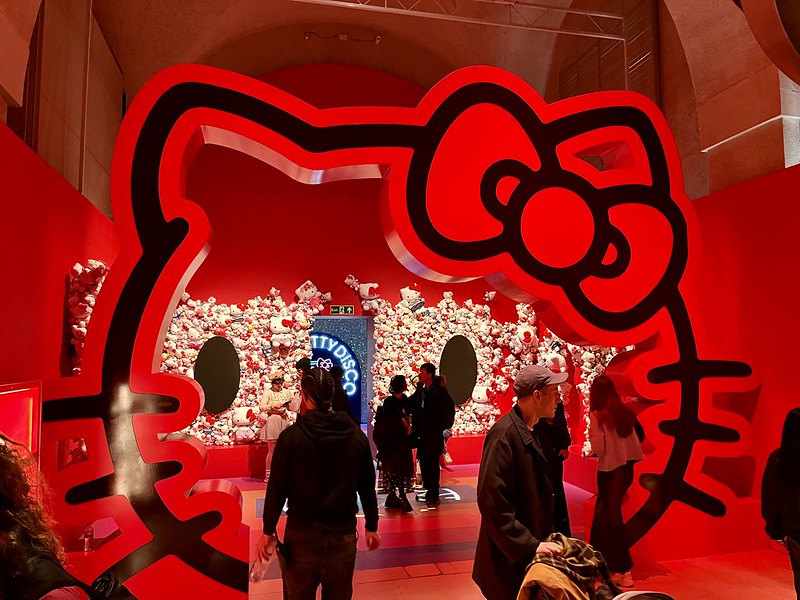
Hello Kitty

The exhibition also marks the 50th anniversary of Hello Kitty, and a large section of the exhibition is devoted to the memorabilia collected by one person. Including Hello Kitty Spam.

There are some interactive parts too. There’s a room with some arcade games, old and new, including some indie games like Froggy Pot.

Some of the art produced for the exhibition is AI generated, and the theme image features a kitten with a unicorn horn and seemingly seven paws. I suspect that they’ve kept this in because it shows the weird-er side of cuteness.

Pop-up cafe

Alongside the exhibition is a pop-up Hello Kitty themed café. We had to queue to get in, as it’s a small space, but the food was nice albeit very full of sugar.

The exhibition runs until the 14th April, so you’ve got about five weeks to go to see it. We went on a Friday when walk-up tickets were available, but I imagine it’ll be busier at weekends and so you may wish to consider pre-booking. You can also look at all of the objects online at cute.guide.

Accessibility

The southern entrance to Somerset House is the closest to the exhibition, and is very close to Temple tube station on the District and Circle lines. It’s also close to Waterloo Bridge. Whilst there are stairs, all are duplicated by several lifts giving access to the exhibition, which currently have furry insides. Access packs, containing large print guides, noise-cancelling headphones, magnifying glasses and a stress ball, are available to borrow from the box office.

Bank of England Museum

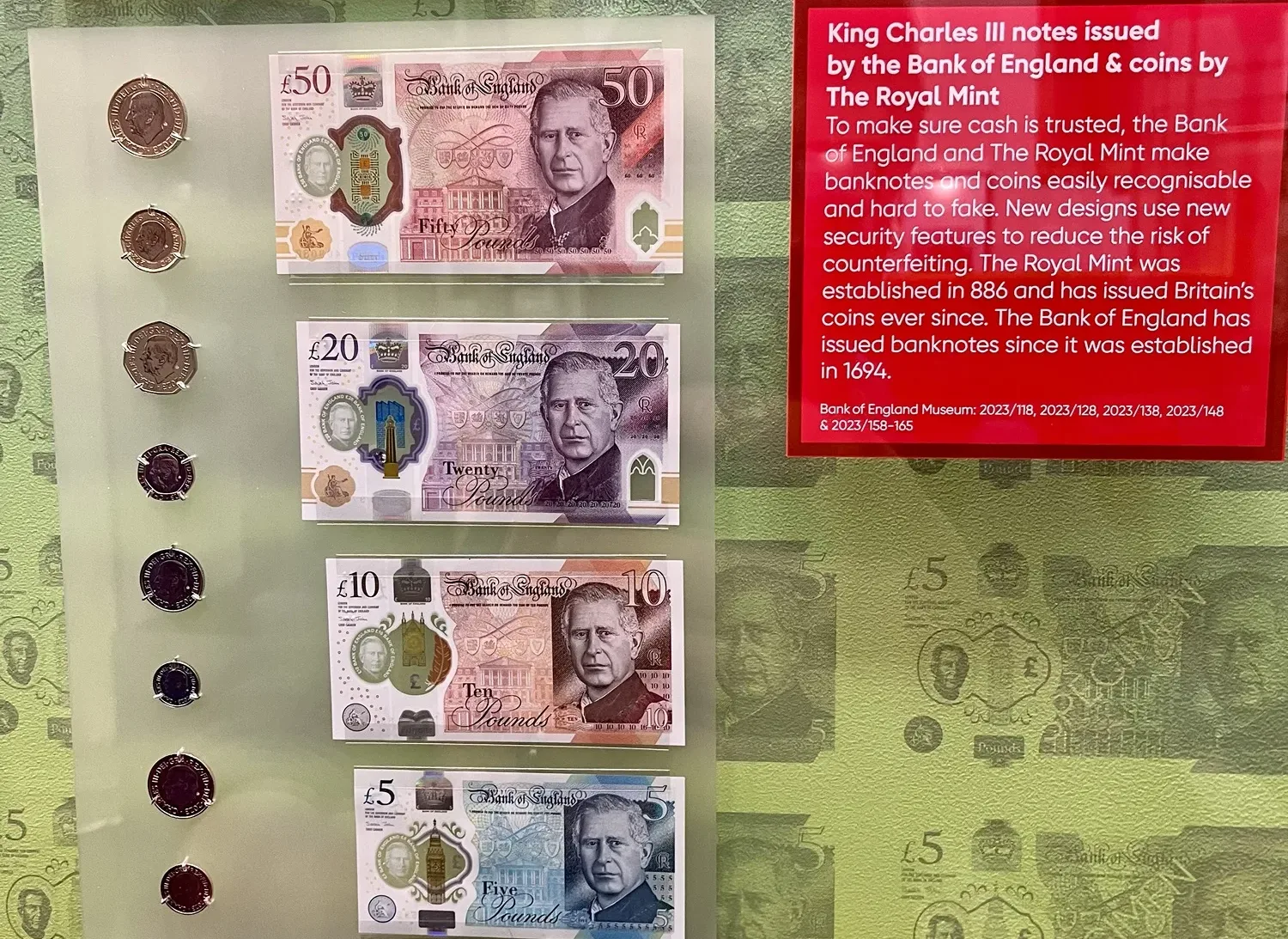
A photo of the new King Charles coins and bank notes at the Bank of England Museum in London

The first place we went to on our trip to London last weekend was the Bank of England Museum. Which is pretty much what you would expect it to be – a museum based at the Bank of England headquarters in the City of London. Access is via a side entrance, and, as you would expect, you have to go through a security scanner to get in.

This is only the second time that I have been to the Bank of England Museum. The first time was a long time ago. I can’t remember exactly when, but I was definitely still living at home, so probably 25-ish years ago. Part of the reason for this is that the museum is only open on weekdays, and we normally visit London at weekends. As we had the benefit of an extra day, we were able to visit last Friday.

It’s not a big museum – a typical visit will take 1-2 hours – but it’s free to get in. And the exhibits are regularly updated. As shown in the photo above, there are samples of the new coins and banknotes featuring King Charles III which are not yet in general circulation. I was also amused by the satirical FTX t-shirt in an exhibit about cryptocurrencies. These are in a new exhibition called The Future of Money, which opened a couple of days before we travelled and runs until next September.

Like many museums, the Bank of England Museum has also acknowledged the darker sides of its past. Recent new exhibits include copies of ledgers listing the names of slaves that came into the bank’s possession, and there’s a display about the Windrush generation. On arrival in the UK, many of those who travelled on the Empire Windrush to start new lives were denied access to traditional banks, and the museum has a series of panels on Pardner Hand to allow people to borrow or save money.

Other permanent exhibits include some examples of forged bank notes (including some introduced by the Nazis in the Second World War to de-stabilise the economy), and of course there’s plenty on the history of the bank.

If you haven’t been to the Bank of England Museum before, I’d recommend going. It’s not a full day out, but it’s free and there are some interactive elements for children.

Accessibility

Predictably, the nearest tube station is Bank, which has step-free access from the Northern and Waterloo & City Lines, and the DLR. There are steps in the museum, including at the entrance, however, security staff can escort those with mobility issues from the bank’s main entrance and ramps can be provided once inside. There isn’t a quiet room, but ear defenders are available to borrow.

Back from London

An LNER Azuma train at York station, due to depart to London King's Cross station

We’re back from our trip to London. We got there a bit later than planned, due to action short of a strike by the drivers’ union ASLEF resulting in our planned train from Leeds to London being cancelled. This wasn’t ideal, as it meant we didn’t arrive until 10pm; however, we made it, and had an enjoyable trip.

I’ll post separately about the specific places that we went to over the next week or so. We had also planned to visit the Horniman Museum, as the gallery containing its famous over-stuffed walrus closed this week for two years, but we couldn’t quite fit it in. As usual, Ianvisits was invaluable for finding out about special exhibitions and served as inspiration for a few of our visits.

We managed a couple of trips on the new Elizabeth Line; it was partially open on our last trip to London in 2022 but we didn’t need to use it then. The stations are impressive and I appreciated the greater accessibility, but I couldn’t help but feel that the trains themselves already look a little tired. It may be the use of grey interior panels; they felt a little dark and not as bright internally as other new trains elsewhere. It’s good to see it being well-used despite being opened for less than two years.

We normally manage one trip to London each year – we missed 2020 for obvious reasons, but also didn’t manage to go last year either. We may have a shorter visit later this year, but with journeys taking 3 hours each way and the costs, it’s not something that we can do on a whim.

OpenBenches

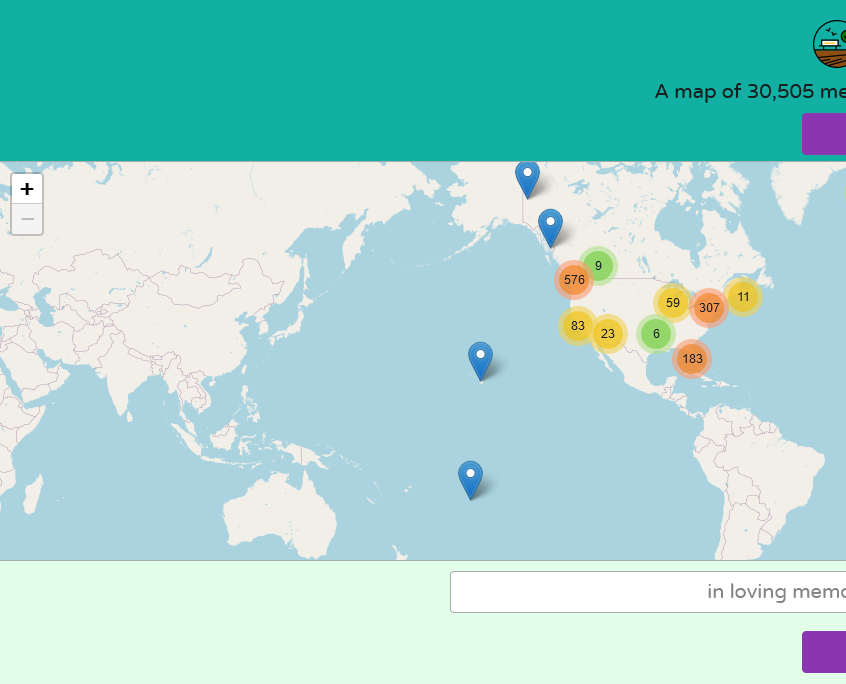
Screenshot of the OpenBenches web site

Have you ever wondered if there was a list of benches with public dedications on them? Well, I haven’t, but there is one and it’s called OpenBenches.

It’s similar to Open Plaques, which is crowd-sourced list of plaques on the sides of buildings commemorating notable people or events that happened. OpenBenches, meanwhile, is for people who may not have been notable, but were loved and missed by their friends and relatives after their passing.

Anyone can submit a bench, as long as you can upload a photo of it that is geotagged. With most photos being taken with phones these days, this isn’t much of an issue. Of course, the bench should have a dedication on it, and you’ll need to type out what the dedication says. Submissions can be made anonymously, or by logging in using an account on Twitter/X, Facebook, GitHub or WordPress.

There’s now over 30,000 benches on OpenBenches, all with a location, a photo and a copy of the text of the dedication. However, over 28,000 of them are in the UK, with few elsewhere. That may be because dedicating a bench to someone is more of a British thing, or because its developers (Terence Eden and Elizabeth Eden) are British.

There aren’t any benches listed on there in my town of Sowerby Bridge yet. I think there are some eligible benches nearby, so maybe I should take the time to go and take photos of them to add them.

Pop Music Activism

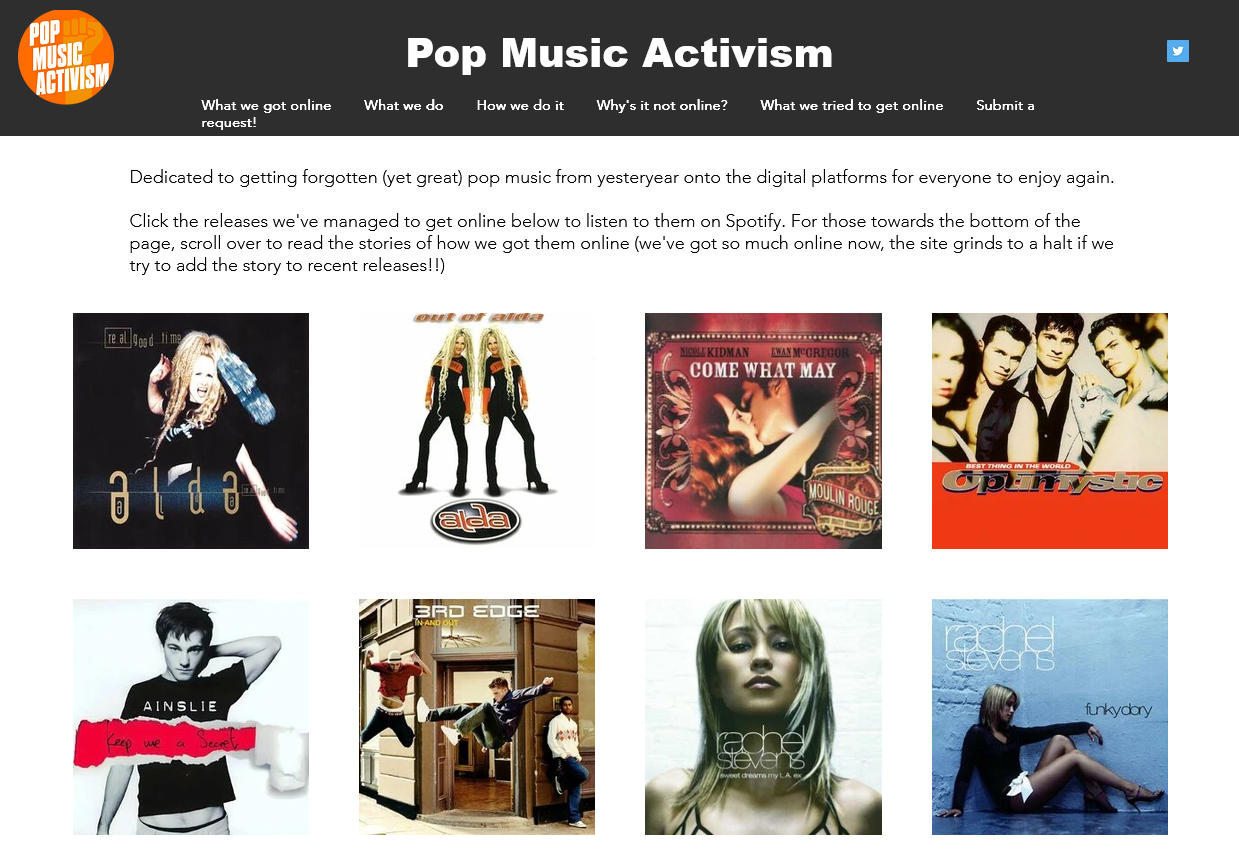
Screenshot of the Pop Music Activism web site

Have you ever been frustrated that some older music isn’t available on digital platforms like Spotify or iTunes? You’re not alone, and Pop Music Activism is trying to do something about it.

There are several reasons why music is missing from these platforms, and indeed there’s a list of the common ones. A lot of dance music from the 1990s and 2000s is missing, and this is often because songs were released by different labels in different countries. It wasn’t until the late 2000s that Spotify came along.

For some artists and bands, you may find their albums there, but not their singles. So remixes and b-sides are harder to come by. Or you may find that the song you want appears in a web search, but when you follow the link, it’s been geo-blocked.

This is where Pop Music Activism comes in. They track down who has the rights, and politely badger them to get the music online. And it works – the home page of the web site has hundreds of releases that are now available to legally stream and download. There have been some particular successes, such Things That Go Bump In The Night by *allStars, which after becoming available again appeared in lots of Hallowe’en playlists and has clocked up over 4 million streams on Spotify. Whilst Spotify pays a fraction of a penny per stream, it’s more than the nothing that these songs were earning before, due them not legally being available anywhere.

If you want to keep track of what ‘new’ old songs become available, you can follow them on Twitter/X. Usually, there’s something new each week on a Friday. It’s about the only reason I still occasionally log into Twitter nowadays. There’s also a monthly email list which I’m on, but can’t seem to find the subscribe link.

CarPlay with Home Assistant

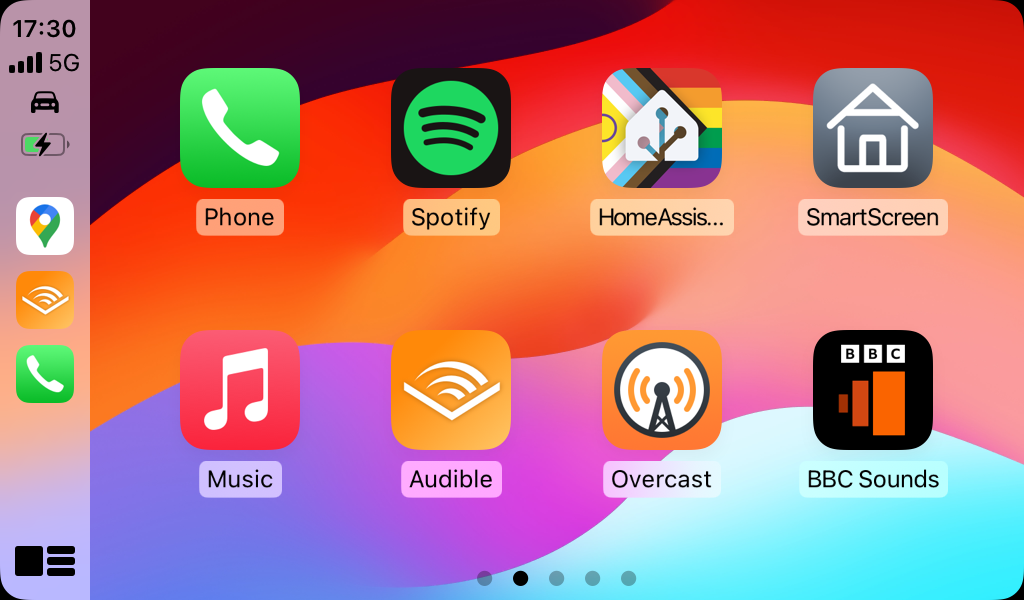
A screenshot of the CarPlay home screen showing the Home Assistant icon

There’s now a CarPlay app for the Home Assistant Companion app on iOS. This means that it’s possible to control (some) of your devices connected to Home Assistant whilst driving.

I like CarPlay, and have a standalone unit in my car. Most CarPlay apps are designed for either navigation or for listening to audio content whilst driving, but Apple has allowed some other apps more recently. For example, the RingGo parking app is now available in CarPlay; I wish the same could be said for the four other parking apps I have installed.

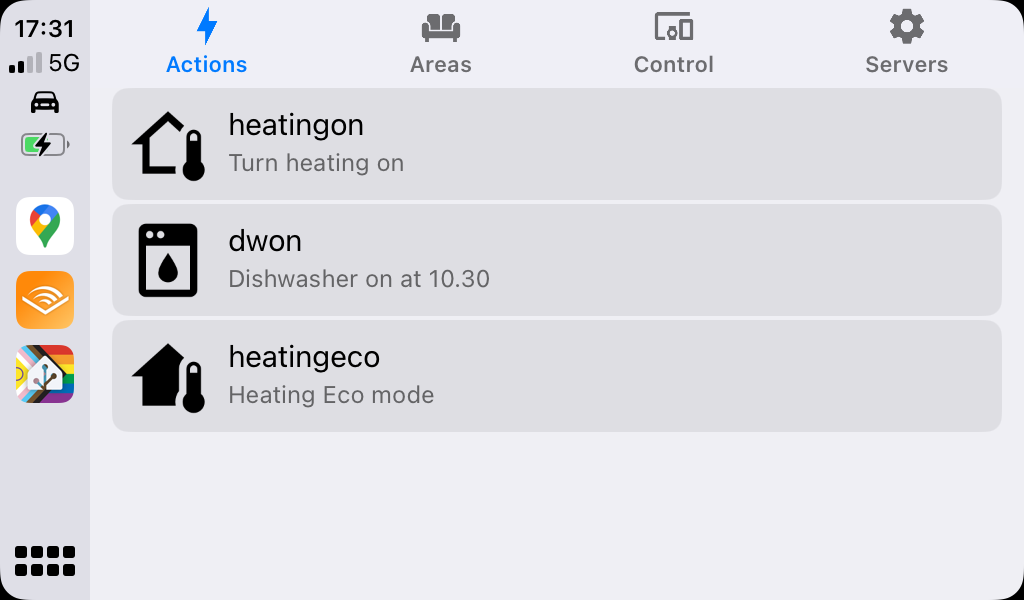
The Home Assistant app has four tabs: Actions, Areas, Control and Servers. Areas gives you the list of rooms that you have defined, and from there you can access some of your devices. Control gives you a big list of all of the devices that have a function that can be controlled whilst using CarPlay – mainly buttons and switches. Meanwhile the Servers tab is there in case you’re able to log in to more than one Home Assistant instance.

Actions are unique to the Home Assistant Companion app. They link to automations, but have a specific trigger. At the moment, I’m only really using actions to control my Nest thermostat as this is usually the only thing I want to control outside the home. Actions are also used by widgets on iOS, and by the Apple Watch integration. They’re a bit of a faff to set up at present; this video seems to be the best guide to setting them up.

It should be noted that Home Assistant also supports Android Auto, and indeed has done for longer. CarPlay support was new in January but it’s taken me until now to get it set up and remember to take some screenshots.

I’m really happy about this new feature, as being able to safely control my heating whilst driving isn’t something I’ve been able to do before. It makes the time that I’ve spent setting up and tweaking my Home Assistant server worthwhile.

Leaping towards London

An AI-generated image of a woman on a horse leaping through a portal that says 'February 29'

It’s the 29th February today!

Well, actually, I’m writing this on Saturday 24th. I tend to write blog posts in bulk at the weekends, and then schedule them to go live every other day over the week. In any case, I’m unlikely to have time to write much today, as this morning I’m at work and then we’re off to London tonight for a long weekend.

But as the opportunity to publish a blog post on the 29th only comes around once every four years, here you go. And I missed 2020 as I wasn’t blogging then. Had I been, I’d have probably said something about the-then looming pandemic. Ironically, I wrote this on the 29th February 2016:

Maybe something interesting will happen on this day in 2020, but you’ll have to wait another four years to find out, I’m afraid.

I suppose it’s a case of being careful what you wish for. You can also see what I wrote in 2012 (being ill), 2008 (heading to Scarborough for the weekend), and 2004 (not a lot).

I’ll write more about our trip to London once it has actually happened.

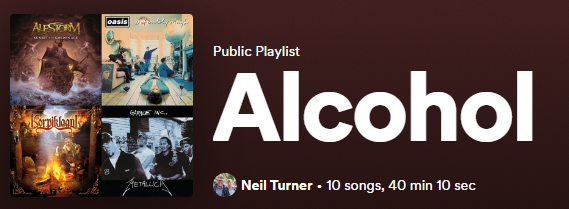
Playlist of the month: Alcohol

Screenshot of the alcohol playlist on Spotify

Time for the fourth instalment of my Playlist of the Month, and this month, it’s all about alcohol and drinking seeing as Dry January is over. Unlike last month, this was a relatively easy topic to come up with.

Here’s the Spotify playlist if you want to listen along.

  • Drink – Alestorm. As you’d expect from a band called Alestorm, they’ve written a lot of songs about drinking over their seven (soon to be eight) albums. This was the first single from the fourth (and in my view best) album. Indeed it’s about 11 years ago since I saw them in Leeds.
  • Cigarettes and Alcohol – Oasis. I’m not a big Oasis fan but any playlist about alcohol would be remiss without this.
  • Vodka – Korpiklaani. This Finnish folk metal band has several songs about alcohol, with others including ‘Happy Little Boozer’ and ‘Bring Us Pints Of Beer’. ‘Vodka’ is probably their best.
  • Whiskey in the Jar – Metallica. It’s a traditional Irish folk song but this version by Metallica is probably its best known recording. A staple at any ceilidh.
  • Love Drunk – Boys Like Girls. You can be drunk, and indeed hungover, on love as well as alcohol, and this is one of my favourite songs in this genre.
  • Drinking in LA – Bran Van 3000. Quite the one-hit wonder from 1997.
  • Tequila – Terrorvision. A local band coming from just up the road from me in Keighley; this was probably their biggest hit thanks to a remix by Mint Royale.
  • Tubthumping – Chumbawumba. Another big song from the 1990s. Whilst Chumbawumba have released 16 albums to date, this is by far their most well-known song.
  • Drunken Lullabies – Flogging Molly. Another Irish-themed song; again, Flogging Molly have no shortage of songs about drinking but this is their most well-known song.
  • Beer – Reel Big Fish. And finally, a bit of ska to finish off.

Disney Minus

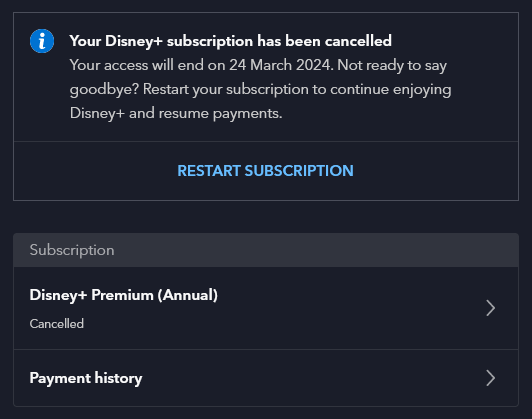
A screenshot of our Disney + account setting showing it cancelled.

Last week, we cancelled Disney+. Our annual subscription was due to renew, and at over £100 for the year, we could no longer justify it.

We’ve had a subscription ever since Disney+ launched in the UK, in the early days of lockdown in 2020. In fact, before then we had a subscription to DisneyLife, which was Disney’s UK-only streaming service for video and music, and used to cost £5 per month. Over time, Disney+ has got better, especially now that content from 20th Century Fox is on there.

But we just don’t watch enough of it. When we signed up to Disney+, there was only one price tier at £7.99 per month or £79 per year. Whilst that was more expensive than DisneyLife, there was more content available so it was worth it. Now there are three price tiers, and the most expensive is £10.99 per month, or £109 per year. That’s more than double what we were paying just five years ago. Whilst there is once again a £5 per month tier, it’s with adverts, and we don’t want those.

Like many kids, our eight-year-old seems to just want to watch YouTube Kids now. It’s something we’ve tried to resist for years, but apparently watching home-made videos and Minecraft walk-throughs is far more interesting than the professionally-produced content that we were paying for. We’ll keep paying for Netflix, as you can download content onto an iPad to watch offline. We tend to clip our eight-year-old’s iPad into a stand fixed to the back of the front passenger seat for long car journeys.

We’ve had Amazon Prime in the past, shared using Amazon Household with another family member, but we don’t have this now. Again, it’s getting more expensive, and we’d rather avoid the adverts. And whilst we’ve had free trials of Apple TV+ and Now TV, we’ve never paid for these beyond the trial period. We also don’t pay for a TV package, and just have Freeview and Freesat for live television.

I guess we’ll just re-subscribe to these from time-to-time when there’s something we actually want to watch.

I do find it odd comparing streaming video with streaming music. There’s a handful of music streaming services – Spotify, YouTube Music, Amazon Music, Deezer and so forth – and for the most part, they all have the same music. Yet with streaming video services, most shows are on one or two at best, and many or exclusive to one service.

AdGuard Home

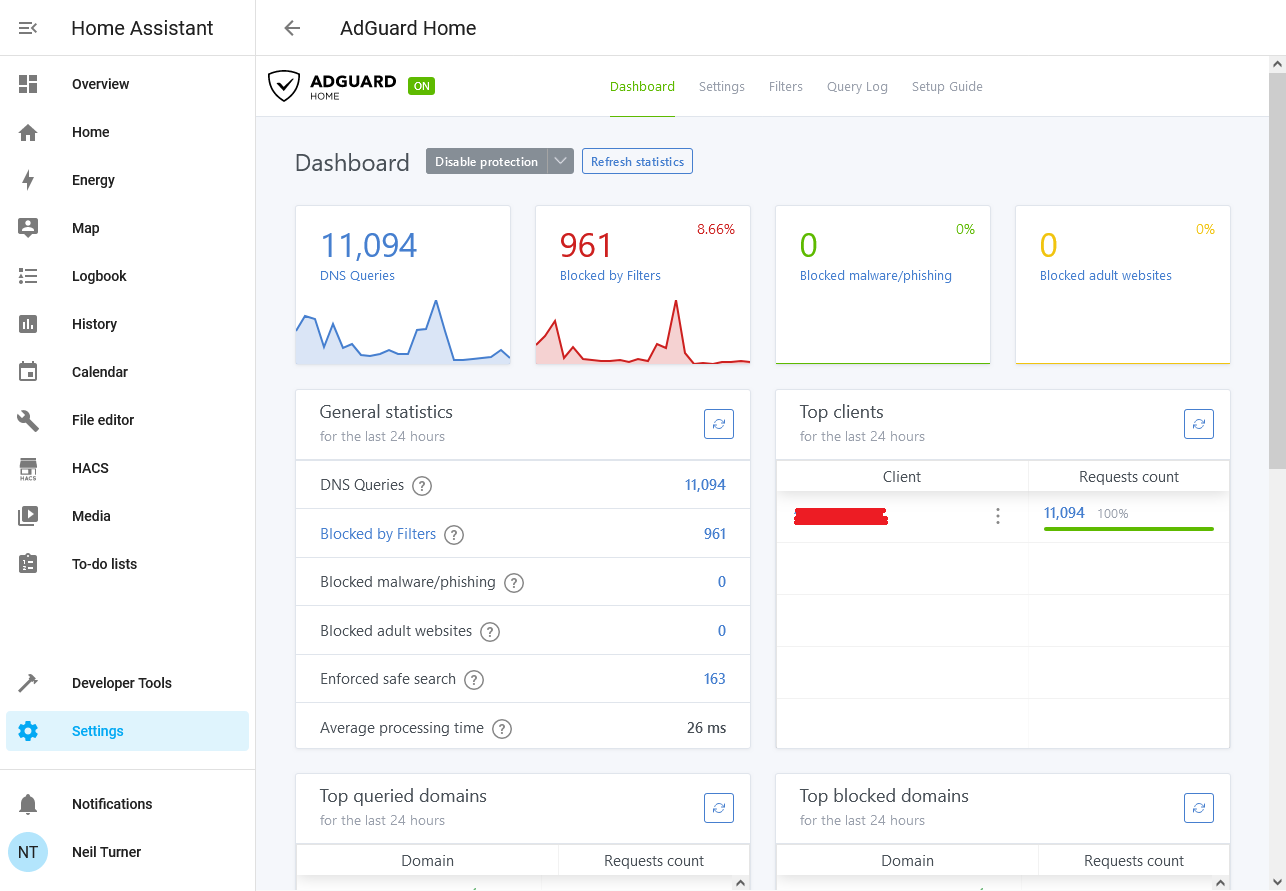
A screenshot of the AdGuard Home web interface running as a Home Assistant addon

I’ve recently started using AdGuard Home as a way of blocking advertising and tracking on my iPhone and iPad, when on wifi at home. It works as a replacement DNS server, and re-routes requests to domains known for advertising and traffic to a DNS Sinkhole.

Unlike a browser-based ad blocking extension, such as uBlock Origin or Firefox Focus, by intercepting DNS requests AdGuard Home can stop tracking in all apps. That includes built-in browsers in apps, such as the Facebook app, as well as any app analytics tools. As I have an almost 6 year old 6th generation iPad that is getting rather slow, not having to load additional advertising and tracking scripts has boosted its performance and battery life.

Installing AdGuard

To run AdGuard Home, you’ll need a spare computer that can run all the time. A Raspberry Pi is ideal for this, as it’s small, low energy and can be run without a keyboard and mouse. You can also use Docker, Snap, or do as I do and run it as a Home Assistant addon. Indeed, once it’s set up, Home Assistant will detect it and offer to install an integration.

You can then adjust your router’s DNS settings, so that every device in your home uses your new AdGuard DNS server. This will block adverts and tracking across all of your devices if you want it to. I’ve chosen not to do this; whilst many tracking sites are a privacy nightmare, I also use sites like Quidco to get cashback. I use Google Chrome with no privacy features turned on when making purchases that could be eligible for cashback; this earned me over £80 when we switched our broadband supplier to Vodafone recently.

For me, just having it running on my mobile devices when at home on wifi is enough.

Whilst AdGuard offers other tools that are paid-for, AdGuard Home is free and open source.

Pi-hole

Pi-hole is similar to AdGuard, in that it is also a DNS-based ad blocker. As the name suggests, it was intended for use on Raspberry Pi computers, but can be installed on other devices. I had investigated installing this, but came across AdGuard as an easier alternative. Pi-hole is also open source, but development seems less active.

Advanced features

For the most part, once you’ve installed AdGuard Home and set it as your DNS server, you don’t need to do much else. However, you can enable DNS Encryption if you want – especially if you want to access your AdGuard server from outside the home. You can also use AdGuard Home to block adult content, or access to certain web sites, and configure this for individual devices. So, I could enable parental controls on our eight-year-old’s tablet using AdGuard without restricting my devices.