

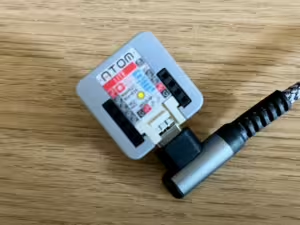
A couple of years back, I bought an M5Stack Atom Lite to act as a Bluetooth Proxy for Home Assistant. Last month, an update to the ESPHome firmware meant that more devices could become a Bluetooth Proxy, including Tuya devices, and so I’ve now got another Bluetooth Proxy in my home.
The device in question is a Tuya Infrared and RF bridge, which I bought cheaply from AliExpress. This runs on a Beken BK7231N chip, which I’ve been running ESPHome on for some time having used Tuya-Cloudcutter to flash it. Since April, it has been running as an Infrared proxy in Home Assistant, but as yet I haven’t got it working as an RF proxy. Although, to be fair, I haven’t got any RF devices that I need to bridge into Home Assistant, so it’s not a priority.
BLE on more chips
Bluetooth Low Energy (BLE) hasn’t been supported by ESPHome on Beken devices until last month’s update. Indeed, back in January, BLE was fully removed from ESPHome on these devices to save RAM and storage, as it didn’t work at the time. So this is quite the turnaround.
It’s not just Beken chips that have gained BLE support. By making BLE in ESPHome generic, devices with Raspberry Pi Pico and Lightning LN882H chips can also become a Bluetooth Proxy as well, making it available across most of the chips supported by ESPHome.
Better Bluetooth Proxy performance
Something else that’s worth noting about ESPHome’s Bluetooth Proxy support is that there has been a lot of optimisation work over the years. When I first set up my m5Stack Atom Lite two years ago, if you tried to add anything else in ESPHome to the device, such as a web server, you would get a warning when compiling the firmware. This is despite the Atom Lite having an ESP32 chip, which is amongst the more powerful chips that ESPHome supports.
That’s not a problem nowadays, and so an ESPHome device can comfortably act as a Bluetooth Proxy and something else. That means my device can be both an Infrared Proxy and a Bluetooth Proxy – and potentially an RF Proxy as well if I get that working. That means it’ll be capable of doing more with the ESPHome firmware than with the stock Tuya firmware that it came with, as well as no longer being reliant on the cloud.
The Bluetooth Proxy YAML code
If you use a recent version of the ESPHome Device Builder, then you just need to add these Components to your device:
- Bluetooth Proxy
- BK72xx Bluetooth Low Energy Tracker Hub
- BK72xx Bluetooth Low Energy
That’s it – you don’t even need to set any Advanced Settings as the defaults will work fine. However, if you’re old school and want the YAML code, here it is:
bluetooth_proxy:

bk72xx_ble_tracker:

bk72xx_ble:
Then all you need to do is recompile your device firmware, and once it has restarted, Home Assistant should recognise it as a Bluetooth Proxy.
I’ll be keeping my m5Stack Atom Lite for now, but having a second Bluetooth Proxy at home means wider coverage of the house. I may even be able to do things like track the approximate location of BLE devices, based on which proxy/dongle they are closest to. And it’s great to be able to take an existing device that I already own, and give it new features.
Theoretically, if you have other Tuya devices like smart light bulbs with a Beken chip, and can use Tuya-Cloudcutter to get ESPHome onto them, then you could also make these act as a Bluetooth Proxy as well as being a light bulb. It certainly opens up some interesting possibilities.


Likes