
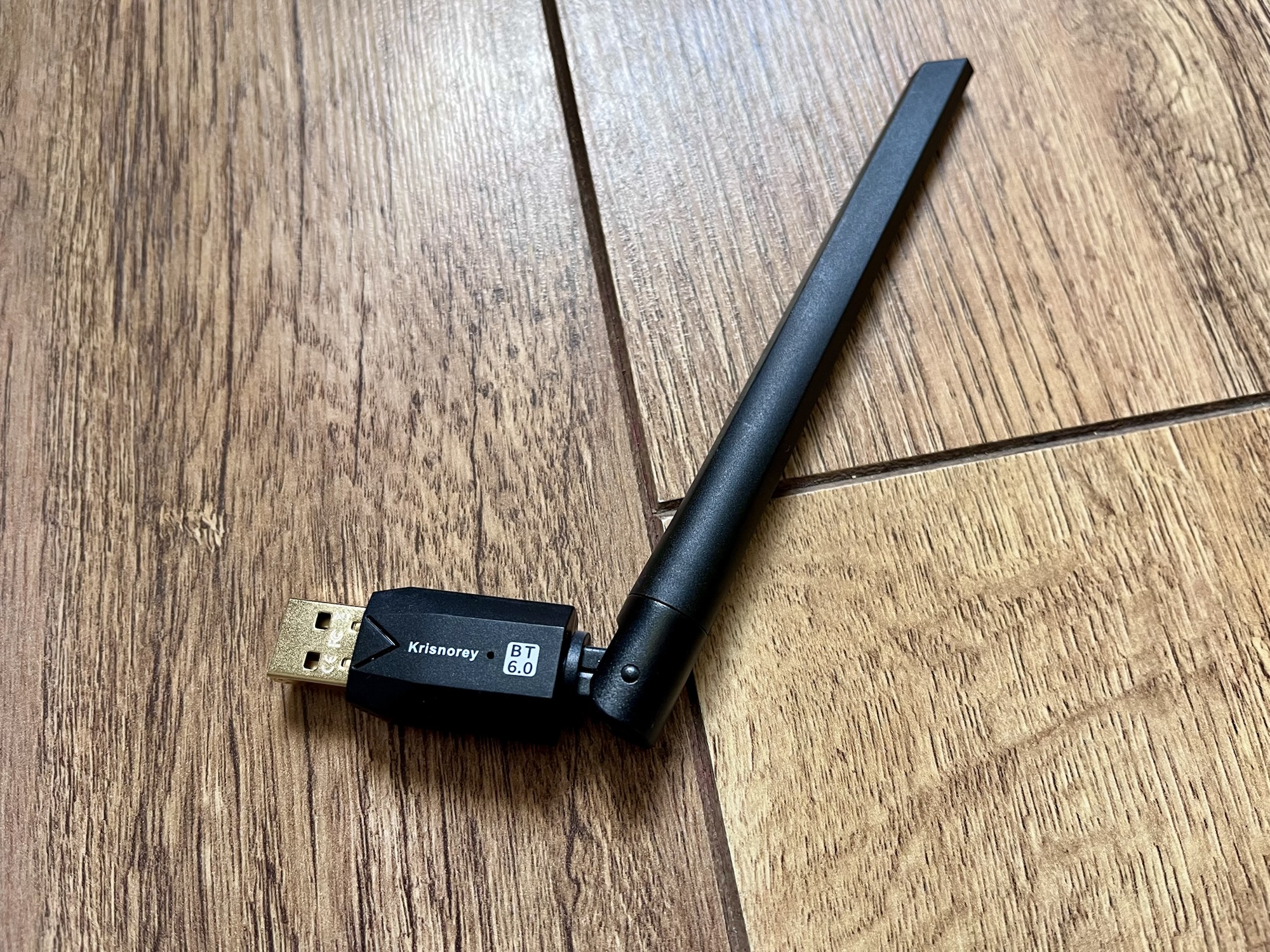
Last weekend, I wrote about turning a Tuya device into a Bluetooth Proxy. But if all you want is a USB device that plugs directly into your Home Assistant appliance to add Bluetooth support, then consider this Krisnorey Bluetooth Dongle from Amazon (sponsored link).
If you’re running Home Assistant on a Raspberry Pi, then your device will have Bluetooth support out of the box. But the official Home Assistant hardware, including my Home Assistant Green, doesn’t natively support Bluetooth. If you want Home Assistant to work with Bluetooth devices, then you’ll need a Bluetooth Dongle, or a Bluetooth Proxy.
A Bluetooth Proxy has a couple of advantages over a dongle:
- If you run Home Assistant Container, or Home Assistant in a virtualised environment such as Proxmox, then you don’t have to bridge the USB Bluetooth Dongle through to Home Assistant.
- Not all Bluetooth dongles are supported by Home Assistant, so there’s less risk of buying one that doesn’t work.
However, the distinct disadvantage of a Bluetooth Proxy is that it’s difficult to buy such a device ‘off the shelf’ – and not everyone wants to have to flash custom firmware onto a device.
By comparison, a Bluetooth dongle just plugs directly into your Home Assistant hardware. I picked out the Krisnorey Bluetooth Dongle specifically for the following reasons:
- It supports Bluetooth 6.0. While it isn’t the latest version (which is 6.3 at the time of writing), it’s still a relatively new version of the standard.
- It has a very long aerial, and so should be able to communicate with Bluetooth devices over a long range.
- Someone else had previously left an Amazon review stating it worked with Home Assistant.
And indeed it does – I plugged it in, and it worked straight-away. Currently it’s selling for £17, or £15.33 if you have Amazon Prime (we don’t at the moment). There’s an older version which supports Bluetooth 5.4 which is cheaper, but I can’t confirm whether this will work with Home Assistant or not.


