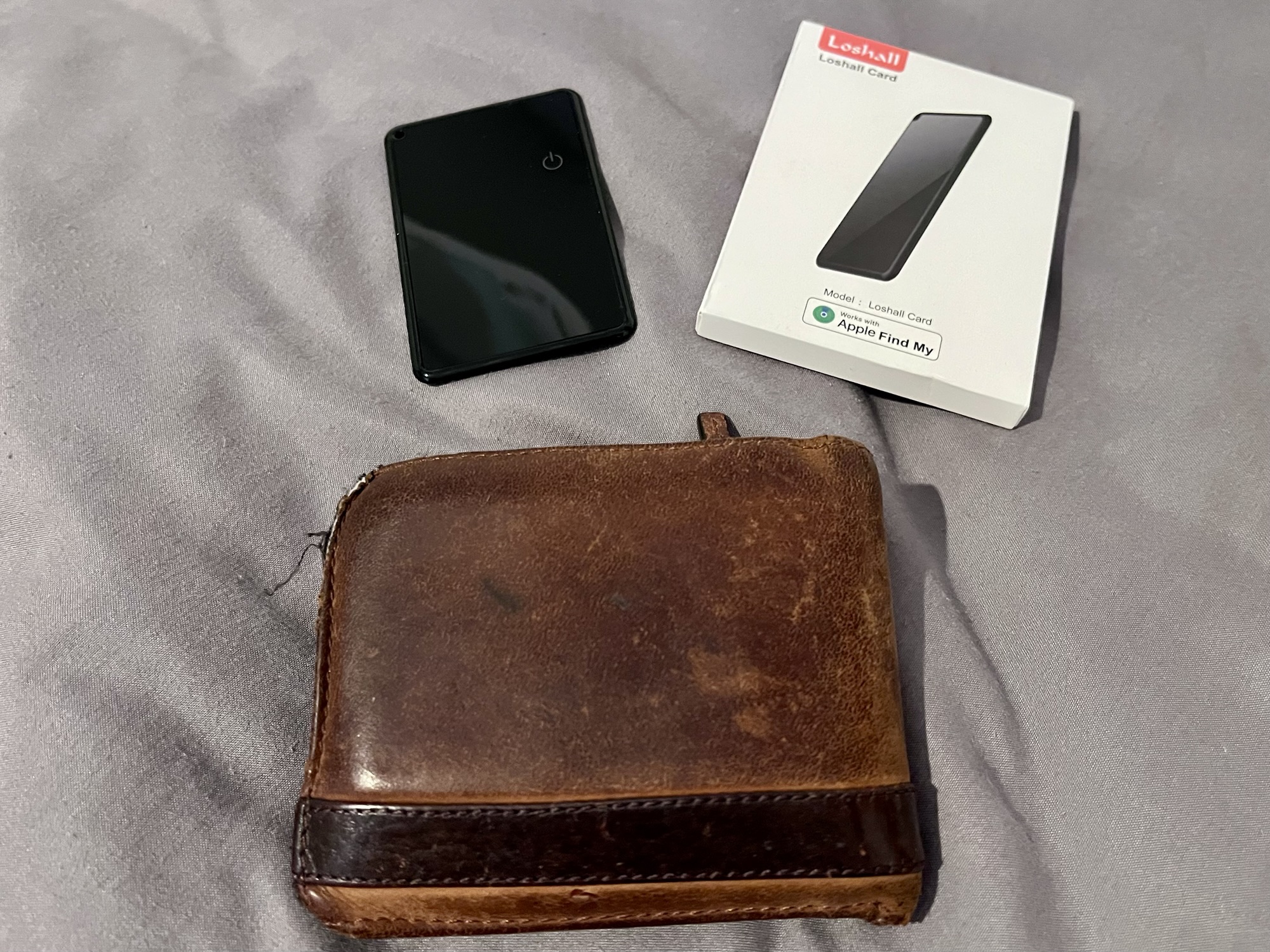
Although I’ve never lost my wallet before, I now have a wallet tracker in it, in the hope that, should I lose it in future, I can use Apple’s Find My network to find it again.
The specific wallet tracker card I’ve bought is the Loshall Card. It’s available for £20 on Amazon(sponsored link), but I bought mine from AliExpress. I paid £6.09 for it, but it’s currently selling for £8.50 – still, that’s half the price of Amazon. And, it’s considerably cheaper than Spotminders, who advertise heavily on social media but charge £37 (plus postage) for basically the same thing.
Pairing and charging
The Loshall Card is shaped like a standard credit card, but is about double the thickness. It should fit snugly in your wallet in a standard card slot. To set it up, you scan a QR code included in a leaflet in the package, which opens Apple’s Find My app and allows you to pair the card to your iCloud account. Your wallet tracker card will then show on an ‘Items’ tab in the Find My app, and as long as it’s in Bluetooth range of another Apple device, you should be able to see where it is at all times.
The battery inside the Loshall Card isn’t removable, but can be recharged wirelessly using any Qi wireless charger. A full charge should last around 4 months, which is less than other wallet tracker cards, but the Apple Find My app should show its charge level. There’s also a tiny LED on the card that shows red whilst charging, and green when fully charged.
If you do need to locate your wallet, you can use the Apple Find My app to play a sound on the Loshall Card. It’ll make a little beeping noise, but it’s quite quiet.
Using the Loshall card wallet tracker
I’ve had my card a couple of months and it’s worked well – up to a point. Several weeks ago, I had an alert that I’d left my wallet behind at work – my first day back in the office post-injury – when I hadn’t. It appeared that the card had crashed and had stopped pinging its location until I charged it, even though it had been fully charged a few days earlier. That seems to have been the only niggle, and it’s worth remembering it was significantly cheaper than many other wallet tracker cards. If it fails again, then I may need to think about buying a better one that I can rely on; I wouldn’t want to lose my wallet at a time when the card fails.
Only for Apple devices
It should be noted that this model of Loshall Card only works with Apple devices. Android devices have their own network called Find Hub, and so if you have an Android phone, you will need a different wallet tracker device.
It’s also worth noting that Tile, the original tracker device company, uses a separate, third network called Life360, and so its wallet tracker card won’t work with Apple Find My or Android Find Hub. Nowadays, I generally wouldn’t recommend Tile devices, as the Apple and Android networks are larger and so you’re more likely to find your lost devices on these. Which is a shame, as I used to use Tile trackers quite a bit before the pandemic. I still have several, but their batteries are long dead, and whilst the batteries can be replaced easily, I think I’d rather buy new trackers with better support.
At the end of last month, my new MacBook Neo arrived. This is my first new computer since 2018, and specifically my first new Apple computer since 2010. In this (rather long) post, I’m going to go through my rationale for going back to Mac OS after 8 years on Windows, and review the computer.
My Mac origin story
I originally switched from Windows to Mac OS in 2005, with the purchase of a Mac Mini. The year before, I had bought my first Apple hardware device, an iPod Mini, and was sufficiently impressed to switch away from Windows. This first Mac Mini came with a PowerPC G4 processor, but it wasn’t long before Apple announced it would switch to Intel processors going forward.
I wrote severalblogposts at the time about how I was adapting to Mac OS (which was version 10.4, or Tiger, back then). There were some hiccups – I remember it being a pain to get Mac OS to recognise a UK PC keyboard layout, for example. But, on the whole, I preferred it, and my next two computers were both Macs too. This was an Intel MacBook in 2006, and an Intel Mac Mini in 2010.
The Windows interlude
By 2018, Christine needed a new laptop for a university course that she was completing part time. Christine is more of a Windows and Android person, and at the time, our budget didn’t stretch to having a laptop each. We were paying £800 for full-time childcare, on top of our mortgage – back then, there was no government financial support for parents of under 3s, apart from tax exemption through childcare vouchers.
Christine’s previous Windows laptop was very old – I helped her buy it in 2009 in the early days of our relationship, and my Mac Mini was also not doing well. So, with there only being enough money for one laptop, we bought a cheap Lenovo Ideapad running Windows.
Back to Mac
Fast forward to today, and we’re in a better financial position. Christine bought a new laptop earlier this year, as she’s started another university course. Meanwhile I’ve also had a bit of money to put aside, so that I could have my own computer again. That Lenovo Ideapad that we bought in 2018 has had a good innings, but it can’t be upgraded to Windows 11. Microsoft has just announced another year of extended support for Windows 10, but by that point, I’d already made up my mind that I needed a new machine. And as Christine now has her own computer, I decided that the time was right to go back to Mac.
The MacBook Neo fits my needs well. Bearing in mind that I’ve managed with a budget Lenovo laptop for 8 years (seriously, it cost less than £400 new), I don’t need a powerful MacBook Pro. I just need something with reasonable performance for blogging, researching and buying things online – i.e. the tasks that I find easier on a big screen with a full keyboard, rather than on my iPhone or iPad.
Having those Apple mobile devices also made choosing an Apple computer an easier decision. Apple devices (usually) work well together, with things syncing via iCloud and features like Handoff. That’s something that I’ve missed during my Windows interlude.
It’s clear that Apple has made some compromises to make the MacBook Neo a more affordable computer. There are two models – the standard one comes with a 256 GB solid state drive (SSD), and for £100 more, there’s a premium model with a 512 GB SSD and support for Touch ID. Otherwise, the two models are identical: same processor, RAM and features. I went for the 512 GB model, partly for the extra storage, but also because Touch ID makes authorising things much easier, and I’m used to it from my iPhone and iPad.
The processor in the MacBook Neo is from Apple’s ‘A’ family, normally found in its iPhones and cheaper iPads, rather than its computers. This first generation MacBook Neo has an A18 Pro processor, which is the same as the iPhone 16 Pro and Pro Max – so not even the latest version of the A series processors. It also only comes with 8 GB of RAM, which, as the A18 Pro processor is a ‘system on a chip’, can’t be upgraded. The dash to expand data centres for AI has meant that RAM prices have rocketed, and so whilst this is disappointing, it’s not surprising in a budget model like this.
The screen is 13 inches across, with a narrow bezel meaning that overall, it’s a small device. There’s a 1080p webcam, built in microphone, and speakers on either side of the keyboard. There’s no built-in optical drive or SD card reader.
Ports and connectivity
For wireless connectivity, there’s Wi-Fi 6E and Bluetooth 5.3 – so not the latest versions of either but still fine. Unlike some of Apple’s newer devices, there’s no Thread radio for connecting directly to Matter and HomeKit devices.
Wired connectivity is another area where the MacBook Neo offers a compromise. Indeed, it’s the first home computer I’ve used since 1999 that doesn’t have a USB-A port. Instead, there are just three ports: two USB-C ports, and a 3.5mm headphone jack.
Both USB-C ports support Power Delivery (PD), so you can use either to charge using the included USB-C cable. However, it’s quite a short cable – about a metre long, and seemingly the same cable as my iPad Air that I bought in August. And, like with my iPad Air, there’s no AC adaptor, so you’ll need to provide your own USB-C PD adaptor that supports at least 45 watts, or buy one from Apple at extra cost.
A further compromise is that the two USB-C ports are not identical. The top one, closest to the screen, supports USB 3, so delivers higher speeds and can carry a DisplayPort signal for plugging in an external screen. The second one just supports USB 2, so it’s slower and can’t be used to plug in an additional external screen. This confused me at first as I plugged my docking station into the second one, and then wondered why it couldn’t see my external screen. So whilst my work laptop supports three screens, the MacBook Neo only supports two.
MacBook Neo Battery life
I’m writing this blog post on my MacBook Neo whilst on battery power, with a USB pen drive plugged in and copying several gigabytes of files off it. It’s been running for two hours, and still has 85% charge left. That’s pretty good going, and implies that it should be capable of all day battery life for mild to moderate usage. ARM processors, like those now used by Apple, are well-known for generally offering superior battery life to Intel and AMD processors. It’s also completely silent, with no fan – all the cooling is passive.
Most of the time, I use a laptop with an external screen, keyboard and mouse, but this MacBook Neo is particularly small and light and so I might use it on its own more often. It weighs just over a kilo, and is a full half kilo lighter than my previous Lenovo laptop.
Keyboard and trackpad
I like the MacBook Neo’s keyboard, which is apparently Apple’s ‘Magic Keyboard’. My normal keyboard is a mechanical USB gaming keyboard, which works fine with the MacBook Neo, but I wanted to test out its built-in keyboard. It’s good – decent-sized keys that are responsive and allow for quick and accurate typing. However, the small size of the MacBook Neo means that there’s no separate numeric keypad.
I’m less keen on the trackpad. My previous experience has been mainly with Lenovo trackpads, where a single tap anywhere on the left side registers as a left click. This multi-touch trackpad doesn’t support that by default – left clicks must be done in the bottom left, unless you enable a setting. But, it’s good for scrolling and zooming. Meanwhile, I’ll be using my Logitech mouse with it.
As for my external keyboard, which uses a standard UK PC layout, I didn’t have the same issues as I did back in 2005 with my Mac Mini. I was able to tell MacOS that it uses a PC layout, and can switch between layouts using the menu bar.
Mac OS Tahoe
The last version of MacOS that I used was version 10.11, El Capitan, so I’ve missed 9 major versions before version 26, Tahoe, which is what the MacBook Neo comes with. The changes are moderate – the Settings app looks more like the iPad version, and iTunes is now a series of separate apps like it is on iOS (something I wrote about 10 years ago). Something else that’s new is that some apps are now universal across iOS, iPad OS and MacOS, and so I’ve installed a few of these.
I deliberately didn’t opt to migrate my data from either my current Windows laptop or previous Mac Mini (which, besides, is tucked away in a drawer somewhere). However, I was given the option of migrating settings from my iPhone. This only took around 10 minutes, and meant that my iCloud account was set up and all my Wi-Fi settings copied across. After that, I could start installing my third-party apps.
MacBook Neo Pricing
I ordered my MacBook Neo three weeks ago, and so I got lucky; last week, Apple raised their prices by £100 for each model. That means the 256 GB model now costs £699, and the 512 GB model costs £799 in the UK.
As I work in education, I was able to take advantage of Apple’s lower education pricing, and so instead of £799, I paid £599 for my 512 GB model. Or rather, I will be paying that in due course – I was able to opt for interest-free credit with PayPal and will be paying £150 each month for the next four months.
At £699 for the 256 GB model, that’s a little over half the cost of the MacBook Air, the next model up after the Neo (since Apple seemingly don’t sell a plain vanilla MacBook anymore). So, for an Apple laptop, the MacBook Neo is cheap. There are, of course, cheaper Windows laptops out there; I can’t remember exactly how much Christine paid for hers but it was less. But Apple products usually attract a premium, and this MacBook Neo makes a premium product just that bit more affordable. The fact that it comes in a choice of colours also suggests that it’s aimed more at home users and students – I went for the blue one, to match my iPhone.
All of this has been written within 24 hours of me opening and unboxing my MacBook Neo, and so I’m sure I’ll have more to write about in the near future as I get used to it.
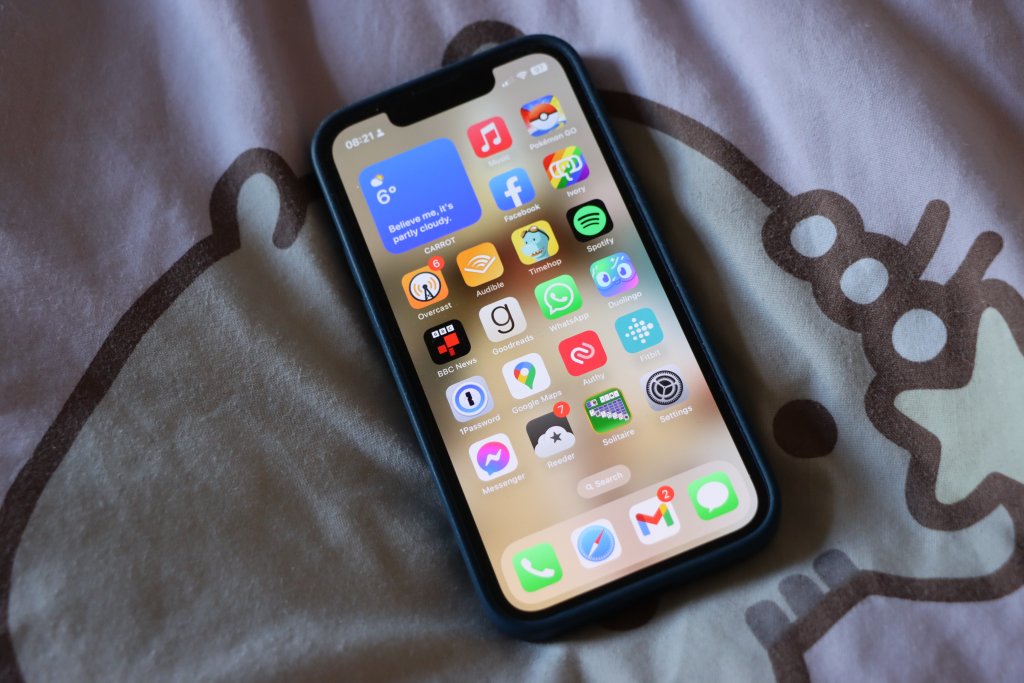
Last month marked three years since I bought my iPhone 13 Mini. Unfortunately, it was starting to show its age a little – the battery was not holding charge very well, and the charger port was being awkward, which exacerbated the charging issue.
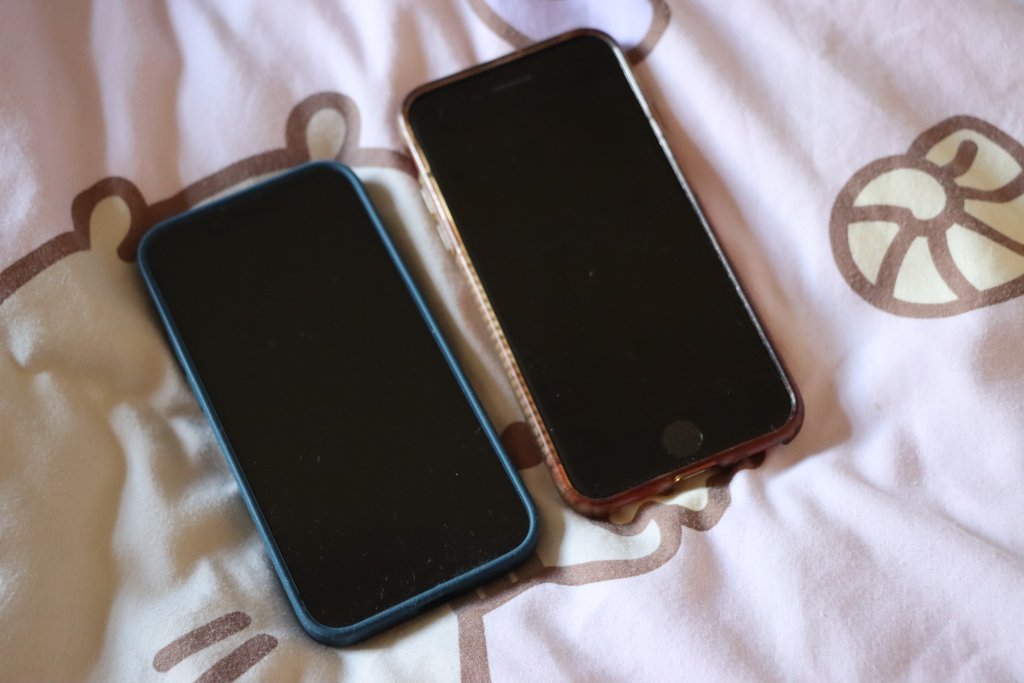
I quite like the size of the iPhone 13 Mini, and I’m disappointed that Apple has stopped making iPhones this small. As I write this, the smallest iPhone is the iPhone 17E, which is 15mm taller and 7mm wider, as well as weighing 30 grams more. And compared to the iPhone 17 Pro Max, my phone is 2/3rds of the weight, 30mm shorter and 12mm narrower. I resisted moving from the iPhone 5/5S form factor to the iPhone 6/7/8 partly because I felt that was too big – the iPhone 13 Mini has turned out to be an almost perfect size.
So, I have a good reason for sticking with my current iPhone. Plus, sorting out the issues with my phone would prove to be much cheaper than buying a new one.
New iPhone battery
I had previously had the battery on my iPhone 8 replaced, which helped it last for five years. So, doing the same with my current phone made sense. I was able to get a local phone repair shop to do the job in about half an hour, so that I didn’t have to be without my phone for too long. The ‘new’ battery isn’t actually brand new; it’s been recovered from another iPhone 13 Mini that had been disassembled. As such, it didn’t have its full 100% battery capacity as new from the factory. Instead, it offered 94%, which is better than the 80% that my current battery offered. 80% doesn’t sound too bad, but I was having to charge it multiple times per day – especially when we were in London. At 94%, it can do some whole days without needing a top-up charge.
As the new battery is a genuine Apple battery, the phone doesn’t complain about it. Indeed, the engineer who fitted the new battery walked me through how newer iPhones are able to authenticate genuine Apple batteries fitted outside of the factory. Once the new battery is fitted, it reboots into a cut-down version of iOS where it authenticates over Wi-Fi, and then reboots again when done.
Cleaning the charger port
The phone repair shop also cleaned out the charger port for me. I’ve tried blasting it with a can of compressed air, which helped, but it could still be awkward with some cables. Instead, the shop used tweezers to pull out stray dust that was insulating the contacts in the charger port. It now charges much better.
I wouldn’t go far as to say that my iPhone is like new again. Arguably it now acts like a one year old phone, rather than a three year old phone, but that’s a big improvement. It would be great to get this one to five years old, like its predecessor, before needing replacement. By then, maybe Apple will have started offering a smaller form factor iPhone again?
As for the cost? For the new battery, installation and charger port cleaning, I paid £60 at the local repair shop. Had I opted for a third-party, non-genuine battery, it would have been cheaper. By contrast, Apple charges £85, and I would have also had to factor in getting to the nearest Apple Store in Leeds. £60 for what I hope will be another two years of use isn’t bad.
A couple of weeks ago, I bought myself a new iPad. I’ve gone for the 6th generation iPad Air, which has now been discontinued having been on sale for around 10 months until March this year. The fact that it’s discontinued is why I’ve bought an iPad Air, rather than a standard iPad; I ended up buying it cheaply from Costco for £360, versus around £300 for a standard iPad.
Saying goodbye to my old iPad
My previous iPad was a standard iPad 6, and I’d had it for seven years. During that time it was used almost daily, and it was starting to show its age. As well as a dented case on the back, the battery was not holding charge well and it became very picky about which Lightning cable it would actually charge from. It’s also no longer fully supported by Apple; it can only run iOS 17 which has only had minor security updates since last autumn. I expect it won’t get any updates at all soon. Still, seven years of almost daily use is pretty good going. Before that, I’d had an iPad Mini 2 for four years, and before that, a year with a second-hand original iPad which was the first one that I owned.
This new iPad Air 6 is a Wi-Fi only model, whereas my previous iPad also had cellular data. My main reason for going Wi-Fi-only was to take advantage of the cheap deal at Costco, but also I don’t use cellular data as much as I used to. Back in 2018, I was spending quite a bit of time on trains that didn’t have Wi-Fi; nowadays, I tend to only commute to work twice a week, and the trains all have Wi-Fi now. I also have a higher data allowance on my mobile plan, and so I can hotspot off my iPhone if needed.
Size, performance and connectivity
Being an iPad Air, it sits between the standard iPad, and the iPad Pro in terms of performance. It has one of Apple’s M-class processors, which you see in the iPad Pro and its Mac range, rather than the A-class processors that come in the standard iPad and on iPhones. That also means it has Apple Intelligence, Apple’s on-device AI. Not that I’ve really used Apple Intelligence much, apart from some minor photo editing. But overall, I’m very happy with the performance, compared to my previous model.
Also compared to my previous model, the 11″ iPad Air 6 that I bought is about the same size and weight. There is also a 13″ model, but this is fine for me and I’m used to the size.
Whilst the case is roughly the same size, with the narrower bezel, the screen has a much larger viewable area, and with a higher resolution. To unlock the screen, the iPad Air moves the Touch ID sensor to the lock button on top (only the iPad Pro has Face ID for unlocking). That takes a little getting used to; to unlock, you rest your finger on the button, rather than pressing it.
Apple is phasing out the Lightning connector, and all new iPads now come with a standard USB-C port, rather than Lightning. In the box, there’s a USB-C to C cable, but no AC adaptor; which is fine for me as we have several. Christine, being more of the Android persuasion, already has plenty of USB-C to C cables as well. There’s also no 3.5mm audio socket, so I’ve already picked up a USB-C to 3.5mm adaptor. Speaking of audio, there are speakers on both short sides of the iPad Air, rather than just the base.
A bargain price
Considering that the iPad Air 6 retailed for £549 when new, and a refurbished model costs £469 direct from Apple, getting mine from Costco for £360 was an absolute bargain. Before you rush off to your nearest Costco, bear in mind that mine was ‘sold as seen’, and they may have already sold out by now. Still, the money I saved was more than the cost of our annual membership. And, being a more powerful model than the one I’d planned to buy, I hope that it’ll last longer too. I don’t know if it’ll manage seven years, like my last iPad did, but 4-5 years would be good going.
I’ve been a hearing aid user for almost two years. My hearing aids are really basic, standard issue NHS over-the-ear models. They work, and are loaded with an audio profile that amplifies the frequencies where I need the most assistance, but they’re basic. There’s no Bluetooth, and I have to take them out to use a headset. They don’t even have rechargeable batteries – my local NHS hospital has to send me packs of little button batteries every few months.
Hearing aid costs
Whilst I get them free on the NHS, were I to lose one, I would need to pay £75 for a replacement (so £150 for a pair). And that’s pretty cheap as far as hearing aids go. For context, basic hearing aids from Specsavers start at £499 a pair if bought privately. Top-of-the-range hearing aids cost closer to £3000 a pair. I guess the high prices are partly to do with the cost of being certified as medical devices and limited number of customers.
With this in mind, the £230 cost of a pair of rechargeable AirPods Pro 2 is fantastic value for money for hearing aids. Especially as they will work well with an iPhone and support Bluetooth – which is something that would otherwise cost four times as much. And, it’s a lot more accessible – it took me several months following my hearing test to get a referral via my GP to audiology, whereas these will be available to buy on the high street without any gatekeepers.
Replacing regular hearing aids
Before we get too excited, Apple’s press release notes that the hearing aid functionality will be for mild to moderate hearing loss only. That includes me at the moderate end of the hearing loss spectrum, but for people with significant or profound hearing loss, regular hearing aids will still be necessary. There will be a ‘hearing test’ feature included in iOS 18 to tune the hearing aid functionality of the AirPods Pro. However, I doubt it’ll be as accurate as an audiogram that has been produced by a qualified audiologist in a sound-proof room using professional equipment.
I also think that others will find it confusing if you’re talking to them whilst wearing AirPods. Most hearing aids are designed to be relatively discreet – the visible bits of mine are clear plastic with the electronics hidden behind my ear. Whereas it’s pretty obvious that someone is wearing AirPods.
But on the whole, I think this is a massive game changer for people with hearing loss. Having hearing aids so easily and cheaply available could help so many people. I might have to consider getting myself a pair.
iPhone 13 Mini (blue, 128 GB), bought in spring 2023
As you can see, with each model I’ve kept it a little longer than the previous one. Before my first iPhone, I would generally keep a phone handset for 18-24 months at a time, and indeed that was the case with my first iPhone – it was on its last legs by the time I traded it in. Its replacement, the iPhone 5 laster a little longer but I had issues charging it after a while. The iPhone 5s laster slightly longer again, but in the hot summer of 2018 its battery started expanding and the back was coming away from the phone body, so I decided it was high time for a replacement.
I was hoping to get my iPhone 8 to make it to five years, and in late 2021 I even had the battery replaced to give it some extra life. Alas, this new battery was also starting to wear out – I would have to recharge my phone more than once a day to get through.
Whilst I could have had yet another new battery fitted, I suspect that Apple won’t support such an old model much longer with new iOS updates, and they were offering up to two years 0% finance on new models. I’m not eligible to upgrade with my current phone network, as I’m on a 2 year fixed SIM-only contract, so buying the new phone direct from Apple on 0% finance seemed like the best option.
Apple conveniently provides a Compare iPhone models tool, and so I was able to decide between the various models on offer to work out which was best for me. As you may note from the above, my purchases of the 5s and 8 were at times when physically larger models were available, but I’ve generally preferred the smaller iPhone models. That pretty much ruled out buying an iPhone 14, as there’s ‘mini’ version available – and it was also £200 more than the iPhone 13 Mini.
Apple also offers its iPhone SE range, and the current third generation is essentially an iPhone 8 body with iPhone 13 internals. However, that means a smaller screen, and Touch ID rather than Face ID, as well as a more basic camera, slower 5G, less water resistance and no support for MagSafe, when compared with the iPhone 13 Mini.
The iPhone 13 Mini is also slightly smaller and lighter (albeit by a mere four grammes) than the iPhone SE. Despite this, the screen is bigger, as the bezel is smaller – it doesn’t need to accommodate the home button for Touch ID.
As for the iPhone 14, as well as it being too large for my liking and more expensive, it’s not much of an upgrade. Again, there’s an even better camera, the ability to make SOS calls via satellite, crash detection and slightly better battery life, but the processor is the same as the 13 Mini and SE; the only benefit is one extra GPU core.
Having had the new phone for a week, I’ve appreciated the extra speed, and the convenience of Face ID which seems to work well, even when I’m wearing glasses. The transfer process from old phone to new also went pretty well and I was mostly up and running on the new phone in a couple of hours – some of which was spent installing iOS 16.4. The new camera is also great and I’ve taken a couple of photos with the ultra-wide aperture lens (giving a fish-eye appearance).
Hopefully I’ll be able to keep this new phone going for the full five years. Whilst it’s always nice to have the latest and greatest device, I also appreciate the cost savings of not upgrading regularly. If everyone held onto their phones for several years, I’m sure there would be wider environmental benefits.
As I mentioned on Monday’s update/apology, I recently upgraded to an iPhone 8. It’s a 64 GB Product(RED) model; whilst the front looks like the space grey model, it’s got a red back, and includes a donation to (RED). (RED) is a non-profit that raises money for HIV/AIDS charities, and there’s no extra cost to consumers over the price of an equivalent iPhone in one of the other colours.
I had planned to wait until the autumn to upgrade, either to buy one of the new iPhone models or get an older model at a cheaper price. But I was essentially forced to upgrade early. My previous iPhone was a 5S, and the battery had started expanding to push the front cover away from the case. An expanding battery is a very bad thing; it means it’s at risk of exploding.
In the interim, I tried using my old iPhone 5, which I still had as a backup phone. However, Apple has dropped support for the iPhone 5 and so it can only run iOS 11. Furthermore, many apps won’t run because it lacks a 64-bit processor which the 5S and all subsequent models have. Pokémon Go is one such example; with other apps, only older versions run.
Jumping from the 5S, which is 2013-era technology (although I bought mine in 2015) to the 8, which was released last year, is a big leap. The 8 is much faster. I’m also warming to the larger screen; in 2015 I decided to buy a 5S rather than a 6 because I wasn’t keen on the bigger surface area. But the bigger screen is great for apps like Google Maps.
The lack of a headphone port isn’t an issue; I switched to Bluetooth audio a couple of years ago. In a similar vein, I had been using a wireless charger case for my 5S and already have wireless charging stands at home and at work. The battery life of the 8 seems better than the 5S had even when new. And whilst I take most of my photos on my Canon DSLR camera, I’m impressed with the camera on the 8. Live photos is a fun gimmick but it’s nice when taking photos of our two-year-old as it captures some of their mannerisms. Finally, I’ve noticed that I tend to have a better signal on this phone compared to previous models; I’m guessing it supports additional frequencies, or newer versions of the mobile standards.
Upgrading to the iPhone 8 has meant taking on a rather more expensive contract. I’m now limited to 4 GB of data per month; my previous contract had unlimited data, although in reality, I never hit 4 GB in a month anyway. I’m still with 3, who I’ve been with for almost 8 years now.
As for the iPhone X, as much as it looks impressive, right now it’s unaffordable for me. I imagine that whatever phone I get next, will be a descendent of the X. Hopefully, that won’t be for another three years at least, provided this new iPhone 8 lasts as long as my 5S did.
As alluded to last week, I planned to buy a new iPad with monetary contributions received for my birthday. I ordered it online on Saturday (for the 5% education discount), and picked it up at the Apple Store in Leeds on Monday.
I’ve gone for the most expensive of the standard iPad models. It’s the 6th generation iPad, with 128 GB of storage and cellular capability.
Why not just Wi-Fi?
My previous iPads (a second-hand first generation iPad and then an iPad Mini 2) were both Wi-Fi only models. I’ve been using my iPad Mini more and more on the train to and from work, and the trains I catch are not (yet) fitted with Wi-Fi. Even when Wi-Fi is available, sometimes there’s a cost, sometimes it can be quite slow, and it can take a while to get connected. So I decided to pay a bit more, and have an iPad that has internet access everywhere.
For the SIM card, I’ve got a pay-as-you-go SIM from Three. It cost £60 upfront, and comes with 24 GB of data, valid for two years. Assuming I use around one gigabyte of data per month, that’s effectively £2.50 per month, which is cheaper than a lot of contracts. The data runs out once I’ve used all 24 GB, or after two years, whichever happens soonest.
The puffin case
As this is a standard sized iPad, I had to buy a new case for it. Christine made me a lovely case for my iPad Mini (pictured above), but it’s too small for my new iPad. And she doesn’t have time to make me a new one, what with working full-time, being a part-time student and a mum.
Also, that photo shows how badly smashed the screen on my iPad Mini is.
I still wanted something unique, so I went onto Etsy, and ordered this beautiful case (top photo) from The Canny Squirrel. It’s hand made from genuine Harris Tweed, and is big enough for an iPad with some space to spare. Which will be handy when I eventually buy a new Bluetooth keyboard.
Plenty of storage
Ideally, I would have liked to buy a 64 GB iPad, but Apple doesn’t offer the 6th generation iPad in that size. I’ve struggled with a 16 GB iPad Mini for four years, and felt that a 32 GB iPad would also be quite limiting, so in the end I decided just to buy the one with the largest storage capacity. At least then I can load it up with plenty of e-books, music, videos etc. whilst on Wi-Fi so that I’m not going over my data allowance.
What is the new iPad like?
Honestly, not massively different. I’m appreciating having Touch ID on it as well as my phone, rather than having to type out passwords. And it’s definitely faster. But as I set it up with an iCloud backup from my old iPad, it’s been basically business as usual. Though I will say that the setup process has improved – being able to transfer essential settings across from my iPhone was great and worked really well.
My old iPad Mini 2 lasted me four years of essentially daily usage, and I’m hoping to get at least the same from this one.
When you choose a smart speaker, I would take some time to decide which one works with the apps, services and devices that you already use. Apple’s HomePod only works with iOS devices for example; that’s fine for me, but not much use for my wife who has an Android phone. The Verge’s review seems to focus on the HomePod’s locked-in nature.
Similarly, Amazon’s Echo devices work well if you have Amazon Prime and one of its Fire TV devices, but we’re a Netflix household and have a Google Chromecast. I gather that Netflix support on Alexa isn’t that great, whereas it works well with a Google Home.
Price
We got our Google Home Mini free as part of a deal with Nest, which was probably the biggest reason for us choosing it over its rivals. As I write this, both the Amazon Echo Dot(sponsored link) and the Google Home Mini are £39, and normally sell for about £50, and even the more expensive models are under £200. Apple is selling the HomePod for £319. For that, you could buy six Google Home Minis and cover your house, and have some change left over.
Sound quality
One reason for the HomePod’s higher price is its focus on high quality sound for playing music. Arguably, it’s trying to compete more with the Sonos range of wireless speakers, some of which now include Alexa as well.
The larger and more expensive Google Home and Amazon Echo models have better speakers than the smaller ones, but I was still reasonably impressed with the little speaker in the Google Home. Audiophiles would probably be disappointed with all but the most expensive models but for most people, even the smallest and cheapest models will do.
Third party services
Amazon’s Alexa devices have a range of third-party ‘skills’ available, which massively expand its abilities and integration with other services. Google Home is somewhere in the middle; it supports a lot of internet of things devices, but not much else. That is changing but some things, like being able to order a pizza from Domino’s, are US-only for now.
As for the HomePod, it’s Apple all the way down. If you have smart devices that support HomeKit, great. But that’s a bit useless if you have a Nest thermostat, for example. It can only play music from Apple Music, and not Spotify or any other third party streaming service.
In summary
If you like good quality audio, have only Apple or HomeKit-supporting devices and money to burn, then by all means, buy a HomePod. Amazon and Google offer much better value speakers that work with a wider variety of third-party devices and services, and the choice you make will reflect what you already own.
As for Apple’s tablets, there’s a new iPad Air, but with the ‘Air’ moniker dropped. It’s now just known as the iPad, but uses the same form factor as the iPad Air. Externally it looks the same, but the chip has been bumped up from an A8X to an A9, which brings better performance. It’s available with either 32 or 128 gigabytes of storage, and the cheapest model is £339. This is a significant price cut from the £379 iPad Air 2 that it replaces.
The iPad Mini remains at version 4, and, interestingly, is now only available with 128 gigabytes of storage. Consequently, the cheapest iPad Mini is £419, which is only £10 cheaper than the new 128 GB iPad; back in 2014, the difference was £80 between the equivalent 16 GB models. I suspect that Apple plans to stop selling small form-factor tablets in the near future, which would be a shame as I think it’s a nice size.
Replacing my iPad
My current tablet is a 16 GB iPad Mini 2, which was a present for my 30th birthday in 2014. I use it daily, both at home and at work. At home, it’s effectively my primary computer. I use it far more than my Mac, which, being a desktop, is fixed in one place. Being able to use it anywhere in the house is a major advantage when looking after a small child.
At work, it’s useful in meetings as I don’t need to print off reams of documents beforehand. I also find it handy at events, for checking information whilst away from my desk. And it provides entertainment whilst travelling; I can read Pocket articles or magazines whilst commuting to work.
However, its screen is badly cracked. The screen has already been repaired once, for which I paid about £40 to a shop in Bradford. The workmanship wasn’t great and the home button sticks sometimes. In any case, I broke the screen again literally only a few weeks later. A decent repair job on the screen is likely to cost around £100, or around a third of the cost of a new iPad.
Advantages and disadvantages
There would be several advantages of buying a new, standard-sized iPad:
Larger screen, which would suit me as I read a number of digital magazines.
Touch ID.
Being able to use two apps in split-screen mode (my iPad Mini 2 only supports slide-over).
Faster processor.
More storage, as I often run out of space with only 16 GB.
Being eligible for continued iOS updates, as I suspect Apple may drop support for the iPad Mini 2 after iOS 11.
And some disadvantages:
I like the smaller size and lighter weight of the iPad Mini.
A new case would be needed – Christine hand-made my current one, but I doubt she will have time to make a new one for me.
I would also need a new Bluetooth keyboard, although as Lizzie likes playing with my current one I’m sure she would like to keep it as a toy.
Although the large crack on my iPad’s screen is unsightly, I’m seriously considering holding out with it, until I can afford to buy a new model. Right now, money is tight, and I can’t really justify paying for repairs to my existing model, or for buying a new one.
I could, of course, consider an Android tablet, which may be cheaper. But I’m worried that I would then have the additional expense of buying replacement apps again and getting used to an unfamiliar operating system. The current best Android tablets cost around the same as an iPad, and a cheaper model may not be any better than what I already have.
I’ll revisit this in the summer, when I’ll hopefully have some more money. By then, we will hopefully know more about iOS 11, and which devices it will support. That could sway my decision further.