One thing we’re not short of in England is ruined abbeys and monasteries – Henry VIII had a lot to answer for – and one that we visited a few years ago was Byland Abbey.
Byland Abbey is in North Yorkshire, a few miles due east of Ampleforth Abbey, and we visited on the same day in 2019. I say visited; we pulled up, I took a few photos, and then we carried on. Compared to other ruined abbeys like Fountains Abbey, there isn’t much of Byland Abbey left now. However, you can see from my photo that it would have a large rose window in its heyday, and this inspired the rose window at York Minster.
Nowadays, Byland Abbey is managed by English Heritage. It’s free to go in, and if you wanted you could probably spend 30 minutes to an hour there. In the summer months, you can see an interesting tiled floor in the old church.
Just be aware that there’s only a very small car park at the site, and bus services through Byland are very infrequent with just three per day from York. There’s no visitor centre, so if you need the toilet, you’ll need to ask nicely at the local pub.
This is relevant for me as we had a Nest thermostat installed nine years ago. Now, as far as I can tell, it’s not one of the models that’s being dropped. However, Google and Nest haven’t made it massively straightforward to check.
There is a ‘How to tell which Nest thermostat you have’ help page, but the information is different depending on where you are. Compare and contrast the UK and US versions:
“Heating systems in Europe are unique and have a variety of hardware and software requirements that make it challenging to build for the diverse set of homes”
However, when I’ve looked, I appear to have a third generation thermostat, but a second generation heat link. The heat link is the rounded-square white box that is wired up to your boiler. I’m hopeful, therefore, that I do indeed have a third generation thermostat. I haven’t had an email about it yet, that’s for sure.
If it does transpire that I have an older thermostat, then it’ll only work locally. That means that it’ll still control the boiler using the schedule set up on it, but users won’t be able to use either the Nest or Google Home apps to control their thermostat. And features like Home/Away assist will also stop working. In tandem with this, the old Nest app is being retired altogether, with all functionality moved to the Google Home app.
I assume that this will also apply to anything that uses Google’s APIs, so users won’t be able to use Home Assistant as a workaround, for example. The change takes place on the 25th October this year.
Compensation
As well as notifying affected users by email, Google is offering money off its newer thermostats for those who want to upgrade and keep their smart features. Of course, as Google is withdrawing its thermostats from Europe, European users are instead offered 50% off a smart thermostat from Tado, which costs €199 normally. The same kit is currently £149 from Amazon(sponsored link) but I’m guessing the discount code will only work for direct orders. Tado smart thermostats will work with Google Home, and with Home Assistant, but they’re still cloud-based like Nest’s thermostats are.
And this is the concern I have. I’ve trusted Nest, and later Google, to provide a cloud service, which they’re now taking away for some users. Whilst this (probably) doesn’t affect me now, further changes in a couple of years could mean that my thermostat becomes unsupported as well. And if Tado decides to do the same with their thermostats, users could be inconvenienced twice.
I think what’s worse about Google killing off its older thermostats is that they’re not so easy to replace. A thermostat needs to be professionally installed. It’s not like a phone, or a smoke alarm, or a smart speaker, where the old one can simply be unplugged and replaced. And they’re not cheap – I paid £250 for my Nest thermostat back in 2016. Even with the discounts, you would still have to find someone to install it for you.
In time, we’ll be replacing our gas boiler with a heat pump, and when that happens, I’ll look to replace to Nest thermostat with something else. It won’t be Tado, as outlined above. At the moment, I’m leaning towards Drayton Wiser. It works with both gas boilers and heat pumps, and supports smart thermostatic radiator valves. It can also work locally – indeed, the Home Assistant integration (installable via HACS) doesn’t require the cloud at all. Others who I’ve talked to in smart home communities recommend it, but I haven’t experienced it myself.
I suppose, knowing Google’s history, that I should have been more wary about relying on Google hardware for my heating.
The church is open every day, with regular services that are open to the public. There’s also a new visitor centre, which opened last year, giving the history of the site and offering some activities for children. There is, of course, a tea room.
Ampleforth Abbey Cider
Nowadays, Ampleforth Abbey is probably best known for its cider. The monks have been growing apples on site since the monastery was founded, and now has the largest commercial orchard in the north of England. The cider is produced on site, and is one of my favourites – the visitor centre includes a shop which sells it by the bottle. Alas, whilst tours of the cider mill and orchard used to be on offer, they’re not available at present.
If you’re not the cider-drinking type, non-alcoholic apple juice is also available, as is a beer that’s brewed over our neck of the woods by the Little Valley Brewery, near Hebden Bridge.
Whilst I wouldn’t make a special journey to Ampleforth Abbey, it’s worth stopping off if you’re passing.
If you want to encourage wildlife in your local area, you can pledge not to mow your lawn this month, as part of No Mow May.
Allowing your lawn to get a bit longer allows wildflowers to grow, which helps pollinators like bees and butterflies. May is a peak month for wildflowers, and so it’s a good time to put away your lawnmower and let your garden be a bit more natural for a few weeks.
We’ve ‘done’ No Mow May for a few years. We only have one small garden and don’t actually own a lawnmower, but we have put our strimmer away for the month of May. I can’t say that this has always been a conscious decision; I’m not at all green-fingered, and Christine tends to be too busy to manage the garden on a regular basis. So sometimes we’ve not mowed the lawn at all in previous Mays just through pure laziness. The fact that we’ve probably helped the local wildlife in doing so is a nice side-effect.
If you don’t have your own garden, there are other ways to get involved too, including contacting your local councillors to ask for public green spaces to be mowed less often. Leeds City Council has ‘relaxed mowing areas‘ alongside major roads to encourage wildlife, although the cynic in me reckons its partly a cost-saving measure too.
On Easter Sunday, we went to the National Centre for Birds of Prey, in Helmsley, North Yorkshire. This was our third visit, and happened to be exactly six years to the day since our first.
The National Centre for Birds of Prey, as you would expect, has one of the UK’s largest collections of birds of prey, including many species owls, eagles, hawks, condors and vultures. Originally, there was a sister site in Gloucestershire, but this closed in 2022. Whilst there are plenty of birds of prey centres across the UK, there are far more on display here than I’ve seen anywhere else.
Birds of Prey shows
It’s all well and good looking at birds on their perches, or in their aviaries, but it’s always better to see them actually flying. There are three flying demonstrations each day (two in winter), each with five birds, and with a different set of birds in each show. Therefore, if you stay all day, you can see fifteen different birds flying. The staff who present the birds are all very knowledgable, not just about the species as a whole, but about the individual birds that they fly. Many of the birds have GPS trackers attached to them, so you can see how high they can fly, and it helps the staff retrieve them should they decide to fly off. Indeed, the last of the five birds in the morning session that we attended decided to have a little explore and didn’t come back until about half an hour after the show ended.
There are also wild red kites in the area, and one rudely interrupted a great horned owl’s flying time until it was offered some food to go away. Considering that as recently as 1990s, red kites were almost extinct in the UK, their reintroduction has been a success story. At the centre, you can see their close relatives, the black kite.
Experiences and events
It’s possible to spend a full day at the centre and see all three shows, but like most zoos, there are also experiences that you can pay extra for. These include hawk and owl walks for 1-2 hours.
The National Centre for Birds of Prey is located at Duncombe Park on the edge of Helmsley. Car parking is available on site, and it’s a 10-15 minute walk from the town centre. Buses from Scarborough and York call at Helmsley.
It’s open every day from early February until Christmas Eve. A Max Card discount is available.
Whilst there are no steps, there is some uneven ground and slopes around the centre. Disabled toilets are available, although I couldn’t find a Changing Places toilet anywhere nearby (the nearest being several miles away in Thirsk and Pickering).
Other things to see and do in Helmsley
Helmsley is a lovely little town, and it’s possible to make a weekend of it:
Duncombe Park has some gardens and shares a car park with the centre.
Helmsley Castle is an English Heritage property. Although mainly a ruin, thanks to the English Civil War, much of it still survives. We went in 2011.
Rievaulx Abbey is another ruined monastery (continuing a theme of Henry VIII having a lot to answer for) just outside the town.
Rievaulx Terrace, next door, is a National Trust property and home to some gardens.
The town itself is full of independent shops and is worth a visit on its own.
Our wedding anniversary is coming up this weekend (twelve years, thanks for asking). So for this month’s playlist, I’m sharing the song that we had for our first dance at our wedding, along with songs from others’ weddings and a few that we considered but didn’t choose.
‘Shining Light’ – Ash. This was our choice of music for our first dance. Ash are one of my favourite bands; I have seen them live three times now, and the second of those gigs was the first gig that Christine and I went to together, about two weeks into our relationship.
‘Amaranthine’ – Amaranthe. I really like this song, and there’s a nice acoustic version as well. I regularly listen to Amaranthe’s music; they’re in the same genre as the likes of Within Temptation, Nightwish and Evanescence, but their sound is a little more commercial.
‘Superhuman Touch’ – Athlete. Athlete are probably best known for ‘Wires’, about the lead singer’s son being born prematurely, and ‘Chances’ which was featured in the Doctor Who episode ‘Vincent and the Doctor’, both from their second album ‘Tourist’. ‘Superhuman Touch’ is from the fourth album, ‘Black Swan’, and is a lovely upbeat song about love.
‘Chasing Cars’ – Snow Patrol. One of my favourite songs of all time. It’s one of the 100 biggest selling songs in the UK of all time and it deserves it.
‘All of Me’ – John Legend. This came out shortly after our wedding but would have been a strong contender if we had heard it sooner. I particularly like how the lyrics talk about loving the whole person, including all of their ‘perfect imperfections’.
‘Amazed’ – Lonestar. I’m not really into country music, but this is a lovely song about being completely besotted with someone.
‘Heaven (Candlelight Mix)’ – DJ Sammy & Do. This is a cover of a Bryan Adams song that’s also a popular wedding song, but I prefer Do’s vocals on this version. This is a slower version of a 2002 dance track that was one of the soundtracks of my first year at university.
‘Truly Madly Deeply’ – Savage Garden. You could include many Savage Garden songs in this playlist, so I’ll limit myself to just one. Savage Garden may have only ever made two albums, but they were both great and still stand up well today.
‘I Don’t Want to Miss a Thing’ – Aerosmith. I haven’t actually seen the film ‘Armageddon’, from which this song features on the soundtrack. The inclusion of an orchestra just makes this a truly epic love song.
‘Cup of Brown Joy (Teabag Remix)’ – Professor Elemental. So I’ve included this because some friends of ours genuinely had this as their first dance, even though it’s more about a love of, well, drinking tea. And it’s an opportunity to share another song by Professor Elemental. You can also listen to it on Bandcamp.
On Good Friday, we paid a visit to Knowsley Safari Park, on the eastern edge of Liverpool. This was actually our sixth visit, going back to 2018 when our nine-year-old was only two, but apparently I’ve never blogged about it before. We received gift tickets as Christmas presents from my parents.
Knowsley Safari Park is the only drive-through safari park in the North of England, and one of only six in the UK. You may know it from the Channel 4 series, the Secret Life of the Safari Park, which aired last year and is available to stream on 4oD, or whatever it’s changed its name to this week. For us in Sowerby Bridge, it’s only an hour’s drive in good traffic, despite being in Merseyside and on the other side of Manchester. However, its distance means that, in bad traffic, it can take much longer, and on a previous trip in 2019 I remember having to take a huge diversion via Preston and Burnley to get home, due to a closure on the M60.
The Safari Drive
Knowlsey Safari Park is split into two parts. As mentioned, there’s a drive-through safari, where you stay in your own car and drive (slowly) past lots of different animals. The drive is split into several zones to split the animals up, nominally by where you would find them in the wild. Expect to see lots of different species of deer and antelope, but there are also several rhinos and camels. There are also some wandering ostriches which like to peck at the rubber seals around your car windows.
Speaking of animals which like to damage cars, there’s a separate section for the baboons. The baboon colony at Knowsley is quite large, both in terms of space and population. There are warning signs as you drive in that your car will be damaged, and so there’s a ‘baboon bypass’ you can take if you’d rather not have a cheeky baboon steal your windscreen wipers. We drove through on our first visit in 2018, and ended up without some rubber windscreen seals that we weren’t able to replace. On subsequent visits, we’ve parked up next to the baboon enclosure for the schadenfreude of watching other peoples’ cars getting damaged.
The other animals that have their own section are the African Lions, mainly because they would probably hunt the other animals on the safari drive, given the chance. As well as cattle grids between each zone, you drive over electric webbing to enter the lion zone.
This time we also saw plenty of animals which weren’t part of Knowsley’s collection, that just happened too be there. There were plenty of pheasants, as well as partridges, oyster catchers and lapwings.
Foot Safari
The other part of Knowsley Safari Park is the ‘foot safari’, which is where you can park up your car and walk around, like in a traditional zoo. This is where you’ll see the Amur Tigers, tapir, giraffes, bears, sealions, bush dogs, meerkats and birds of prey. The foot safari used to be in a horseshoe shape, but since our last visit they’ve added a wildlife walk to make it a complete circuit. This also gives access to a new area with sheep and goats. We actually did this bit first, having arrived at opening time, and it was nice and peaceful.
Shows and displays
There are a couple of shows that are worth watching whilst you’re at the foot safari. The first is the sealion show, where they show the zoo’s sealions performing tricks. And the second is a birds of prey show, where they will fly several of their birds. The sealion show is indoors, and the birds of prey show is either indoors or outdoors depending on the weather. Though the weather on Good Friday wasn’t great (definitely worse than recently and Good Friday last year), the birds of prey show was outside. There are also various talks about the animals on the foot safari at set times.
The shows are all in the afternoons, as I think the expectation is that you’ll do the safari drive first and then the foot safari. We did it the other way around, as we expected the weather to be worse later on. Compared to other zoos, being able to use your car to drive through has its advantages in bad weather.
Most people will drive to Knowsley Safari Park, and it’s located just off the M57 (which itself isn’t far from the M62). But it is reachable by public transport – the nearest town is Prescot, and there’s a direct bus from the bus station there. You can also get the train to Prescot and walk – it takes about half an hour, apparently. If you want to do the safari drive, but haven’t arrived in a car, then you can take the Baboon Bus. You need to pre-book, and my experience you should book at least a couple of weeks in advance. It goes around the whole safari drive, including the baboon enclosure. It’s fitted with ropes and things for the baboons to climb on, and presumably they have access to a good supply of spare parts.
The foot safari is almost exclusively on one level, and where it isn’t, ramps are provided. There are two Changing Places toilets on site. Assistance dogs are only allowed outside of the animal areas, however; kennels are provided if needed.
Also, I feel it’s worth mentioning that the food at Knowsley Safari is above average, compared to most other zoos, and it’s not too over-priced. Sure, you can have the usual hotdogs and burgers, but I had quite a nice katsu curry when we went.
Yes, I’m writing about transport in London again, even though I live the best part of 200 miles away. This time, it’s about the ongoing efforts to get diesel trains out of the capital, and what progress is being made. I’m going to look at each of London’s rail termini in turn, and see what proportion of trains are running on electric power.
Background: London’s air quality problem
London, like many cities, has had an air quality problem for centuries. There was the Great Stink in 1858, the rise of pollution during the Industrial Revolution, and more recently, emissions from transport. Though I’ve never lived in London, I’ve made regular visits over the years, and still remember having black snot from the poor air quality.
The good news is that air quality in London is improving. Over the years, the Ultra-Low Emission Zone has expanded to cover just about all of London, and reduced the number of polluting vehicles on the road. Improving air quality has been a particular aim of mayor Sir Sadiq Khan, who has even written a book about it(sponsored link). It’s worth a read – it’s relatively short but gets the message across.
But the ULEZ is just about road transport. Today, I’m focussing on rail transport, and specifically looking at the twelve key London termini. Long-distance rail travel in Great Britain is generally focussed on London, and so if you get rid of diesel trains from London, you also get rid of them from other parts of the country too.
Cannon Street
Starting alphabetically, Cannon Street is the first terminus, and one that I personally have never been to. For many years, it was never open on Sundays, although it has operated seven days a week since 2015. All the trains to Cannon Street are operated by Southeastern, who only operate electric trains. So, Cannon Street is fully electrified – probably a good thing, as it’s an enclosed station with low ceilings.
Charing Cross
A little further west along the River Thames is Charing Cross. Like Cannon Street, it too has low ceilings due to over-site development, and is also only served by Southeastern. So, no dirty diesel trains here either.
Euston
Euston was controversially rebuilt in the 1960s as part of the then British Rail’s upgrade of the West Coast Main Line. This included electrification, and so nowadays almost all of the trains which operate from Euston are electric. Avanti West Coast operated a few diesel services to Chester and onwards to North Wales, but are being replaced with new Hitachi bi-mode trains that can operate on electric power as far as Crewe in Cheshire.
There may be some diesel visitors to Euston on occasion, as services that would normally call at Paddington are diverted to Euston during construction work at Old Oak Common. This includes the Night Riveria Sleeper, and some of GWR’s Hitachi bi-mode trains that may have to run on diesel power as they navigate through their diversionary routes.
Fenchurch Street
Fenchurch Street is the smallest of London’s rail termini, with just four platforms. It’s another one that I’ve never been to, as I’ve never needed to go to places like Tilbury or Southend. If I did, I would be able to catch an electric train there courtesy of c2c, whose entire fleet is electric. Indeed, the lines out of Fenchurch Street were some of the first to be electrified using overhead cables in the late 1950s.
King’s Cross
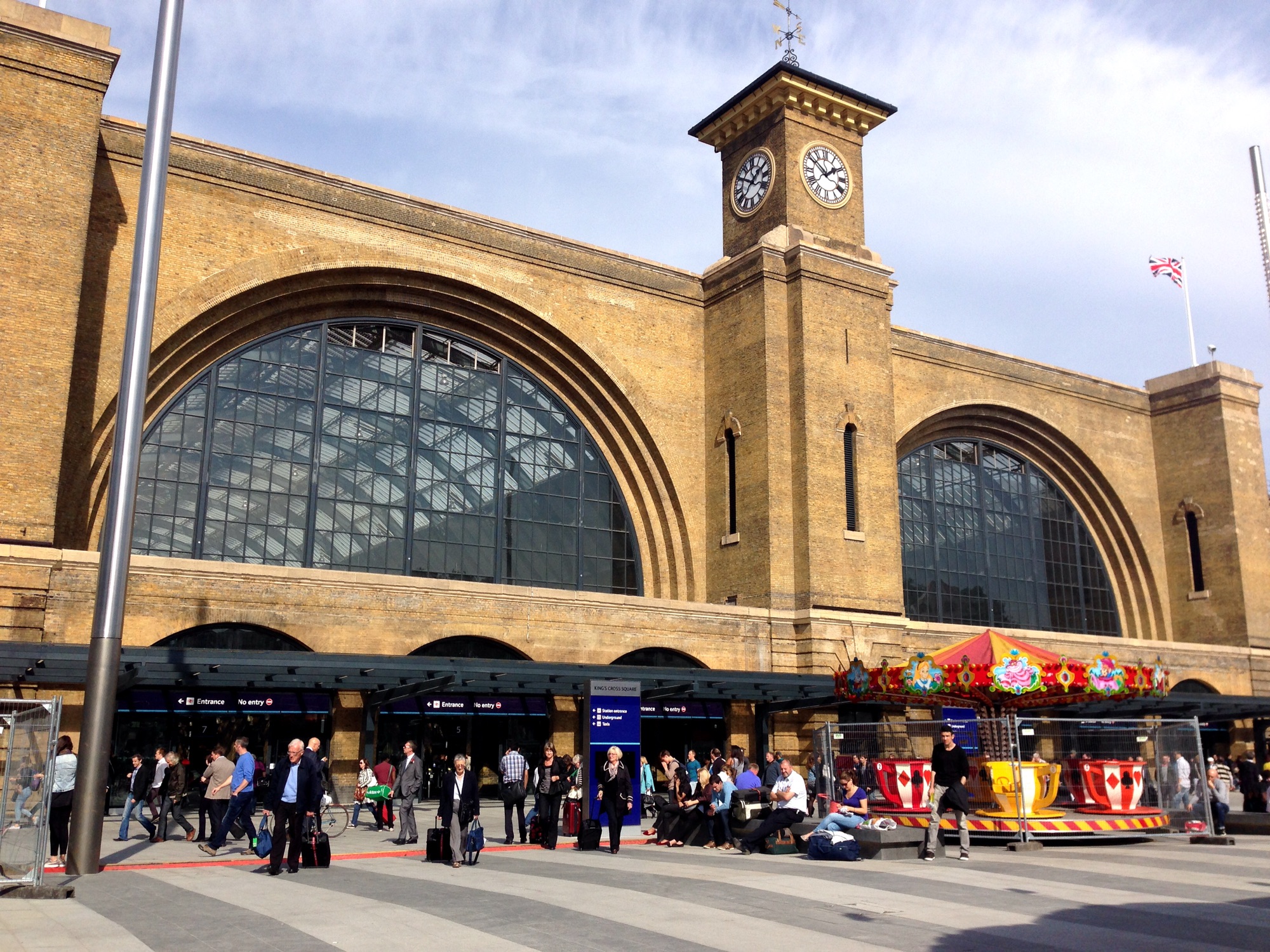
Being from Yorkshire, King’s Cross is the London terminal I’m most familiar with. Most (but not all) of my rail journeys to and from London include King’s Cross.
Though overhead electric wires were strung up for commuter services in the 1970s, the wires didn’t go north of Peterborough until the 1990s. Even then, British Rail still operated a mixture of electric and diesel trains (the venerable High Speed Train) and this persisted until very recently. Their replacement came in the form of more of Hitachi’s bi-mode trains, introduced by LNER. Such trains are also operated by open access operators Hull Trains and Lumo (although Lumo’s trains are all electric).
The outlier is another open access operator, Grand Central. Whilst they operate a small fraction of the services from King’s Cross, at present, they’re all still diesel-powered. That’s due to change, once again thanks to Hitachi who are building some tri-mode trains that can run on electric wires, batteries and diesel. The order for these was only announced a few weeks ago, so it’ll be 2-4 years before we see the back of the last purely diesel trains from King’s Cross, but there’s good progress being made.
Liverpool Street
I’ve only ever been to Liverpool Street mainline station once, which was to use the Stansted Express back in 2009. That was, and still is, an electric train, and indeed all the trains that operate from Liverpool Street are electric. Well, almost: Greater Anglia has a small fleet of bi-mode trains, which for once are not made by Hitachi but by Stadler. Occasionally these run to Liverpool Street, although their main stomping grounds are across Norfolk and Suffolk running regional services. In any case, they should run on electric power when available, so we can tick off Liverpool Street as being electric.
London Bridge
London Bridge underwent a stunning rebuild in the 2010s. I used the old station a bit pre-rebuild and it was awful – the new station is much better.
In the 1930s, the then Southern Railway invested in extensive electrification of its lines, using the third rail principle. Instead of overhead wires, a third metal rail is added to the outside of the two running rails and trains pick up power that way. As such, almost all of the railways in the south-east of England are electrified. Indeed, many have never routinely hosted diesel trains, having gone straight from steam to electric.
However, a handful of lines didn’t get electrified, including services to Uckfield along the Oxted Line. Therefore, there’s a small fleet of diesel trains that serve London Bridge.
Marylebone
Oh dear.
We were doing so well, weren’t we? Seven stations in, and all were either completely electrified, getting there, or had just a handful of diesel services. And then Marylebone has to ruin everything for us.
Okay, so Marylebone is quite a nice London terminus. Whilst not as small as Fenchurch Street, it’s still quite dinky and less overwhelming than some others. It survived closure in the 1980s, and Chiltern Railways has been one of rail privatisation’s few success stories, with new services, new stations and improvements to infrastructure. Indeed, if you want to get a train between London and Birmingham, and don’t mind it being a bit slower, it’s much nicer going from Marylebone to Birmingham Moor Street.
But Marylebone isn’t electrified – at all. Every service that terminates there is a diesel train. And it shows – the last time I was there, there were advertising boards proudly telling us that they had air purification technology built into them. But this wouldn’t be necessary, if the trains that were calling there didn’t spout diesel fumes.
There have been some lacklustre efforts to improve the situation – one of Chiltern Railways’ trains was modified to be a diesel-battery hybrid, and it could use its battery at low speed and in stations. Alas, this was never rolled out to other trains in the fleet. Also, the oldest of Chilterns’ trains are now around 30 years old and need replacing, so putting up electric wires would be timely to prevent a new order of diesel trains.
One issue is that trains from Marylebone to Aylesbury share track with London Underground’s Metropolitan Line services (a relic from when the Metropolitan Line went all the way to Aylesbury). These lines are owned by Transport for London, and electrified using a unique four-rail system. Any electrification scheme would need to take this into account, especially as TfL probably won’t want overhead wires stringing up over their infrastructure. Dual-voltage trains, which can run on both overhead and third-rail electrified lines, are a thing and are used daily on Thameslink services, for example, but this would need careful planning to work out.
Moorgate
Moorgate is a London terminus, albeit of just one line nowadays – the Northern City Line. Historically, this line was considered part of London Underground and was grouped with the Northern Line, and so it’s electrified.
Until the 2010s, some Thameslink services terminated here too, but these were axed to allow platform extensions at Farringdon station. They too were electric though.
Paddington
Paddington was a latecomer to the electrification party (which sounds like a round from I’m Sorry I Haven’t A Clue). The first electric trains started in the late 1990s, and even then, it was just the new Heathrow Express service. However, the announcement of the Great Western Main Line Electrification project allowed it to catch up, with electric wires extended all the way from Airport Junction in West London across the Welsh border into Cardiff. However, that project also went massively over budget, and as such, lines to Bristol and Oxford never received their wires.
Whilst some electric trains run from Paddington, the majority are those Hitachi bi-modes again, which can run on electric power where available and switch to diesel if needed. This has meant that Paddington has moved from having only a handful of electric trains in the 2000s, to being almost entirely electric now. There’s just a handful of commuter trains at peak times that use diesel Networker Turbo units, and the Night Riveria Sleeper train, which uses diesel locomotives. Perhaps, in future, the Night Riveria will be hauled by bi-mode locomotives, such as the new Class 93 and Class 99 locomotives under construction.
See Marylebone? It can be done.
St Pancras
The rebuild of St Pancras for High Speed One services was excellent. I have vague memories of the tired old station, and now it’s much better.
However, there are still a few diesel trains plying their trade at St Pancras. These are the trains which take the Midland Main Line up to Sheffield and Nottingham. This line should have been electrified in its entirety by now; instead, it’s being done on a piecemeal basis and currently the wires are projected to stop just south of Leicester.
The good news is that new trains are on order – and yes, they’re yet more bi-mode trains from Hitachi, although they’ll be slightly different than the units used by other operators. And East Midlands Railway has introduced electric trains from Corby into St Pancras – impressive as Corby station only re-opened in 2009.
Victoria
Victoria is big and confusing. I’ve used it a few times and can’t say I’m a fan. But all the trains that run from Victoria are electric, so that’s good.
Waterloo
Until the Elizabeth Line came along, Waterloo, with its 24 platforms, was the busiest station in the UK. Now it’s third, but still very busy.
It’s also a bit like London Bridge, in that the vast majority of trains are electric, but a handful of diesel services limp on to serve places beyond the reach of the third rail network. Doing something about these services is more pressing than those from London Bridge to Uckfield, as the trains are older and due for replacement. Various ideas have been floated around, but it seems probable that we’ll see existing electric trains getting batteries bolted onto them, and some discontinuous electrification to charge them up. That could be some of the new Class 701s, which have had one of the most protracted entries into service of any new train, or some Class 350s which are about to go off-lease from London Northwestern.
Conclusion
Overall, the majority of train services into London are already electric, including all services to seven of the twelve stations. Of the remaining five, diesel trains make up a small number of services at three of them, and we’ll likely see the back of the last remaining diesel trains at King’s Cross and St Pancras by the end of the decade. The lack of any sort of electrification at Marylebone is a bigger problem to tackle, but then Paddington has gone from being all diesel to almost all electric within 30 years; indeed much of that progress has been within the last 10-15 years. It’s also clear that bi-mode trains have a future until further electrification outside the capital takes place.
The weekend before Easter, we went to the National Emergency Services Museum in Sheffield. It’s a place we’ve been past a few times and so it’s been on our to-do list for a while, but this was our first visit.
The museum is housed in what was originally rare example of a combined police, ambulance and fire station, which opened in 1900. Over time, the various services outgrew the building and by the time it closed in 1965 only the police remained. The museum first opened in the year of my birth, 1984, originally just as fire service museum. It became a fire and police museum in 1991, and adopted its current name of the National Emergency Services Museum in 2015 following an extensive refurbishment.
Whilst the building is rather small, there’s a lot packed in there. It’s spread over three floors, with a yard at the back that houses a full-sized lifeboat and an Embrace ambulance. Inside, there are a number of police vehicles, ambulances and firefighting equipment, and you can also go inside some of the old police cells. Upstairs, there are galleries about the role of the emergency services on the front lines during the First World War, and a history of fire services in the UK.
Steamers and Scallywags
The principal reason that we went when we did was the Steamers and Scallywags event. Many of the staff were dressed up in Steampunk outfits, and there were market stalls in the stables. Upstairs, in the event space, you could try your hand at tea duelling, and there were regular performances from various Steampunk-adjacent acts over the weekend. We specifically went to see Madam Misfit, who we’ve seen before. This was our nine-year-old’s first time seeing her and she put on a great family-inclusive performance.
Elsewhere, there were animal handling sessions where Christine and our nine-year-old got to handle various snakes. I feel like there may be a pet snake in our future.
Commitments in the morning meant that we could only spend an afternoon at the National Emergency Services Museum, and as we prioritised the Steampunk activities, we didn’t get to see all of the rest of the museum. Thankfully, it’s one of those museums where your tickets can become an annual pass at no extra charge, and so we’ll be back soon.
Accessibility
The National Emergency Services Museum is located in Sheffield city centre, and so it’s quite easy to get to by public transport. Car parking is also available nearby – we parked at the NCP car park on Solly Street which is just around the corner.
Being a 125 year old building, accessibility isn’t perfect and there are some uneven surfaces on the ground floor. This is also reflected by a discounted entry fee for wheelchair users. However, there is a lift and most of the doorways are nice and wide to fit wheelchairs through. There is a disabled toilet on site. A sensory map and sensory backpacks are available.
NHS staff (like Christine) and people who work in the emergency services get discounted admission. The museum is normally open Wednesday to Sunday each week, and on Bank Holiday Mondays.
As usual, we’re spending Easter with my parents in York. Christine was working yesterday, and so we travelled over last night. We’ll be heading back home tomorrow on the bank holiday. Whilst we have no specific plans, should the weather be nice, we’ll hopefully get out and see places. It’s either that, or spend a quiet weekend gently stuffing our faces with chocolate.