Okay, so we’re in 2024 now, but I’m taking inspiration from Diamond Geezer‘s Summing Up 2023 blog post to post some statistics on things that I’ve done during 2023.
Countries and counties visited
In 2023, I’ve visited two countries: England, obviously, and France.
Over the course of the year, I have spent at least some time in the following English counties:
West Yorkshire
North Yorkshire
South Yorkshire
Lincolnshire
Greater Manchester
Lancashire
Cheshire
Leicestershire
Northamptonshire
Norfolk
Hertfordshire
Surrey
Hampshire
This doesn’t include any counties that I have passed through without stopping.
Most distant points
The furthest compass points I have been to are:
Furthest North: RHS Harlow Carr, near Harrogate, North Yorkshire
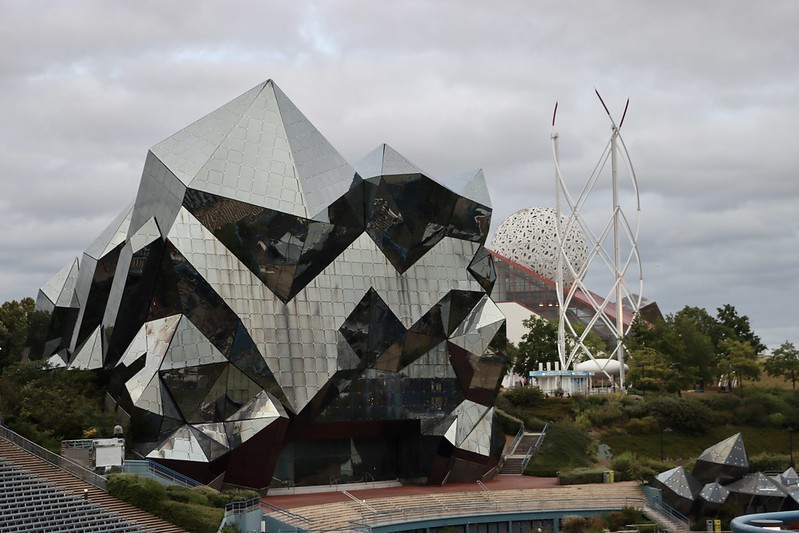
Furthest South: Futuroscope, near Poitiers, France
Furthest East: Great Yarmouth, Norfolk
Furthest West: Chester Zoo, Cheshire
I think it’s fair to say that I didn’t go very far north in 2023. We will be going further north this year, but are unlikely to go as far south as we don’t have an international holiday planned.
Methods of transport used
I have driven quite a bit this year. As my car’s MOT is due each autumn, I can only estimate the mileage, but I reckon it’s around 10,000 miles over the course of the year. Quite a bit of that was in France.
Train travel has been almost exclusively to and from work – indeed, I’ve only visited four railway stations this year, and every train has been a diesel-powered train. This includes the one heritage railway that I’ve been on, which was the short remaining section of the Derwent Valley Light Railway at Murton Park, near York.
I’ve been on two trams in Manchester, and a few buses, both locally and in Leeds and York. Plus, ferries for getting to and from France. I have not been on an aeroplane since 2015.
Music listened to
My full 2023 last.fm stats are not yet available, but over the year I have scrobbled 13,194 tracks – just 254 less than in 2022. That’s an average of 36 songs per day. Assuming each song is an average of 3 minutes, that’s 39,582 minutes over the year, or 659.7 hours or around 27.5 days. In other words, I spent almost a month listening to music last year.
Whilst I don’t exclusively listen to music on Spotify, on there, pop was my top genre, following by trance, rock, pop dance and Europop this year, according to my Spotify Wrapped. My most-listened to song was ‘Shut Up and Dance’ by Walk The Moon, which I listened to 12 times. To be fair, it is a good song.
Unsurprisingly, Within Temptation was my top artist – I own six of their albums and I’ve seen them live twice.
I log the beers and ciders that I drink using Untappd, and this year I consumed 35 such drinks (a decrease from 58 in 2022). Of those, 13 were from Brewdog, which may have something to do with what I got for Christmas in 2021. Several of these were non-alcoholic beers and ciders.
Steps taken
I’ve had my Fitbit Versa 3 on my wrist almost all of the time this year, and have taken a total of 3,695,427 steps – an average of just over 10,000 per day. It also estimates that I have climbed 11347 floors, walked 2,717.1 km and burned 1,079,223 calories through exercise.
Time spent learning French
I started Duolingo’s French course on the 1st January 2022 (so I have a two year streak now), and in 2023, I spent 4,947 minutes learning – that’s 82 hours or an average of 13.5 minutes per day. I also learned 4657 new words in French last year. I’m aiming to complete the French course, which will probably see me well into 2025.
So that’s 2023 quantified. I’m sure I could offer more stats, like photos taken, podcasts listened to etc. if I tracked these throughout the year. As it is, I’m relying on various web services that track data for me that I can refer back to. I wonder how 2024 will compare?
Welcome to 2024! I hope you had a good new year’s eve if you chose to celebrate – we didn’t stay up, as my wife Christine is working today. As very few places are open on New Year’s Day, I’ll be having a quiet day with our eight-year-old.
I’m hoping 2024 will be a good year for us. It’ll be a longer year if nothing else, as it’s a leap year. The 29th February falls midweek, so I’ll most likely be working that day.
I’m off work this week, as our eight-year-old isn’t back at school until next week. I have a few tentative plans for things to do. This month will also mark 22 years since I started blogging. Later in January, we’re planning another friends-from-university meet-up, although we haven’t quite worked out where it’ll be.
In the spring, we’re looking to have a weekend in London. We normally visit London at least once each year, but didn’t manage to do so in 2023. There’s a teaching training day that would allow a long weekend for all three of us so we’re hoping to take advantage of that. At present, we can’t book train travel on LNER at weekends, presumably due to upcoming engineering work, but as soon as the tickets become available we’ll get something booked. Tentative plans include the newly-reopened Young V&A and the Cartoon Museum.
In March, we’ll be at Sci-Fi Weekender XV in Great Yarmouth again. It’s the 15th anniversary year, and we’ve been going since 2018. The numbering is a bit out due to, well, the event.
In May, I turn 40. I’m not sure yet how I want to mark this occasion.
As usual, we will be going on a summer holiday with my parents, although with my Dad still recovering, we won’t be going to France this year. Instead, we’ve booked a week in Northumberland – a part of England that I’ve not visited much. Hopefully, we’ll have an opportunity to visit Beamish as well.
Towards the end of the year, my Dad will turn 80, so depending on his health, we’ll look to organise something nice for him.
I still have at least 20 potential blog post ideas to write, and so I’ll aim to carry on posting something new every other day throughout the year.
I hope 2024 is a good year for you too, and wish you all a happy new year.
So, it’s the last day of 2023, and so it’s time for a review of the year. Here’s my review of 2022.
January
The main event to happen for us in January was getting our solar panels installed. Nearly a year later, and they have saved us around £850 so far, both by reducing our energy usage from the grid, and income from selling our excess electricity back to our energy supplier. This means that it’ll take about 11 years to get a return on our investment, although we’re on track to pay off the cost sooner than that – hopefully late in 2024.
January isn’t very conducive to days out, being a cold month with short days, but we did fit in a visit to one of the large Chinese supermarkets in Manchester. Except it was the week before Chinese New Year and it was packed. January is also my blogiversary month and so my blog turned 21-ish years old.
February
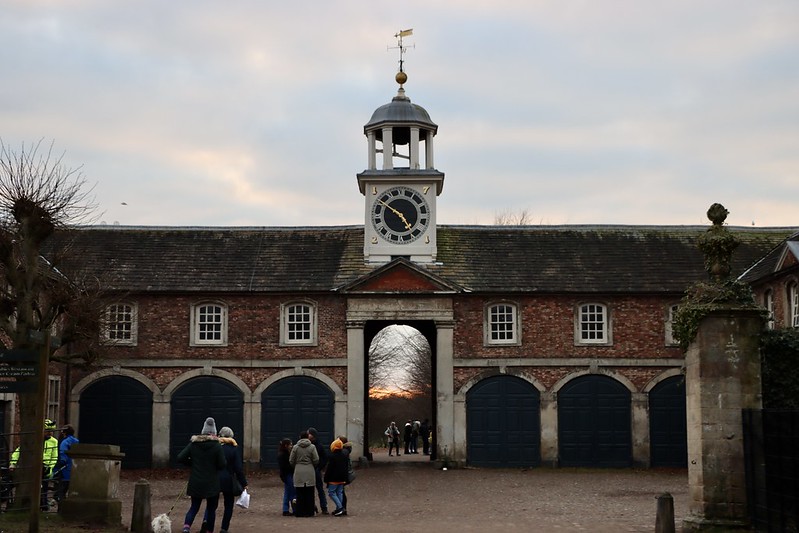
We had a day out at Dunham Massey, one of the National Trust properties within an hour’s drive of home. It’s actually a good place to go to at this time of year, as it has a Winter Garden with plenty of flowering irises and snowdrops.
On a different weekend, but in a similar part of the country, we went to the Museum of Science and Industry in Manchester. Quite a bit of the museum is currently shut for renovations, but we enjoyed the Turn It Up exhibition (which is now at the Science Museum in London). One tip – if you’re driving from the east of Manchester, you can park for free at Hollinwood tram stop, and then take the Metrolink direct to Deansgate-Castlefield. Our (then) seven-year-old was fascinated by the tram, as it leaves the old railway line formation to travel across Manchester’s city centre streets like a bus – we don’t yet have anything like that here in West Yorkshire.
We made yet another trip across the Pennines to Manchester, to visit the newly-reopened Manchester Museum, at the University of Manchester. It’s expanded a bit since our last visit, with new temporary and permanent exhibitions. However, the previously-excellent café now only serves vegetarian food (or it did when we went) which is a shame when you have a child who only wants to eat a ham sandwich. Thankfully, there are other eateries nearby – I recommend the Navarro Lounge.
Somewhere that we’d been meaning to visit for some time was Martin Mere, and we finally got around to visiting in March this year. It’s primarily a sanctuary for wild wetland birds, but they also have some Asian small-clawed otters, flamingoes and other birds that live there. Part of the site was closed due to avian flu when we visited so we’ll aim to go back sometime soon.
Closer to home, we went to Hardcastle Crags, a National Trust property overlooking Hebden Bridge. As well as the woodland walk, there’s a mill which is now a café and visitor centre. It’s off-grid, so all its electricity is generated from solar panels and a hydroelectric turbine, and it has composting toilets as it’s not connected to the sewerage system. There’s also a lot of information about how they are incorporating natural flood defences like leaky dams to prevent the sorts of flooding the area experienced on Boxing Day in 2015.
We spent the Easter weekend in York with my parents, and so we fitted in visits to Murton Park (incorporating the Yorkshire Museum of Farming and the Derwent Valley Light Railway) and the York Castle Museum. Later in the month, we had a get-together with friends from university to go to Tropical World, and we ended the month with an afternoon at Thwaite Watermill.
I also re-started regular blood donations. My last successful donation had been before the pandemic; I’ve since been back a couple of times and will be going again some time in January.
My wife also started swimming lessons, with the same company that teaches our child. At present, she has a half hour one-to-one session each week and is making good progress. Unfortunately, she never had the opportunity to learn properly as a child.
May
May the 4th is our wedding anniversary (yes, we know – Christine came down the aisle to the Imperial March). And the 4th May 2023 marked our tenth wedding anniversary. We’re still very much in love with each other and we celebrated with a quiet lunchtime meal at the Engine Social in Sowerby Bridge. May is also my birthday month, and I turned 39 this year.
We also had a trip to Cannon Hall Farm at the start of the month – it’s somewhere we go to at least once a year as there’s plenty for young kids to do. New for 2023 was the nocturnal animal house.
We made the first of three trips in 2023 to RHS Garden Bridgewater, north of Manchester, having bought an annual RHS membership with Tesco Clubcard points. It’s a lovely place to visit, with some formal gardens mixed with woodland and an excellent play area.
It was also around this time that Christine got a diagnosis of sleep apnea, and started using a CPAP machine. Her health and wellbeing has improved massively as a result. If you, or someone you know, is a heavy snorer, it may be worth you/them speaking to a GP to get a referral for a sleep assessment.
June
Across the Pennines again for a trip to Heaton Park, one of the largest public parks in northern England. There’s a lake, some excellent playgrounds, some animals and gardens, and often a visiting funfair.
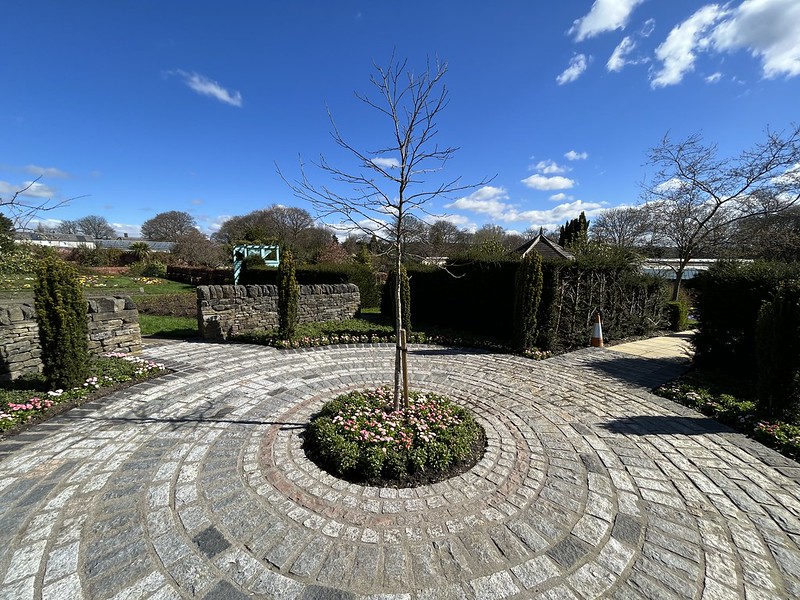
We also made a brief visit to RHS Harlow Carr, near Harrogate, including a meal at Betty’s. Indeed, we’ve visited all but one of the Betty’s locations now – we just need to go to the one in Northallerton next.
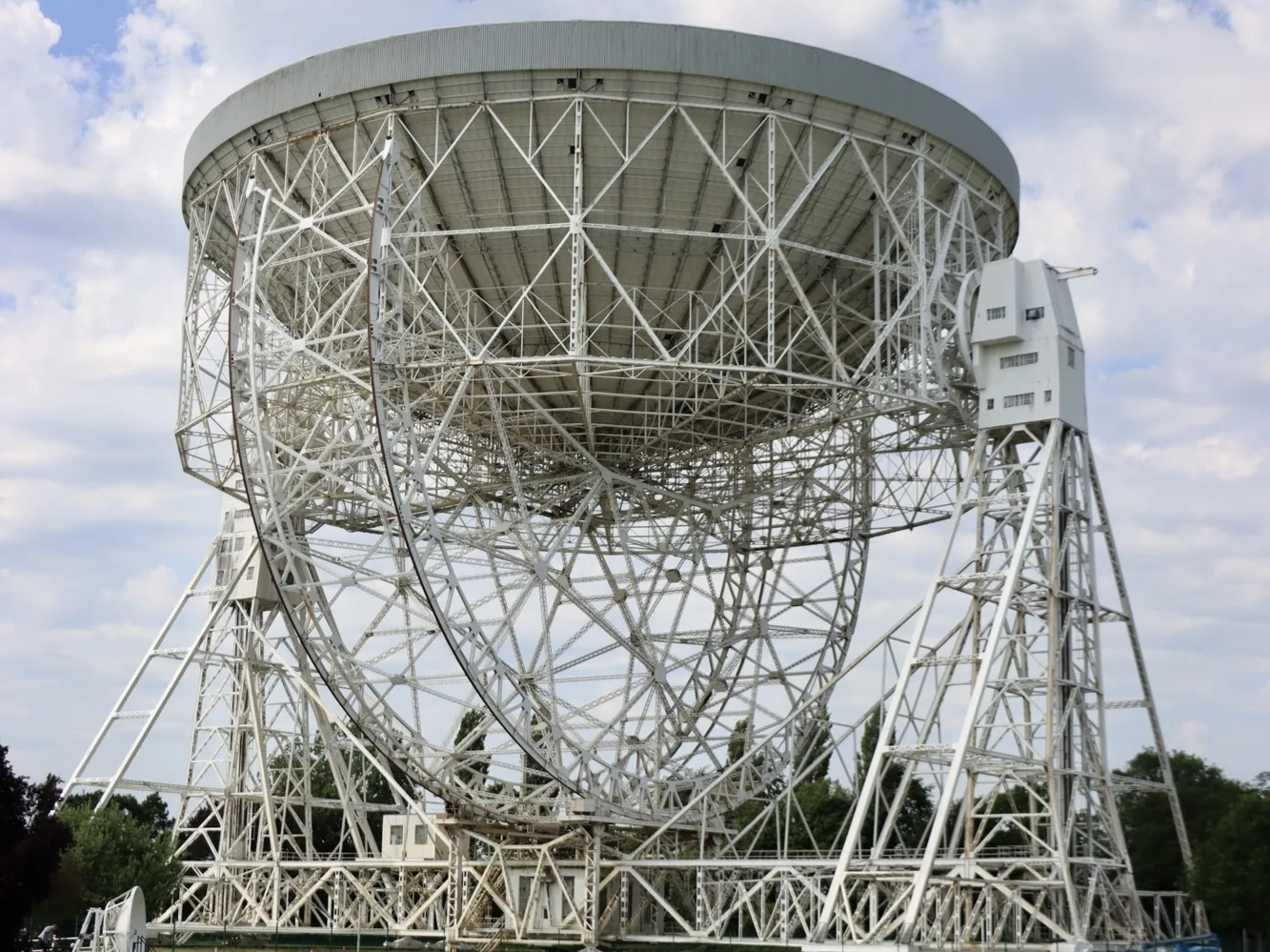
I last visited Jodrell Bank with my parents, probably in the 1990s, so it was nice to go back again. Much has changed since, but it’s still a working observatory and as such it’s a ‘radio quiet’ zone where you must switch off your mobile phone.
July
July is when we usually set off on holiday, and this year we stayed at a campsite to the south of Tours in France, in the Loire valley. On the way down, we called at RHS Wisley, the first and largest of the RHS gardens, and stayed a night at the Brooklands Hotel at the historic racetrack in Surrey.
Some of the places we visited included:
Parc des Mini Chateaux – like a model village, but all of the models are of castles (châteaux) in the Loire valley.
Château du Clos Lucé – Leonardo da Vinci spent some time here and several of his inventions have been recreated in the castle and the gardens, both of which are great.
Château d’Ussé – allegedly the inspiration for the story of Sleeping Beauty, and includes a walk with rooms set up to tell each part of the story.
Château du Riveau – a castle and gardens which has only (relatively) recently opened to the public. It’s very whimsical, with some amusing sculptures in the garden and bizarre taxidermy.
We also had two bigger days out. Another place that I haven’t visited since the 1990s was Futuroscope, a theme park full of futuristic architecture and lots of different cinemas showing 3D and 4D films where the seating moves. As we went in late July, we didn’t stay for the evening show as dusk was way after our bedtimes, but we thoroughly enjoyed our day.
The second big day out was to Zooparc Beauval, one of the world’s biggest and best zoos. We’ve been before, in 2018, so we focussed on the new areas that weren’t open last time, and then our favourites. It’s one of the few zoos in the world to have Giant Pandas, and has had some success with breeding them too with a couple of youngsters there when we visited.
August
We started the month in France, but only just as we arrived back in the UK on the 3rd. We called in at the Hotel Chocolat Factory Shop near Northampton on the way back.
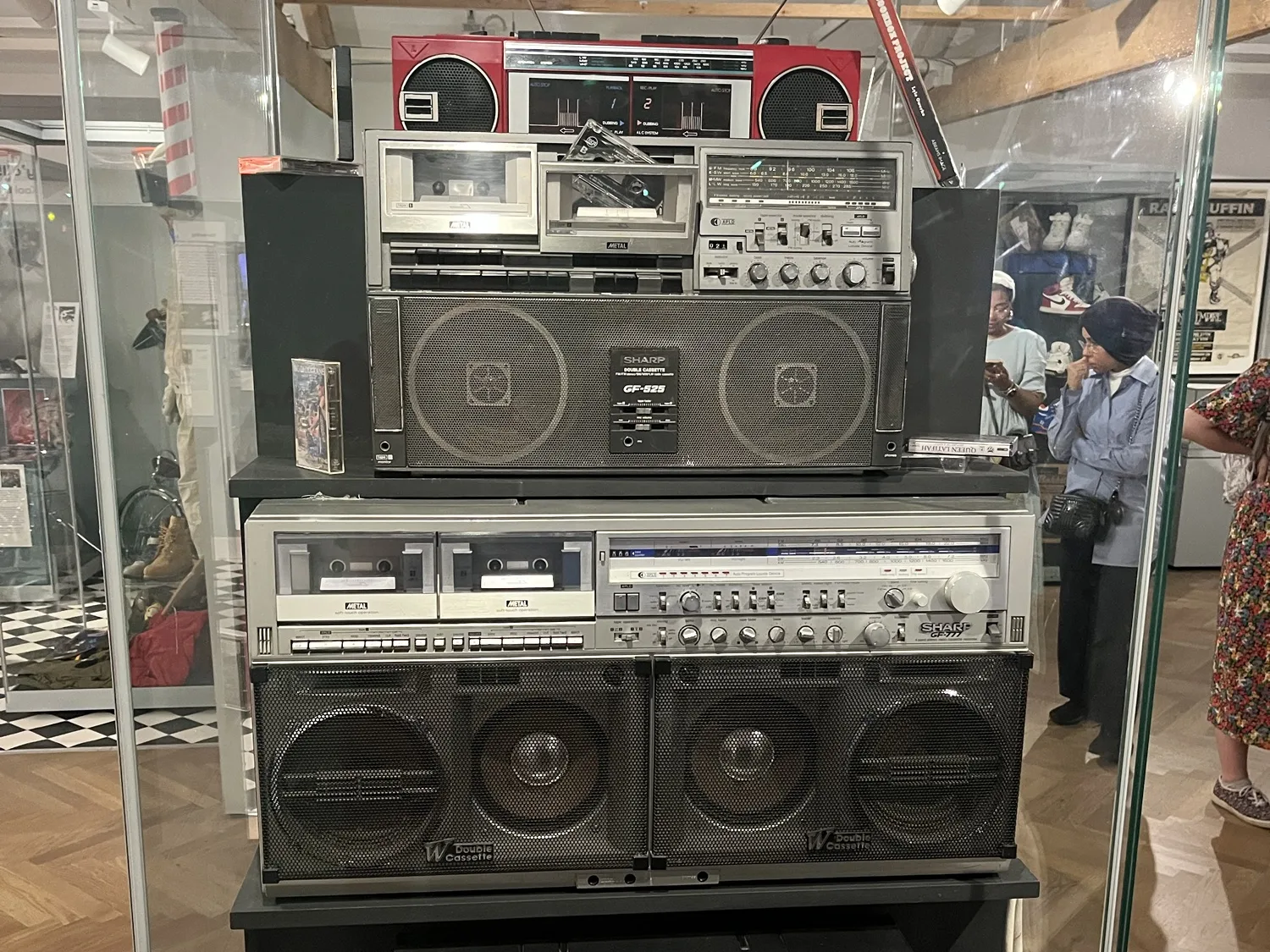
One of our friends from university turned 30 (yes, there’s a bit of an age gap between us and some of our friends) and so we had an afternoon at the Leeds City Museum. Yes, the above photo of boomboxes is a museum exhibit, because you’re old.
August is always a super busy month for me, as I work in university admissions, but we briefly called in at the Piece Hall in Halifax for Calderdale Pride 2023. And over the bank holiday weekend, we went to Chatsworth. We didn’t go inside the house, but we explored some parts of the gardens that we hadn’t been to before, and the farm is always worth a visit.
September
Back at Christmas 2021, we received some gift vouchers for Chester Zoo, and with the validity running we found a free weekend to go. A large part of the zoo is being redeveloped at present, but we got to see the new flamingo enclosure, and my favourite red pandas were awake for once.
We also had a morning at the Askham Bryan Wildlife Park near York, although this was partly to kill time whilst we waited for hospital visiting times to start. My dad ended up spending over two months in hospital this year with a number of health issues, probably brought on by Weil’s Disease. He’s on the mend, although he’s still building up strength in his legs having been off his feet for so long.
Due to Dad’s health issues, we had a subdued celebration for my wife’s 40th birthday, but we did have a lovely meal at Tattu in Leeds.
In November, I rolled out the new theme (current at time of writing) and wrote several more blog posts about Home Assistant. Maybe home automation is going to be my mid-life crisis?
And so to this month. As my family is a little spread out, with some of us in Yorkshire and others in Oxfordshire, my cousin normally hosts a pre-Christmas meal in mid-December. However, it’s her turn to get a new kitchen and it wasn’t ready in time, so ended up hosting a meal for nine people at short notice. We managed it; Christine cooked cassoulet with some duck legs that were cooked using the sous-vide method for 36 hours in our Instant Pot.
There’s only 32 hours of 2023 remaining in my timezone, so it’s time to review the things I’ve consumed this year and pick out my favourite content.
Note: all links below marked with a * are Amazon referral links, and so I receive a small amount of commission from any purchases. But please feel free to buy these from a local, independent tax-paying shop, or borrow them from your local library, as I did with several of these recommendations.
Favourite book of 2023
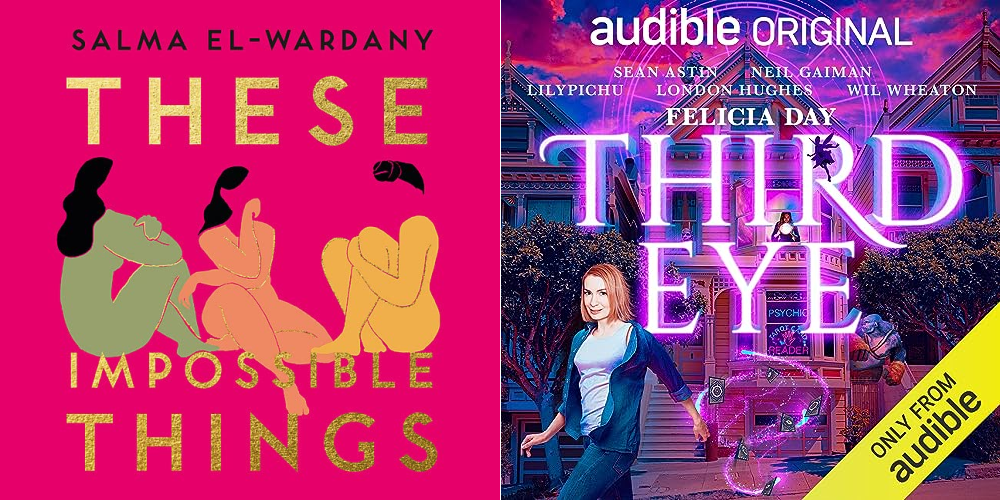
So far I’ve read 95 books this year, although to be fair, quite a few of these were bedtime stories for our eight-year-old. Those aside, my favourite book was ‘These Impossible Things’ by Salma El-Wardany*. It tells the story of three young British Asian women, who are navigating the divide between family and cultural expectations, and life as a young person in the UK in the 21st century. It’s very well-written, with very relatable characters. This is El-Wardany’s debut novel and so I’m interested to see what comes next.
Honourable mentions: There were a few books that I awarded five stars to on Goodreads this year:
What If? 2* is a sequel to Randall Munroe’s first book about absurd hypothetical questions – you’ll know him as the creator of xkcd. The first book* is good as well.
We haven’t been able to watch many films this year, and those that we have seen at the cinema have tended to be child-friendly films. We’re also behind on Marvel films and haven’t seen any in a couple of years. Of those that we have seen, probably my favourite was the Barbie movie, which was just hilarious all the way through. We saw it a few weeks after it came out and there were several of us laughing out loud in the cinema.
Honourable mentions:Dungeons and Dragons: Honour Amongst Thieves* was fun, and it was good to see Hugh Grant playing an antagonist for once. And it was nice to finally see a sequel to Chicken Run – I had the first film on VHS, which gives you an idea of how long ago since that came out, and meant I’ve had to explain to our eight-year-old what a ‘VHS’ is.
It’s also worth noting that we are planning to see Wonka tomorrow.
Favourite TV show of the year
Again, we’ve not had much time to watch TV this year. When you work full-time in a different city to where you live, and have a child who has school and homework and weekend activities, there’s not a lot of time to keep up with TV. Of the shows that I have seen bits of, The Repair Shop has filled that niche of being interesting, comforting and educational.
Favourite audio series of the year
Okay, so I basically created this category so that I could tell you about Felicia Day’s ‘Third Eye’*. It’s an Audible exclusive, and is more akin to a radio play rather than an audiobook. But, it has a narrator in the form of Neil Gaiman and is split into chapters. Felicia Day wrote the script for TV several years ago, and although no TV channels picked it up, it’s become a very good audio series with Day playing the lead character. London Hughes, Alan Tudyk and Wil Wheaton provide some of the other voices.
So – these are the things that I have watched, read and listened to in 2023. Next year, I’m hoping to catch up with the Marvel films we’ve missed (especially now that the pace of release has slowed down) and continue to read more things. Maybe I’ll manage 100 books across the year this time?
For a little while now, I’ve had some issues with installing and updating plugins in WordPress. Trying to do either of these tasks has resulted in the process hanging for a long time, and then eventually failing. As a side effect, the Site Health screen would never load – it was just sit there for minutes at a time, but never timing out. Which was frustrating, as I was hoping that Site Health would give me some clues as to why my site wasn’t, well, healthy.
Eventually, I dug into my wp-config.php file. I’ve edited mine a bit, to add some FTP credentials and define the home page and site URL. This offers a marginal performance improvement as it reduces the number of database calls your site needs to make. With my FTP credentials was this line:
define('FS_METHOD', 'ftpext');
It turns out that I probably shouldn’t have that line there. I commented it out, as below:
/* define('FS_METHOD', 'ftpext'); */
And suddenly everything worked again. Huzzah!
According to the documentation, you probably don’t need to have this in your wp-config.php file and removing it can solve problems. Having it there forces WordPress to use a particular method for interacting with your host’s file system, but by default WordPress should choose the correct method automatically.
I’m guessing it was in there after I copied and pasted some code from somewhere else, without knowing what it did. Which is a reminder that just copying someone else’s code without understanding it is not a good idea.
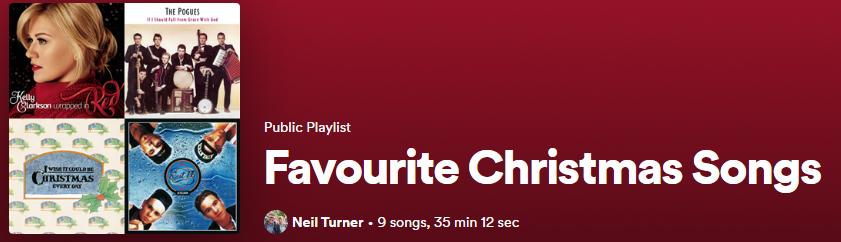
Now that I’m blogging regularly again, I’ve decided to start a new monthly feature where I post a playlist of 10 songs, all around a theme. Last month was guitar heavy indie rock, and this month, because it’s December, I’ve chosen Christmas music.
‘Underneath the Tree’ by Kelly Clarkson. Probably the best new-ish Christmas pop song that I’ve heard of late, although it’s still a decade old.
‘Fairytale of New York’ by The Pogues and Kirsty MacColl. We’ll disregard the gay slur in the lyrics, but it’s a good song with humour. If you prefer, this cover by Grace Petrie is good too. Sadly we lost The Pogues frontman Shane MacGowan last month.
‘I Wish It Could Be Christmas Every Day’ by Wizzard. Probably my favourite classic Christmas pop song, although Wizzard’s lead singer Roy Wood is a bit racist nowadays.
‘Stay Another Day’ by East 17. Is this a Christmas song? The lyrics are not explicitly about Christmas, but it was a Christmas number one in 1994 in the UK and the addition of bells make it sufficiently Christmassy for me.
‘Christmas Time (Don’t Let The Bells End)’ by The Darkness. There’s room for more than one glam rock band to have a Christmas song, and this mid-2000s song by The Darkness is a better ‘new’ song.
‘Christmas Truce’ by Sabaton. Sabaton are a Scandinavian metal band who sing historically accurate songs about war. This one is about the Christmas Truce from the First World War.
‘Last Christmas’ by Carly Rae Jepson. Whamhalla is over for 2023 – I got out after just 36 hours this year. But if you were playing, then covers didn’t count, and this is my favourite cover version.
‘Jingle Bell Rock’ by Our Last Night. This metal cover band pops up regularly in my Release Radar playlist on Spotify, as they release new songs regularly. This is their interpretation of this Christmas classic.
‘Merry Axe-Mas’ by Nine Inch Nails. More metal, but not a cover this time.
‘Wonderful Christmastime’ by Pentatonix. Paul McCartney’s original has always been just a bit too eighties for me. I prefer this a cappella version.
I’ll be back with another playlist sometime in January.
I hope you have a good Christmas, if you’re celebrating today. We’re with my parents in York, as usual, and planning a relatively quiet and relaxed break after an eventful year.
Please enjoy this AI-generated image of a Merry Crisp-Mouse.
Last month, we switched to Vodafone as our new Internet Service Provider (ISP) at home.
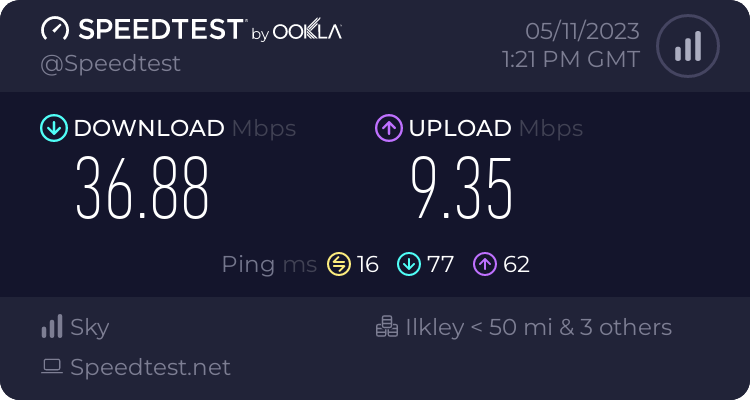
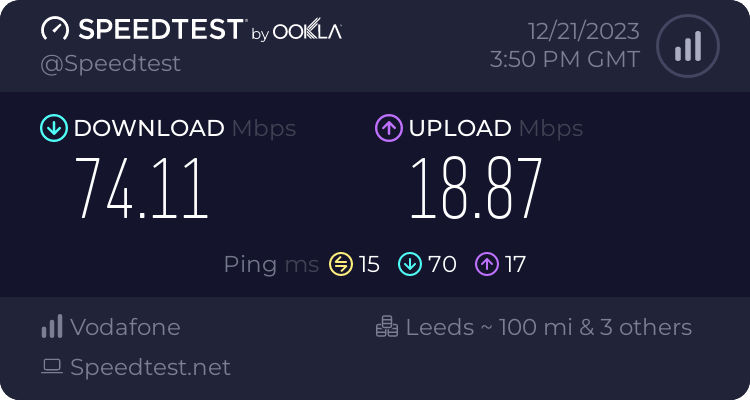
We’ve been with Now Broadband (Sky’s budget brand) since autumn 2018, who, at the time, could offer us faster speeds for less money. And they’ve been pretty good; when I was working at home full-time during lockdown, I rarely had any issues. Our bandwidth was sufficient for me to participate in online meetings whilst our (then) four-year-old watched Netflix in another room. Our typical download speeds were in the 35-40 Mbps:
But then Now raised their prices by £9 per month. They probably told us that they would do this, but I have no recollection of being informed in advance.
Finding a new ISP
Meanwhile, Vodafone could offer faster speeds and a new router, for £2 less than Now before the price rise. So, we would be getting a better service, and paying £11 less per month for it than if we stayed with Now.
I signed up using Quidco (referral link) and should get £82.50 cashback in late spring, so factoring that in, what a savings.
The switchover took a couple of hours, and seemed to happen early in the morning, so by 7am we were already online with Vodafone. And the speeds are much better – around 75 Mbps download and 19 Mbps upload, so almost twice as fast. Considering that this is over DSL, I’m impressed with how fast it is.
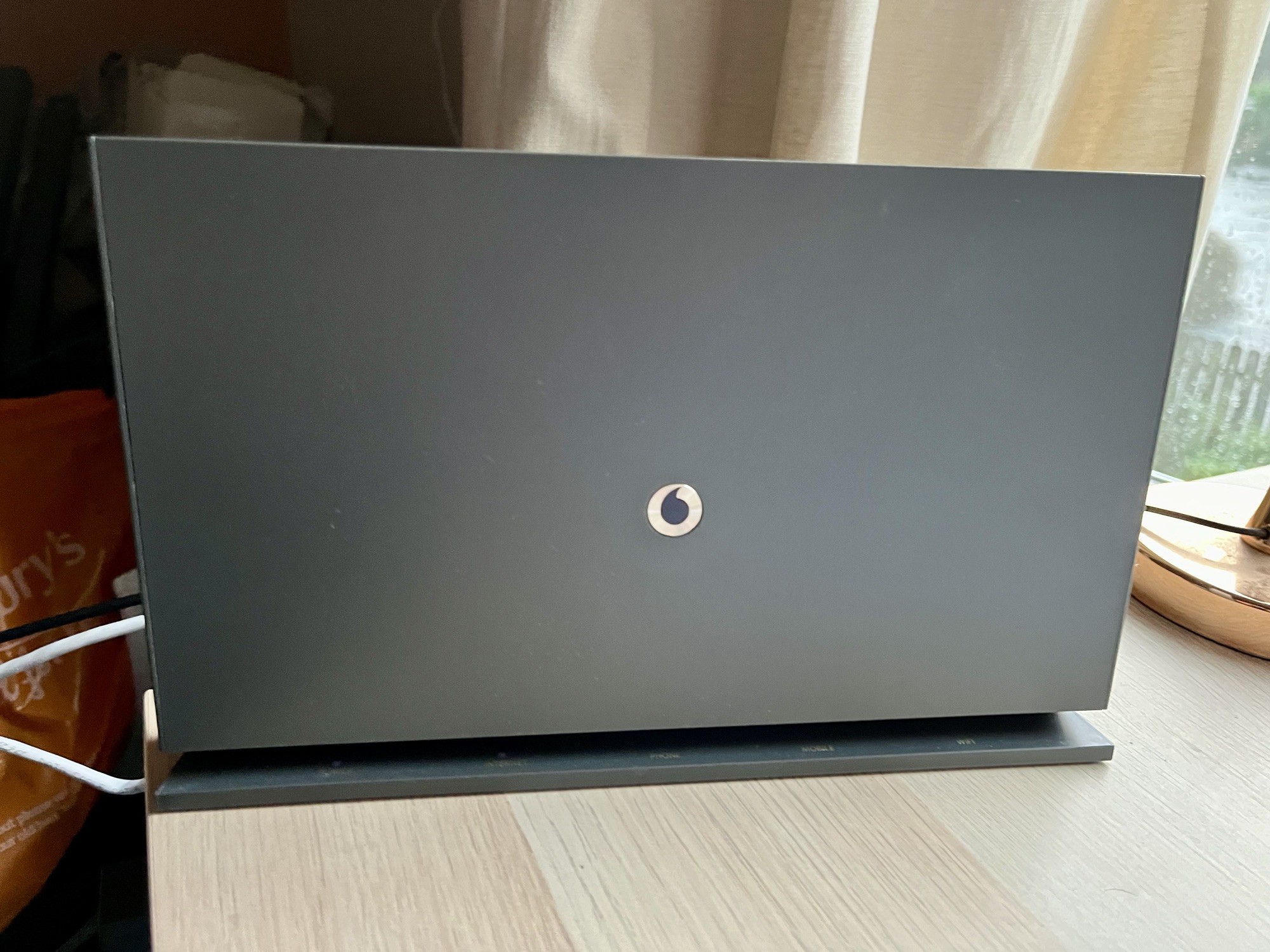
The new Vodafone broadband hub is also better than the basic Now broadband router that we had previously. It has four 1 Gbps Ethernet sockets for a start, compared to just two on the Now router; this means I no longer need a separate Ethernet switch. It also looks nicer; it’s free-standing but has mounting holes on the back for screws.
Digital Voice Line
The hub also supports Digital Voice Line, where your phone calls are made over the internet, rather than PSTN. Openreach intend to switch off the analogue phone network in two years time, so switching now is timely. This means that our landline phone plugs into the hub, rather than the micro-filter attached to the master phone socket. That being said, since the switchover, our phone hasn’t actually worked. The fact that it took me several days to realise shows how much we use our landline, but I’ll need to get on to Vodafone to have them look into it.
As with all changes to a new ISP, over the first few weeks there was a little instability with the connection. But it’s settled down now and works well. The other issue I had early on was with connecting to my Raspberry Pi externally, as port forwarding didn’t seem to work properly. This was a bit of a gut punch, considering how much effort it took me to get Home Assistant working with HTTPS, but it seems to be sorted now.
If it’s been a while since you switched your ISP, I would recommend that you do a quick check to see if you can get a better deal elsewhere. Broadband providers make a lot of money from people who just let their contracts auto-renew. Even if you’re happy with your current ISP, you could try haggling with them to see if they can offer you a cheaper package.
When I started blogging regularly again in October, I planned to post a new blog post every other day (so, 3-4 new blog posts every week). As this is the first time I’ve posted since the 10th December, about my hearing aids, I’ve not managed to meet my own target.
In years gone by, I would publish multiple blog posts every day – but this was in the days before the likes of Twitter and Facebook. Indeed, Twitter used to be known as a ‘micro-blogging’ service in its early days. Consequently, Twitter became the place where I would post any thoughts that could be condensed into 140 characters would go.
I then had a few months where I aimed to publish one new blog post every day. Not write a post every day – I would write several at a time and then publish them to a schedule. But that petered out after a while; all it takes is for a busy period at work, or a couple of weekends where we’re away or have plans, and it becomes hard to keep up. And you end up with apologetic blog posts like this one.
Of course, I then didn’t post anything for years, until last year, so there’s that.
The good news is that today I finished work for Christmas, and so I have some time to queue up some new blog posts. I have a list of blog post ideas to work through; it turns out taking several years out from blogging means I have plenty to write about. You’ll start to see some of these appearing every other day over the next few weeks.
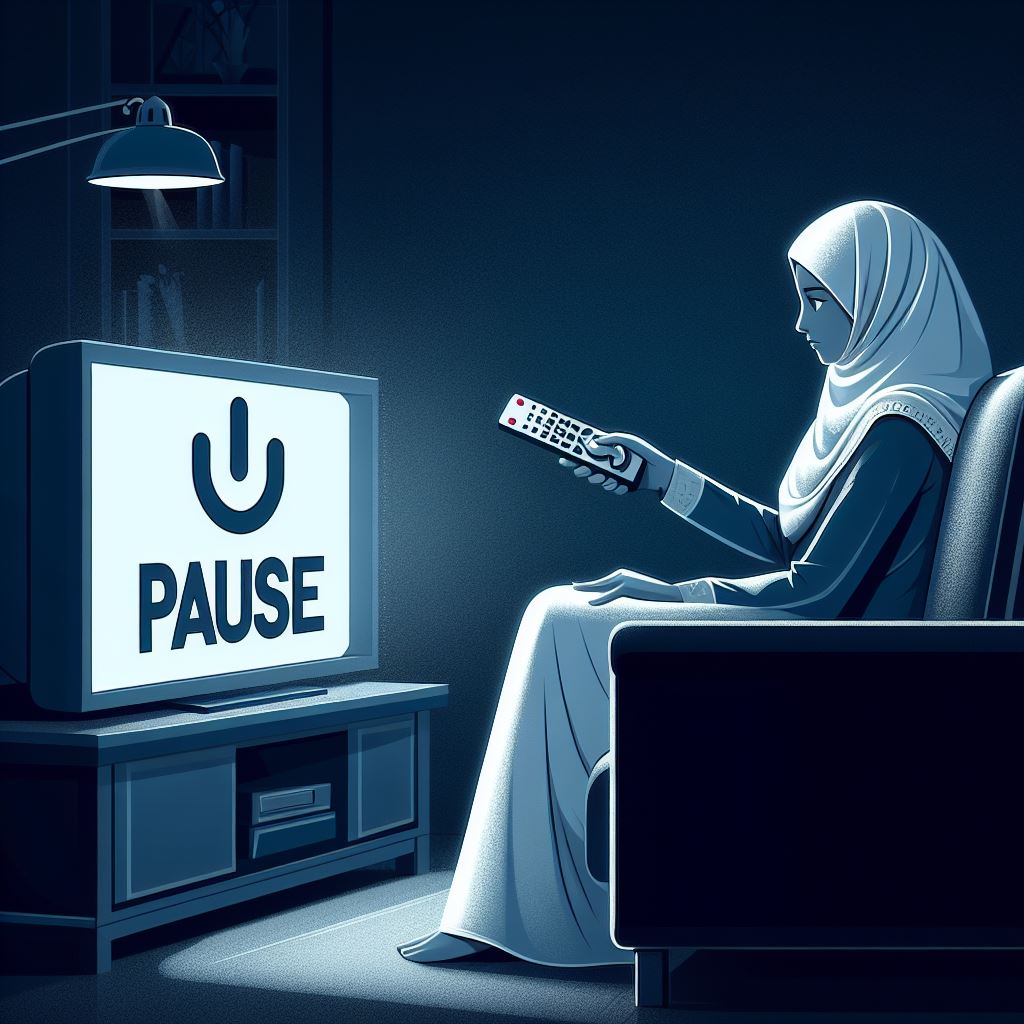
The featured image on this post is AI-generated; for diversity, I specified a Muslim woman rather than just ‘a person’, because there are enough images of white men in the world.
I’ve been aware that my hearing has been getting worse for some time, and a hearing test four years ago suggested that I may need an intervention. At the time, my GP wasn’t too concerned, and then the Covid-19 pandemic happened which meant that any work interactions were through a pair of headphones anyway.
But as we started returning to the office, it was clear that my hearing was still an issue. Another hearing test confirmed this, and so another GP referral. This took several months to sort out, and finally in early autumn 2022 I had a follow up appointment with audiology and ENT at one of our local hospitals. I was given the option of having surgery, or hearing aids.
Surgery may have made a greater difference, but I was concerned about the recovery times and how likely this would make a difference in the short term. So, I opted to have hearing aids, and I had them fitted in October 2022.
My hearing aids
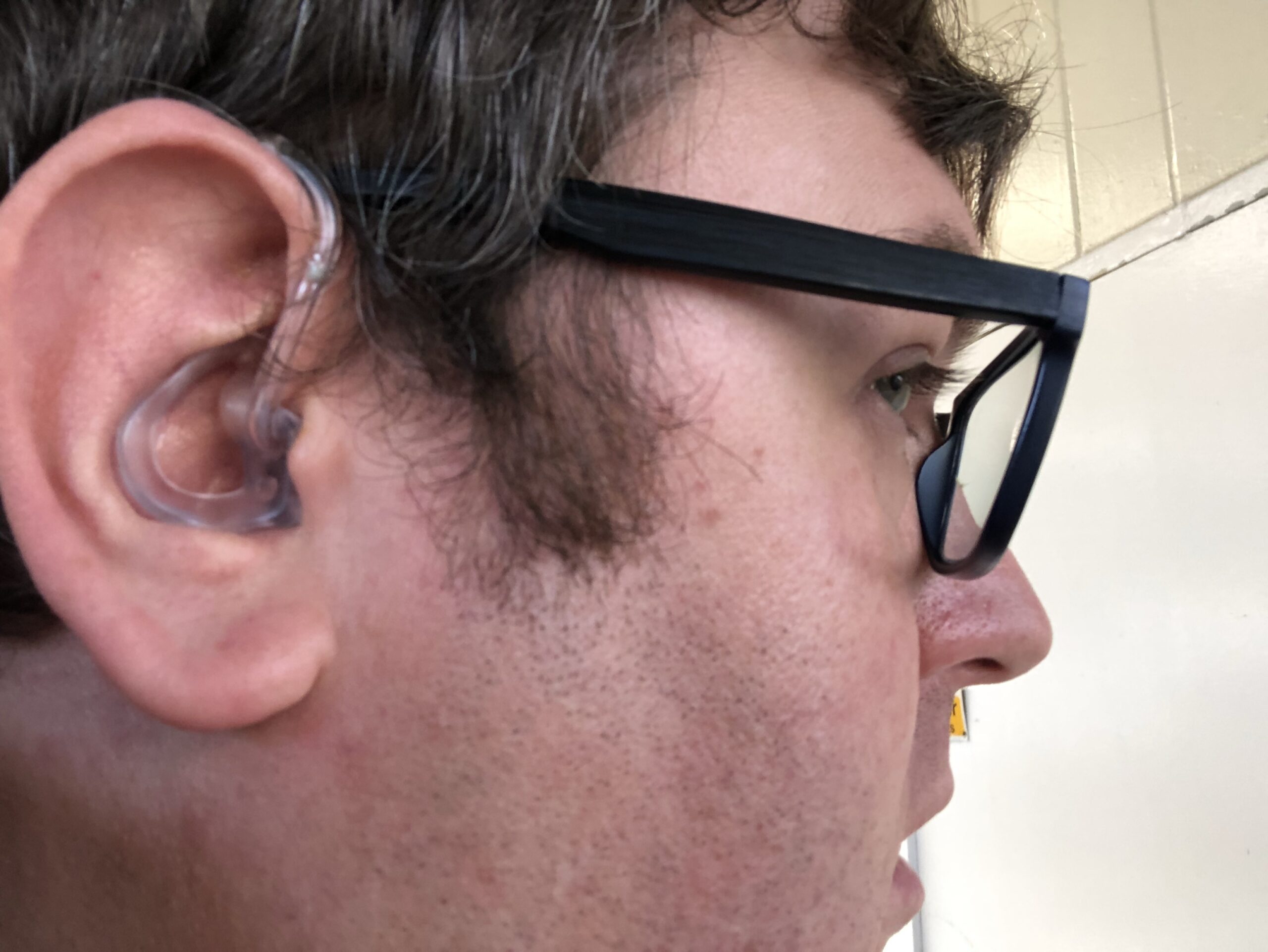
The hearing aids I have are very basic, NHS standard issue behind-the-ear models, manufactured by Oticon. This means that the electronics are in a small metal container which sits behind your ear, and then a plastic tube connects to a moulded earpiece that sits in your outer ear. The earpieces are moulded specially for each ear, so that they’re comfortable enough to wear all day.
As they are very basic hearing aids, there’s no Bluetooth support, so I need to take them out to listen out to music. Whilst Bluetooth hearing loop devices exist, they’re expensive (as they’re classed as medical devices) and the sound quality apparently isn’t great. In terms of controls, I can adjust the volume on the hearing aids, and switch them in and out of hearing loop mode, but that’s all. You turn them off by opening the battery compartment. They take small button batteries which aren’t rechargeable, but each battery typically lasts 10-14 days.
What a difference
The hearing aids made a massive difference from day one. My wife no longer has to shout at me to get my attention, and I can hear colleagues across our large open plan office at work. In the car, I can have the stereo at a much lower volume too. The only downsides are:
having to take them out to listen to Bluetooth ear buds
they can be a little uncomfortable with my glasses after a while, as these sit on my ears as well
Having in-ear hearing aids with Bluetooth would mitigate these issues, but I would have to buy them privately. And they can cost a fortune – a colleague of my wife spent several thousand pounds on hers. Meanwhile, mine are free on the NHS, and even the replacement batteries are free. Maybe if I come into a large amount of money in future, I’ll consider some buying some more advanced hearing aids privately.
Whilst with the audiologist at one of my check-ups, I noticed a poster about the link between hearing loss and dementia. We don’t fully understand why people with hearing loss are more likely to develop dementia, but one theory is that such people ‘tune out’ if they can’t hear. I’m hoping that using my hearing aids and having regular hearing checks will reduce my risk of developing dementia in later life.
If you can’t remember the last time that you had a hearing test, I recommend getting one. Most branches of Specsavers now offer audiology services as well as optics, and they can do a GP referral if they have concerns.