Google Reader alternatives: Comparing Newsblur & Feedly

A couple of weeks have passed since Google dropped a bombshell and announced that Google Reader is to be retired. Since then, I’ve been partly hoping for Google to change its mind – which doesn’t seem to be on the cards – and looking into alternatives. The key features that I’ve been looking for in a Google Reader replacement have been:

  1. A web-based interface
  2. An iOS app
  3. Synchronisation of read/unread items between all clients

The two alternatives that I’ve ended up paying the most attention to have been Newsblur and Feedly, and so I’m going to quickly review them both based on a couple of weeks’ usage.

A screenshot of the Newsblur interface

Newsblur

In the immediate aftermath of Google’s announcement, Newsblur took a massive hammering – it was often unreachable or kept throwing errors. It’s settled down now so that it’s usable, so I’ve had a chance to use it properly.

Newsblur certainly has a lot of features, especially for misbehaving sites where the RSS feeds no longer work. And I’m sure it’ll be awesome for power users. But, for people like me… not so much. The interface is quite cluttered and I can’t see myself using many of the extra features. I’ve also tried the ‘preview’ of the next version, available to paying customers (I paid $12 for a year’s premium membership) but it’s not much better.

There is an iOS app which does the basics, but it doesn’t really work offline. This is a problem for me as I often read my feeds on trains, and don’t always have a mobile signal – damn those Victorian engineers and their tunnels.

So, on the whole, I’m not so keen on Newsblur.

A screenshot of the Feedly interface

Feedly

Feedly is somewhat better, in my opinion. It’s got quite a clean interface, although it defaults to a magazine-style view for each category initially. At first I really didn’t like the web interface, which actually works through a browser extension in Firefox, Chrome and Safari (sorry Internet Explorer and Opera users). You can customise the colours and the way articles are displayed, though.

Today, however, Feedly updated the extensions and it’s now a much more pleasant experience. It still uses Google Reader as a back-end, for now, which means that all of your subscriptions and unread items are synchronised. When Google Reader is switched off, Feedly will switch to its own system, but in the meantime this means the transition is quite easy.

The iOS app is reasonable. It’s attractive, although I imagine it’ll be better on an iPad than my iPhone. Items do seem to be cached for offline reading which is nice, but I did find it a bit slow compared to Reeder, which is what I currently use for Google Reader.

The Old Reader

As a bonus I’ll mention The Old Reader, which is another popular Google Reader alternative, however there’s no mobile apps at present which rules it out.

Other Google Reader Alternatives

I’ve only mentioned three here but there are others – Lifehacker and Mashable have good lists. I’ll probably stick with Feedly although I am hoping that Reeder will work with Feedly in future. Future versions of Reeder will also support Feedbin (a $2/month service) and Reeder’s author is apparently open to other services.

You can also read what my friend Les says on his search for alternatives, although he’s less happy with Feedly than I am.

Things are a little quiet around here

The Stray

Apart from last week’s eulogy to Google Reader, it’s been the best part of a month since I’ve last posted on here. This is not due to a lack of things happening but more because I’ve been very busy, and/or too tired. Today is actually the first day that I haven’t been at work since Sunday 10th March, having worked both days last weekend. As it happens, I’ve picked quite a good day to take annual leave as there’s quite heavy snow outside. As well as having a well-deserved lie-in, I’m trying to tackle all of the unread items in Google Reader (which I’m kind-of still using) and Pocket that I’ve amassed over the past three weeks or so. Christine is working this weekend so I basically have three days in which to do basically nothing, which for once I’m looking forward to.

Things are progressing with the wedding, which is about six weeks away; we have all of the RSVPs now, and have organised a few of the major outstanding things like the mens’ suits and flowers. And we’ve booked a honeymoon – five nights in Paris. It’s only a short break but we may go on a more substantial holiday next year. What with the wedding, we didn’t want two really large purchases this year.

Having missed it when it was on TV, I’ve bought the DVD of the first two series of The IT Crowd (also on iTunes) which we’re both enjoying immensely. I may have to buy the other two series as well.

Two more of my user accounts have two-factor authentication – app.net and Apple ID. I’m now waiting for Twitter to catch up and enable it on their site.

Trinity Leeds opened yesterday (see my blog post about it). I didn’t go, despite the possibility of a free t-shirt at the new Apple Store there. Yes, at last, Leeds has an official Apple Store there; I’ve been waiting for at least 7 years for one, after Manchester and Sheffield got theirs.

The demise of Google Reader

A screenshot of Google Reader with a shutdown message.

Just before I went to bed last night Google announced it was shutting down Google Reader. To me, this news is devastating – I use Google Reader every day to keep up with feeds from blogs and other web sites, and have done almost since 2006, back when it was still a Google Labs product. Others are equally shocked too.

Whilst I’m still saddened by the news, it’s not to be unexpected I suppose. Little has happened to Google Reader over the past few years; the last major redesign was in October 2011 which controversially removed some features in favour of Google+ sharing. Before then, it had been some time since the product had received any attention. Clearly it’s not been a priority for Google for a number of years.

The closure of Google Reader is part of yet another round of ‘spring cleaning’, where Google shuts down under-used services and features. It’s had a few of these now, but this is the first time it’s really affected me (well, apart from ending Exchange support for Gmail, but at least there were alternatives).

Predictably there are already a number of articles about alternatives, from Lifehacker, Mashable and CNet. Both recommend Feedly so I’ll check that out, especially as it appears to have an easy migration path. I’m primarily looking for a web-based reader which will sync with an iOS app, like Google Reader does now. Interestingly CNet also recommends Google Currents, which I’ve heard some good things about. However, Google Currents is not a very well known service and Google’s announcement that Google Reader was shutting down didn’t mention it, so I’m not sure how long that will be around for either.

TechCrunch reckons that FeedBurner will be the next service that Google kills off, as that too has languished for a long time. And iGoogle, which is Google’s customised start page site, will close soon as well having previously been announced for the chop.

The outcry from this announcement has been pretty big and so it’s possible that Google will re-consider – a petition has already amassed 40,000 signatures in less than a day. However, I doubt it will – Google Reader hasn’t been a priority for some years now. There’s three and a half months to go before the doors finally shut so I’ll use the time to look at the alternatives. Google Reader has, thankfully, always had an export feature and this now works as part of Google Takeout . This allows you to carry over your subscriptions to somewhere else in OPML format, plus all of your shares and notes from before the October 2011 redesign.

Trinity Leeds

Next month, a new shopping centre will open in Leeds, called Trinity Leeds, after almost six years of construction.

Unlike most shopping malls this isn’t an out of town development; Leeds already has one in the form of the White Rose Centre. Instead, this will take over some under-utilised land in the city centre and open out onto Briggate, a street which ranks in the top 10 busiest in the UK for pedestrian footfall.  When it opens, it will have around 120 shops and will therefore add significant retail capacity to Leeds.

A trinity of shopping centres

Leeds Trinity isn’t all new. Around a third of it is the pre-existing Leeds Shopping Plaza, which used to be called the Bond Street Centre prior to its redevelopment in the 1990s. This has stayed open during the works, albeit with significant disruption.

The rest of the site consisted of two other shopping arcades. The Burton Arcade consisted of shops in the Arcadia group – Topshop, Topman, Burtons and so on. This was built in the 1970s, but demolished as part of the redevelopment with those store moving to temporary locations elsewhere in the city. The other was the Trinity Arcade; similar architecture and also built in the 1970s, but was looking very run down with low prestige shops by the time it was closed and demolished.

The new build for the shopping centre takes place on the site of the two arcades, with a bridge link to the old Leeds Shopping Plaza which has been extensively refurbished, both inside and out.

Not so much a mall

Trinity Leeds could be compared to the Eldon Square shopping centre in Newcastle-upon-Tyne, which is one of Britain’s more successful city centre shopping malls, but it will actually have more in common with the Liverpool One development. Though there will be a roof over it, and it will be on multiple floors, the centre will actually be open to the elements and will re-open streets that have been closed off for years as thoroughfares. The hope is that it will integrate as part of the city.

Shops, new and old

46 of the shops in Trinity Leeds will be new to the city. Apple will open their first store here; until now, Leeds has only been served by resellers as Apple’s recent expansion in the UK has passed it by. Several other fashion retailers will also open, since Trinity Leeds is not too far away from the Victoria Quarter where many of the more boutique fashion shops have set up around Harvey Nichols.

Marks and Spencer will expand their existing Briggate store into the centre, adding 20% to the floorspace of what is already one of their larger stores. Meanwhile the existing BHS and Boots stores in the old Leeds Shopping Plaza will remain.

Creating a vacuum

Whilst 46 of the shops in Trinity Leeds will be new, that leaves more than half that aren’t. Obviously some of those were part of the existing Leeds Shopping Plaza but others already have shops in the city and will be moving into the new centre. Christine and I were shopping in Leeds on Saturday and a number of shops already have ‘To Let’ signs up, ready for them to relocate. This was particularly noticeable on Lands Lane, which actually meets Trinity Leeds in the middle; there, Ernest Jones, River Island and La Senza all have signs up, presumably ahead of a move. Meanwhile the former Clintons Cards shop on the same street, which was closed when the chain went into administration last year, has laid empty for some months now.

Further up on The Headrow, the huge Primark store will up sticks as well, leaving a big empty shop in its place; Next is also moving out of its prominent Albion Street store. And on Greek Street, in the city’s financial district, I wouldn’t be surprised if Carluccio’s and Wagamama decide not to keep their existing restaurants as they open up new ones a couple of streets away.

Meanwhile, The Core, which is one of Leeds’ other shopping centres further up Lands Lane, is basically empty. The only shops still open there are those that open onto the street, bar one gadget shop on the top floor which was devoid of customers. The Core used to be the much busier Schofield Centre, but a drawn-out refurbishment some years ago led to footfall dropping and now the place is basically empty. One of the flagship units has been taken over by 99p Stores – hardly the high prestige shops that the owners were hoping to attract.

And on Briggate, opposite what will be the western entrance to Trinity Leeds, the Central Arcade has recently re-opened following redevelopment, but again, with almost all of its shops empty. Of the two units with a prime location on Briggate, one is empty and the other one is a branch of Gregg’s the bakers.

It’s the economy, stupid

Despite these issues, it’s good to see major investment in a city centre, especially now. We’re approaching five years since the credit crunch kick-started the global economic meltdown, and Britain is on the verge of recession for the third time since 2008. It’s really tough for the high street right now with HMV in administration along with Blockbuster and Republic, and Jessop’s has been wound up, all in the past six weeks. Any major development like this may help to restore confidence in the high street. But my worry is that the economy is so fragile that the rest of Leeds will suffer as a result, when successful shops move and take their footfall with them.

There’s quite a bit more information about Trinity Leeds in this article from My Life in Leeds which is worth reading.

My Twitter archive

A screenshot of my Twitter archive

I’m probably going to regret this, but here I am, signed up to Twitter.

— Neil Turner (@nrturner) June 1, 2007

That was the first tweet that I posted, back on the 1st June 2007. I’ve waited quite some time to find out what that was, because Twitter hasn’t allowed users to view more than their previous 3,200 tweets, and to date I’ve tweeted more than 13,000 times.

Shortly after you request the download (which was a couple of minutes in my case), you get an email with a download link. This downloads a zip file. Your tweets are presented in a CSV (Comma Separated Values) file, for importing into Excel for example, and as JSON (JavaScript Object Notation) for which there is an HTML file allowing you to view your tweets in a web browser.

The browser view resembles Twitter’s web site, and lets you search your tweets as well view tweets by month. It’ll even tell you how many times you tweeted in a given month: July 2007 was my quietest month with 10 tweets, and July 2011 was my busiest with 517 tweets. There’s a notable increase in my Twitter activity after September 2010 when I bought a smartphone.

Having shown my first tweet, here was my second:

mdjdgj

— Neil Turner (@nrturner) June 1, 2007

No, me neither.

Early tweets don’t have clickable links; this was before Twitter introduced their own t.co URL shortener around November 2010, so you have to copy and paste the URLs into the address bar to view them. It’s also odd seeing links being shortened with TinyURL which few people use nowadays.

Other than nostalgia, and ensuring you have your own backup of your tweets, there’s not a whole lot that you can do with a Twitter Archive right now. However, if you are a Timehop user like me, go to twitter.timehop.com and upload your Twitter Archive so that you can get daily reminders of what you have tweeted over the years. I’m hoping that ThinkUp will support Twitter Archives in the next release as well, so that I can get an analysis of all of my tweets.

My new favourite email client

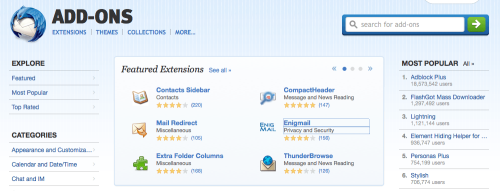
Screenshot of Apple Mail running on Mac OS X Lion

For many years I was a Mozilla Thunderbird user; I even used the beta builds back in 2003, long before its final 1.0 release. Though I still use it at work, where I deal with large volumes of email, at home it was overkill, and so I bought a copy of Sparrow which was simpler and lighter. Except last summer development of Sparrow basically stopped, thanks to Google taking over the Sparrow team.

Sparrow still works okay but with its future looking similar to that of Twitter’s official app I decided to start looking for alternatives. And I found one in a very unexpected place – already on my Mac.

When I switched to a Mac back in 2005, I carried on using Thunderbird, as back then I was still keen on its extensions and its flexibility, so I never bothered with Mail, which is the native email client available on all Macs. And in the almost 8 years since I’ve never bothered to revisit Mail, bar a couple of times out of curiosity when I’ve found it to be a bit over-complicated.

But then I found this article: Turning Mail.app Into the Best Mac Email App, linked from Lifehacker, which explains how to customise Mail to make it more effective. The article has a number of workflow suggestions which I don’t bother with, but it does also suggest how to simplify the interface to make it look, well, more like Sparrow.

It took some time; I have three personal email accounts (one on this domain, plus Gmail and Outlook.com) and Mail defaults to storing saved messages and drafts on local folders, so I had to teach Mail that I actually wanted to use the relevant IMAP folders for this. This involves opening each folder – which Mail confusingly calls ‘Mailboxes’ – and then marking it by clicking the Mailbox menu and using ‘Use this folder for’. Sparrow and Thunderbird both do this through Account Settings, and they both correctly configure Gmail automatically anyway.

Once done, though, I had a nice, clean and simple setup, with a unified inbox view of all three email accounts. Mail’s actually relatively efficient when it comes to system resources and, broadly speaking, uses about the same amount of RAM as Sparrow did.

Maybe I should have taken a fresh look at Mail sooner. It gets an update in each new version of OS X, and doesn’t cost anything extra.

Fixing high memory usage caused by mds

Screenshot of activity monitor on Mac OS X showing mds with high memory usafe

Recently my Mac Mini has been running very slowly, with some programs freezing for as much as several minutes. I pruned the list of items that were running on startup but this didn’t seem to make much difference.

So I opened Activity Monitor (the OS X equivalent of Task Manager) and found a process called ‘mds’ was consuming huge amounts of RAM and virtual memory. MDS is the process which builds an index of your disks for use by Spotlight, the tool that lets you search your drives, and also by Time Machine for backups. Sometimes MDS requires a fair amount of RAM, but it was using almost 2 gigabytes of virtual memory and almost a gigabyte of RAM in my case. I only have 4 gigabytes of RAM in total, and so this was causing major problems as OS X had to regularly swap data between RAM and the paging file.

I’d tried looking into this before and got nowhere. Most of the results in Google were discussions on Apple’s support forums, which were devoid of any real solutions. But eventually I found this post on iCan’t Internet which actually had a solution.

Firstly you should run Disk Utility. Repair your hard disk, and also repair the disk permissions. This may fix your problem, but it didn’t in my case so I moved on to the next step.

Open up Terminal, and type in the following command: sudo mdutil -avE . This runs a tool called ‘mdutil’, and tells it to completely rebuild Spotlight’s index. It turns out that the index on my hard disk had got corrupted somehow, and this was causing problems with the ‘mds’ process. It took a while for the command to run, but afterwards a huge amount of RAM and virtual memory became free. Unsurprisingly, my Mac ran much more happily after this.

Hopefully if you’ve have the same problem this will help. It has certainly breathed new life into my increasingly sluggish computer.

Visiting Harrogate

Harrogate Royal Pump Rooms Museum

Today Christine and I took advantage of the fact that we both had annual leave and went on a day trip to Harrogate. Unfortunately it was rather cold, wet and very windy, so it wasn’t the most enjoyable visit.

We visited the Royal Pump Room Museum, which is built above two of Harrogate’s famous wells and charts the history of the town. It’s a nice little museum in an interesting building, which takes around an hour to get around. Oddly there’s also a small exhibition of Egyptian artefacts there as well.

No visit to Harrogate would be complete without a visit to Betty’s. Admittedly Betty’s isn’t unique to Harrogate; there’s two in York, one in Ilkley one in Northallerton and a second tea room and tea house at RHS Harlow Carr, but unlike the team rooms in York the queue for lunch isn’t usually snaking out of the door and around the block. In fact, we could pretty much walk straight in when we visited at midday today, although it was, of course, a Monday in February – not exactly peak tourist season.

I like Harrogate because it has character, and many of its Edwardian and Victorian buildings have been well-preserved. We don’t go there very often, as it takes a good two hours to get there by train from Sowerby Bridge, but it’s a nice day out.

Some of the photos that I took are already on Flickr. I also uploaded several from our last visit in May 2010, as apparently I didn’t upload those at the time. Which makes me wonder what else I haven’t uploaded to Flickr over the years.

Trying out app.net

Off into the snowy distance

Thanks to Brad Choate I’ve joined app.net on a month’s free trial. App.net, if you remember, is essentially a clone of Twitter, but with no advertising, more liberal API policy and a monthly or yearly fee. It has also just added 10 GB of online storage for each user.

Previously, the reason why I hadn’t joined app.net because of the cost – $5/month, or $3/month if you pay for a year up front ($36). I didn’t want to pay for something to find that no-one was using it and I was paying for nothing. At least with a free trial, I can test the waters and see if it’s worth it.

Co-incidentally, NetBot, which is essentially TweetBot but for app.net, is currently free to download at the moment, so I’m using that as it’s a familiar interface and I like using TweetBot.

I’ll do full reviews of app.net and NetBot at some point in the future. I only signed up this morning and so it would be a bit premature to do give an opinion about it just yet. In the meantime, you can follow me on app.net as @nrturner.

Photos from Chester

Bridge Street

It’s taken almost four months but I’ve finally uploaded the photos I took in Chester in October last year. They were sat in iPhoto, waiting to be edited and sorted but until today I hadn’t actually got around to doing anything with them.

Note that these are just the photos taken in Chester city centre. I also took quite a lot of photos at Chester Zoo whilst we were there, but I’ve not yet processed those either. Hopefully they will be online soon, and not in another 4 months time.

Creative Commons License
Except where otherwise noted, the content on this site is licensed under a Creative Commons Attribution-ShareAlike 4.0 International License.