Modern Image Formats plugin

A screenshot of the Modern Images Format plugin in the WordPress plugin directory

I’ve recently started using the Modern Image Formats plugin for WordPress, which automatically converts any images you upload to the WordPress Media Library to the new WebP and AVIF image formats.

Both formats offer better image compression than GIF, JPEG or PNG, and AVIF is particularly good. Mozilla reckons it’s the ‘next big thing’ for images on web pages. All modern web browsers support it, and have done so for a couple of years; it was added to Firefox in version 93 in October 2021.

I’m old enough to remember when PNG images were the next big thing, and were expected to overtake the GIF format which was limited to 256 colours and encumbered by patents. Suffice to say that GIFs are still alive and well in their animated format.

If you have a WordPress blog, consider giving the Modern Image Formats a try. It works in the background, and should make your images smaller. That way, they’ll take up less disk space, and download quicker – especially for users on slower connections. It won’t convert every image – sometimes, the original JPEG or PNG may be smaller, and so it’ll leave these alone.

I’ve been using it for some time now and no-one seems to have complained that the images aren’t working yet.

Blocking AI crawlers

An AI generated image of a robot ant and a stop sign

I’ve recently updated my robots.txt file to block crawler bots used to train AI systems. It uses a master list from here, which I found thanks to Kevin. The idea is that I am asking for my content not to be used to train large language models such as ChatGPT.

I don’t mind my content being re-used – all of my blog posts carry a Creative Commons license, after all. But it’s the Attribution, Share Alike license, and this is important to note. If an AI was to generate a derivative work based on one of my blog posts, then to comply with the license, it must:

  1. Include an attribution or citation, stating that I wrote it.
  2. Ensure that the derivative work is also made available under the same license.

AI models don’t do really this – at least not at present. Any text is just hoovered up and combined with all the billions of other sources. Until such a time that these AI models can respect the terms of the license that my content is published under, they’ll be told to go away in the robots.txt file.

I haven’t yet gone as far as blocking these bots entirely. After all, robots.txt is essentially asking nicely; it’s not enforcement, and many bots ignore it. I used to use a WordPress plugin called Bad Behavior to block such bots, but it seems to have been abandoned.

Incidentally, my robots.txt file isn’t a flat file – I’m using the DB robots.txt WordPress plugin to generate it dynamically. This is why it has many other lines in it, instructing other crawlers about what they can and can’t access.

Cross-posting on socials

An AI-generated image using Microsoft Copilot showing a stack with the WordPress logo surrounded by smaller stacks with social media logos on them

I’ve recently updated the Feeds page to list ways other ways that you can follow this blog, besides subscribing to the RSS feed. To summarise:

  • There’s the weekly email
  • Any Fediverse app (e.g. Mastodon, Friendica) can follow the blog directly using ‘@nrturner
  • There’s now a dedicated Facebook page
  • I’m automatically cross-posting links to new blog posts to X/Twitter, Mastodon and Bluesky

The Facebook and X/Twitter integration is being done via Buffer and the WP to Buffer plugin. This is because Buffer is one of the few services that still has write access to the X/Twitter API. It also means that I am using my X/Twitter account again, but only to link to my own blog posts. I’m not logging in to interact with other users or post anything there that isn’t a link out to something I host. At least, not until Elon Musk inevitably gets bored, bankrupt or both and sells X/Twitter to someone better.

I think I used to have a dedicated Facebook page for this blog in the past, but I must’ve deleted it at some point. Anyway, there’s a new one which has been around for a couple of weeks and has had basically zero interactions in that time. If you want to very occasionally see my blog posts on your news feed, when the Facebook algorithm deems me worthy, feel free to give it a ‘Like’. I won’t be incorporating any of Meta’s cookies or adtech into this web site, don’t worry.

To cross-post to Mastodon, I’m using the Share on Mastodon plugin. It’s simple but configurable, and does the job well. For Bluesky, I’m using Neznam Atproto Share, which is also simple but configurable. I quite like relatively simple WordPress plugins that just do one or two things, and don’t try to take over your dashboard.

Whilst I have a Threads account, Meta hasn’t opened an API for it yet, so no auto-posts there. Mastodon remains my primary public social media presence, but I do scroll through Bluesky regularly too.

Sign up to my newsletter

An AI generated image of a postal worker delivering an email newsletter into a mailbox.

It seems like everyone has an email newslettter nowadays. I used to have a simple form where you could sign up for posts by email, powered by Jetpack, long ago. Seeing as it’s the in-thing again, I’ve added an email newsletter sign-up box to the sidebar (if you’re viewing on a desktop) and also below each post.

If you sign up, you’ll get a weekly email on a Monday with that week’s new blog posts. It’s automated, and so there won’t be any additional content for newsletter subscribers. Of course, there’s still the good old RSS feed which has been available for over 22 years now. And you can follow this blog on the Fediverse using Mastodon:

Neil Turner
Neil Turner
979 posts
4 followers

Not ‘a Substack’ newsletter

It seems like the word ‘substack’ has already become genericised (as per this toot from @mathowie). To be clear, whilst this is an email newsletter, I will not be touching Substack. Just in case you’re not aware, Substack hosts a lot of nazis, and doesn’t seem to be particularly bothered by this. A few of the worst offenders have subsequently been kicked off, but there are still many horrible people making money there. I actively avoid subscribing to Substack newsletters where possible, and certainly won’t pay for them. As well as self-hosting with WordPress like I do, Buttondown, Medium and Ghost are good alternatives, and many have easy import processes.

MailPoet

I don’t use Jetpack anymore, so instead I’m using the free version of MailPoet. There are lots of email plugins for WordPress, and most seem to offer full customer relations management features and detailed analytics. I don’t want that – I just want something simple where you type in your email address, confirm your subscription, and get a simple automated weekly digest.

MailPoet does have a lot of bells and whistles, even in the free version, but it is possible to just do what I want it to do. You can also manage it entirely within WordPress and don’t need to sign up to a third party service. Whilst it recommends that you use a third party email sending system, I’m sticking with my own. Unless I end up with thousands of subscribers, in which case I’ll re-consider.

Some recent things I have learned about SEO

A screenshot from Google Console Search Insights congratulating me on achieving 900 clicks in 28 days, indicating that I am doing okay from SEO perspective

I’m signed up to Google Search Console (formerly known as Webmaster Tools) which gives web site owners an indication at how good they are at SEO, or search engine optimisation. And last weekend, Google emailed me to congratulate me on 900 click-throughs in 28 days. That means that about 60 people find something from this blog in a Google search, and click through to see it.

Of course, I mainly blog for myself. It’s a chronicle of things that I have done, or things I’ve found useful or want to share. But I also want people to be able to read it; as the saying goes, if a tree falls in the forest and no one is around to hear it, does it make a sound? So I feel it’s important to incorporate some degree of SEO.

As this is a WordPress blog, I use the Yoast SEO plugin (the free version). It works okay, and gives each post a traffic light symbol for SEO and readability. Readability is important to me; it discourages me from using overly long sentences, and avoiding passive voice. But the SEO suggestions are helpful too. For example, making sure that any images have relevant alt text, and that I include both internal and external links. Not every blog post needs to be optimised, but I try to optimise most of them.

Some blog posts have done better than others, and seeing as the whole idea behind this post is that I share what I’ve learned, here are some examples:

Comparing things

People will often search for ‘[thing 1] vs [thing 2]‘, which I found out when my blog post about the films Wonka and Wish did well back in January. It just so happened that I had seen both, and I could have reviewed them in separate posts. But putting them together meant that my little blog appeared on the first page of results for a while. Alas, apart from watching Butterfly Tale last month, I haven’t been to the cinema since.

I put this into practice when comparing Readly and Pressreader. My original plan was just to review Pressreader on its own, but having seen how well my Wonka and Wish post did, I tried comparing the two. That blog post is typically in the top 5 results for the search term ‘readly vs pressreader‘.

How-to guides

The most clicked-on link from Google is my guide to installing Home Assistant Supervised on a Raspberry Pi. About a third of all clicks to my blog are to that post alone. But other how-to guides score highly too, including Mounting a USB hard drive on startup on Ubuntu Core and How to join a preferred Thread network in Home Assistant. Generally, I’ve written these guides because I haven’t found a simple answer myself, and these are usually an amalgamation of advice taken from various forums or StackExhange threads.

Whilst having a dedicated SEO plugin probably helps, there are some things that you can do yourself that can help:

  • Ensure you have a machine readable site map, and point Google at it.
  • Make sure your site loads quickly; one of the reasons why I changed to GeneratePress as my theme is that it’s a lightweight theme.
  • Post regularly – Google likes sites which often post new content. I’ve found every other day to be manageable.

As I said before, the number one person that this blog is written for is me. But I also want it to be useful and for people to find it. I hope I get the balance right.

Using Toolbelt instead of Jetpack on WordPress

A screenshot of the Toolbelt plugin in the WordPress plugin directory

A couple of weeks ago, I stopped using the Jetpack plugin for WordPress, and switched to Toolbelt instead.

Jetpack is one of the most popular WordPress plugins and is developed by Automattic, so ditching it has been a big step. Here’s my thinking behind my decision.

What’s wrong with Jetpack?

Jetpack is a big plugin. This is because it does a lot of things, but it can add some big overheads to your WordPress install. Whilst more recently some features have been made available as individual plugins (such as Jetpack Security), many still use the large monolithic plugin.

It relies on services provided by WordPress.com, so there’s background web traffic going there. That can have an impact on your web site’s privacy policy, especially across international boundaries. And Automattic has been in talks with OpenAI and MidJourney about using content from WordPress.com and Tumblr to train AI models. Whilst there’s an opt-out, this really should have been opt-in. My content is licensed under Creative Commons, and I doubt these models respect licensing.

I’m also not keen on how Jetpack inserts adverts for its premium services into my WordPress install.

More disconcertingly, there’s been a recent incident of transphobia that involved a Tumblr user and Matt Mullenweg, Automattic’s CEO. It’s somewhat reminiscent of the Twitter Joke Trial, where an amusing but poorly thought out post got the user into trouble, and Matt waded in. I’ve generally been a supporter of Matt but this incident made me decidedly uneasy. I’m a member of the LGBTQ+ community and try to be a good ally to my trans friends, and I don’t want to support a company which is hostile to trans people.

What is Toolbelt?

Toolbelt is essentially a replacement for Jetpack. Like Jetpack, it offers a wide range of features in a modular way. By default, they’re all switched off, so you just need to enable the ones you want. There’s some overlap with Jetpack, but Toolbelt offers some additional features that Jetpack doesn’t have.

Toolbelt is much more lightweight; since installing it, my WordPress installation feels faster. I haven’t been able to quantify improvements, but pages should load quicker. Hopefully, WordPress will use less server resources too now. It does mean that some things look a little different, as I’m using Toolbelt’s social sharing icons and related posts, rather than those from Jetpack.

For the time being, this means new posts won’t be automatically shared to my Mastodon profile (and occasionally LinkedIn) until I install a different plugin to enable this. And I am currently still using Akismet for spam protection, although Toolbelt offers a comment spam module.

The only major caveat to Toolbelt is that it’s not currently in active development, although it says it has been tested with current versions of WordPress (at time of writing). Maybe it’ll get renewed attention.

Back to posts every other day

When I re-started blogging regularly again, my aim was to post a new blog entry every other day – so 3 or 4 new entries per week. Over the past couple of weeks, I’ve been posting daily. This is because:

There was no new blog post yesterday, and there won’t be tomorrow, as I’m now going back to posting every other day. Whilst I still have lots of blog post ideas, if I try to post a new blog entry every day, I’ll burn through them quite quickly. And now that I’m back at work full-time, I won’t have as much time to write. I’ve tried having a new blog entry to post every day in the past, and it’s hard work.

22nd blogiversary

An AI generated image of a birthday cake with two candles on it showing 22

It’s been 22 years to the day since I wrote my first blog post. Which is a very long time in technology.

Last year, I referred to the blogiversary as a ’21st-ish blogiversary’, mainly because I took a break from blogging for four years and all my pre-2018 where lost. However, I’ve been able to reinstate the first one, so you can read what 17 year old me had to say about starting a blog.

For the first few months of blogging, my posts were made using Blogger, which I’m almost surprised is still around. Google bought Blogger over 20 years ago, and hasn’t done much with it. It’s still there, and you can still create a new blog, but apart from a new responsive UI in 2020 it seems to have stagnated.

I switched to Movable Type in September 2002, and bought the neilturner.me.uk domain that I’m still using today. Over time, I switched web hosts a couple of times, but I’ve been with Bytemark for many years now.

In March 2011, I moved from Movable Type, which was becoming a commercial product, to Melody, a community fork. Alas, there just wasn’t much interest elsewhere in the blogosphere in either Movable Type or Melody, and so this was a short-term change. Just a couple of months later, I switched to WordPress, and have been using it for almost 13 years now. That’s longer than any of the other blogging systems that I have used in the past.

Over this past year, I have been trying to get back into blogging, and, since October, I have (for the most part) published a new blog post every other day. I’m enjoying blogging again and wish I’d re-started sooner, although at least with a 4 year break, there’s plenty to talk about. I still have plenty of ideas for future blog posts which should see me well into the spring. So, happy birthday blog – you’re looking better than you have done in years.

WordPress backups with UpdraftPlus

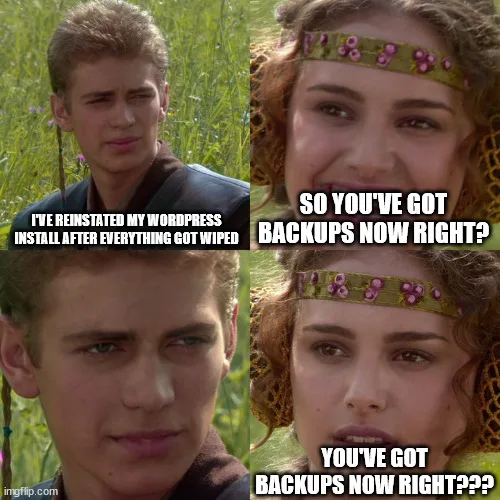
A meme featuring Anakin and Padme from the Star Wars films. Anakin is saying 'I've reinstated my WordPress install after everything got wiped' and Padme says 'so you've got backups now right?'

It’s a little while until World Backup Day on the 31st March, but I’ve set up UpdraftPlus to create automatic backups of my WordPress installation to my Dropbox account.

It’s a straightforward plugin to set up. You install it from the WordPress plugin directory, select your cloud storage provider, choose what you want to backup, and then run it. If it all goes well, you can then set a schedule for automated backups.

The free version offers Dropbox, Google Drive, Amazon S3 and some others, and you can also upload your backups to any FTP server, albeit over a non-secure connection. If you want to use WebDAV, SFTP, SCP, Microsoft OneDrive or UpdraftPlus’ own service, then you’ll need a premium account. At present, it’s £54 per year for up to two personal sites, which is pretty reasonable – the equivalent of a little over £4 per month.

Your backups can include everything if you want, but I’ve excluded plugins and themes from my backups. I haven’t modified the theme that I am using, and I’m not using any custom plugins – everything is from the WordPress plugin directory.

Backing up my files to Dropbox makes the most sense to me. I pay for Dropbox Pro and so have 2 terabytes of storage, of which I’m using less than 7%. Whilst VaultPress is the officially-supported solution for backups for WordPress, it’s not a free service and I’m already paying for Dropbox Pro.

The best time to set up backups is now

There isn’t a ‘best time’ to set up backups for any system apart from, well, now. So, if you haven’t got a backup solution in place, this is your reminder to sort something out. I lost all my blog posts in 2018 because I didn’t have adequate backups in place when doing a server upgrade. I would say I learned my lesson, but I’ve been blogging again for 18 months now and only set up UpdraftPlus last week.

There are many other WordPress plugins that offer backups – some free and some paid. I chose UpdraftPlus as it seemed to be the one which offered the features that I wanted, but you may find another suits you better. Just make sure that you have something in place.

New old posts from the archives, part 3

I’m gradually bringing back some of my old blog posts that were lost. You can have a look at part one and part two, and here’s the list of latest posts that I have brought back:

  • WeeMee (September 2003). I mentioned this in last week’s blog post about avatars, hence why I brought it back. The site that lets you generate a ‘WeeMee’ is long gone, and I’m not sure that an archived copy would work as, if I remember correctly, it used Adobe Flash Player.
  • Secret Starbucks Sizes (July 2015). This seemed to show up quite a bit in my 404 (missing page) logs and so I brought it back. It lists the sizes of coffee cups that Starbucks may or may not offer besides their usual Tall, Grande and Venti sizes.
  • Coffee (February 2012). Linked in the above blog post, so it made sense to bring this one back too. I never used to be a coffee drinker until around 2012. Now, I drink coffee most weekdays, although it’s usually a sachet of pre-mixed powdered coffee with a flavouring. Starbucks is a once a week treat on the way to work.
  • My Podcast Diet (August 2018). Well now, this is a post that I never finished; it was sat as a draft on my iPad and didn’t get published. So you can now read it for the first time. I should probably write an update soon, as I’m listening to some different podcasts now.
  • Going into print (August 2004). A prime example of announcing something before it’s ready. I agreed to contribute a couple of chapters to a book about Movable Type, the blogging system that I used to use before switching to WordPress. And whilst I did start writing them, it clashed with my final year at university, so the book was published without my contributions. You can still buy the book (sponsored link) but no-one uses Movable Type any-more so I don’t know why you would want to. Almost 20 years later and I still haven’t co-authored an actual printed book.
  • Why I’m not switching to WordPress (August 2004). Oh wow. This was a 1000+ word rant that WordPress, barely a year old and only at version 1.2, lacked many niche features that I was accustomed to in Movable Type. It even garnered a response from Matt Mullenweg himself, which you can read if you’re willing to track it down on the Web Archive. Of course, less than a decade later, I would switch to WordPress, and Movable Type is basically dead as previously mentioned.