Twittering the threads of the mastodontic blue sky diaspora

This month was something of a grim anniversary for those of us who used to call Twitter our home on social media, as it marked one year since Elon Musk took it over and basically ruined it.

In that time, many users have left for other platforms — mainly Mastodon, Bluesky and Threads. I too have left Twitter, or rather ‘X’, as Elon wants us to call it now, albeit with my account still technically active and a placeholder tweet.

For me, Mastodon is where I spend more of my time (I also use Facebook a lot, but that’s locked down so that everything is friends-only), but I have accounts on Bluesky and Threads. Bluesky seems to be where all the nice people from Twitter went, whilst on Mastodon I’m following mostly new people that I didn’t previously follow elsewhere.

As for Threads — I think I’ve posted there once but despite importing the accounts I follow on Instagram, it seems like the people I already follow there don’t use it much, so nor do I.

And yes, I’m having some nice interactions on Mastodon and Bluesky, but this recent post by Dan Sinker really resonates with me. Especially this:

One of the main topics of discussion on all three is how they’re not as good as Twitter, which is true. They are not as good as Twitter. But neither is Twitter. And the reality is that nothing will ever be as good as something that grew organically — largely through user-driven innovation — over the course of 15 years. Because, whether you knew it or not, so much of what we loved about Twitter was the work it took to become the thing we knew.

On the occasions that I do log into X/Twitter, I still see some people posting regularly, whilst others have gone to one or more of the other platforms. And the best analogy I can think of is when an event causes people to be displaced — war, famine and so forth — which results in some people staying put, and others seeking refuge in various different places.

Displaced people may gravitate to where they have existing connections. After all, if you have to move to a new place at short notice, knowing that there will be familiar people there to help you settle in may be some comfort in what would otherwise be a very stressful situation. For example, when Russia invaded Ukraine last year, a number of Ukrainians sought refuge in the UK where there was already a small Ukrainian diaspora; others went to nearby countries and some stayed put.

Similarly, when Twitter became too toxic for people, some may have chosen Mastodon because people they knew already had accounts there; whilst Mastodon took off in 2022, it has been around since 2016 and there were a series of smaller exoduses in response to changes to Twitter in the pre-Musk years. Some may also have preferred it because it had been around for longer and is a more mature platform, or liked the idea of federation and each instance having its own community.

For others, Threads will have made sense because of its links with Instagram; rather than signing up and having to search for people to follow, you could import your Instagram followers and have content to scroll through from day one.

Others will have followed their friends to Bluesky by being invited there, and may appreciate the invite-only status that it has at present which seems to be keeping out some of the nastier elements of Twitter.

Whilst this explains why some people have chosen one (or more) particular platform(s), it does mean that our friends are scattered across several places — there’s not yet one place that can amalgamate these different social networks into one feed. Mastodon does have an open and permissive API, and is part of the Fediverse, but Threads isn’t yet (although its a proposed feature) and Bluesky looks to be developing its own protocol instead. I have fond memories of TweetDeck, before it was bought by Twitter, offering a single feed with both tweets and Facebook posts in it. But its acquisition by Twitter resulted in gradual enshittification and such features were removed.

Maybe there will be some kind of super-app that will allow you to interact with your social media follows, regardless of which service they’re signed up — just like email. And maybe a post-Musk Twitter would be on there too; despite Musk’s lofty plans to turn X into some kind of everything app, I wouldn’t be surprised if he sells it on when it fails to become a financial services nexus. Something tells me that his ‘lol, whatever’ attitude to regulation is not going to sit well with the financial services regulators. But for now, we’ll have to make do with a series of smaller, more dispersed communities.

This post was originally posted on Medium.

Being more or less social

A screenshot of my profile on the Bluesky social network.

Good grief, has it really been almost 6 months since my last blog post?

I mostly dropped by to link out to a couple of additional social media profiles that you can follow, should you wish to. I appreciate that many people are leaving Twitter/X/whatever Elon Musk decides it’s called this week, and not everyone is leaving in the same direction.

Firstly, I’ve just signed up to Bluesky. It’s invite only at the moment, so I doff my cap to a work colleague who gave me her first invite. I’ve just made the one post there and I’ll see how I get on with it.

I managed to – eventually – get my account verified there, which is how I show as ‘@neilturner.me.uk’ and not a bsky.social address. It should have been straightforward, but over the years my DNS settings have seemingly got out of sync, and this has required some fixing. Hopefully everything works now.

And I’m on Meta’s Threads, which I joined on launch day back in August. Again, I’ve just made the one post there. It doesn’t look like many people that I followed on Instagram are active on Threads – my feed seems to basically be the same 5 people.

My primary social media presence is still on Mastodon. So, if you want to hear from me in between my massive gaps in blogging, that’s probably your best bet. I joined Mastodon back in November 2022, and I feel most-settled there.

Perhaps if Bluesky and/or Threads open up a bit more, I might cross-post things, but we’ll see.

WordPress in the Fediverse

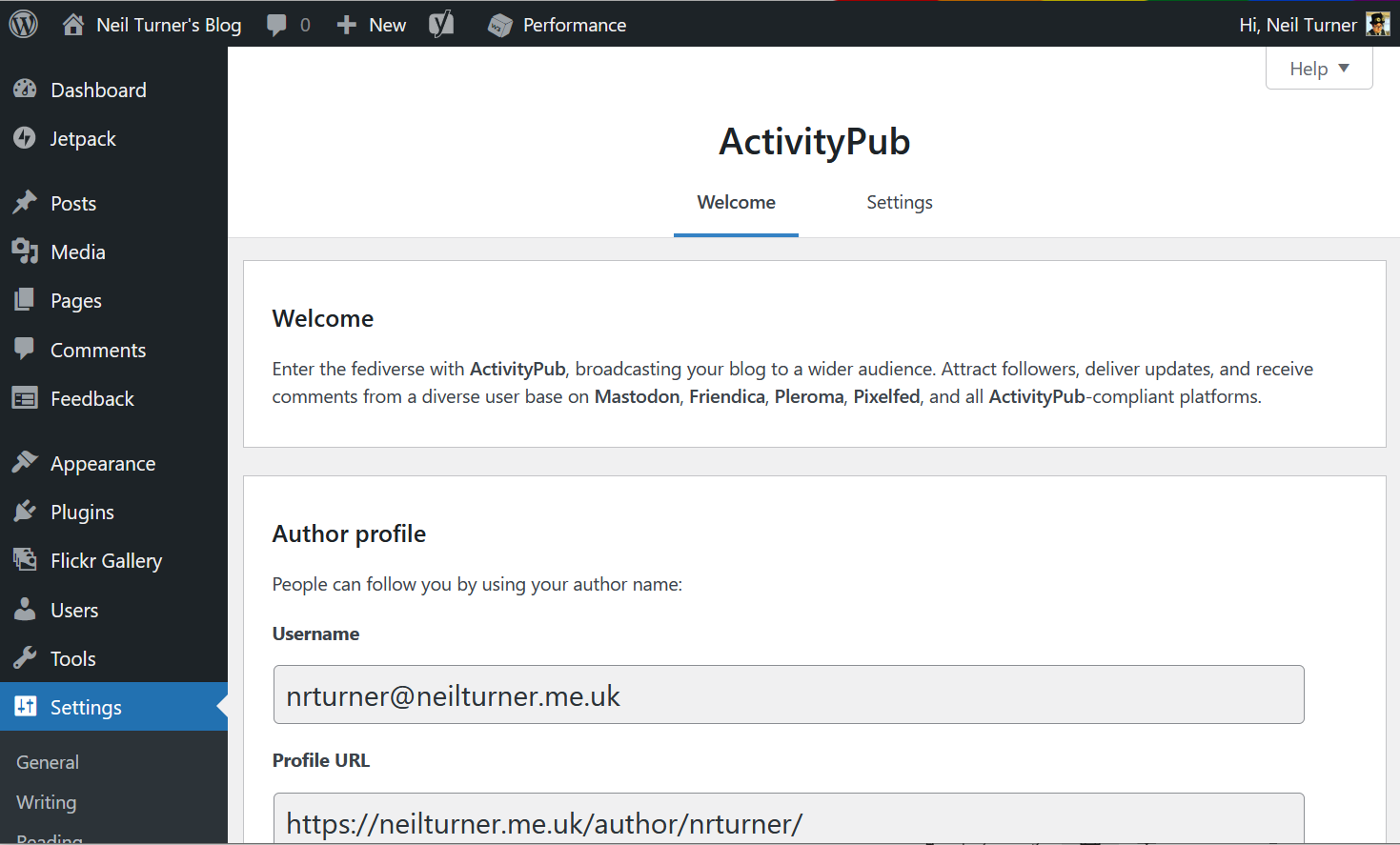
A screenshot of the settings page for the ActivityPub plugin for WordPress

If I’ve set up everything correctly, then you should be able to subscribe to this blog in your favourite Fediverse app, such as Mastodon, by following @nrturner@neilturner.me.uk .

You’ll need to install the ActivityPub plugin, and then it should just work where your fediverse username is @your-wordpress-username@your-domain.tld. If you’ve used a plugin to disable author archives, such as Yoast’s SEO plugin, you’ll need to re-enable it for this to work.

I found this guide particularly useful, as it links to Webfinger to test that you’ve set it up correctly.

(Update: since this post was written almost 12 months ago, the ActivityPub plugin has been formally adopted by Automattic and so enjoys wider support)

Good intentions and Mastodon

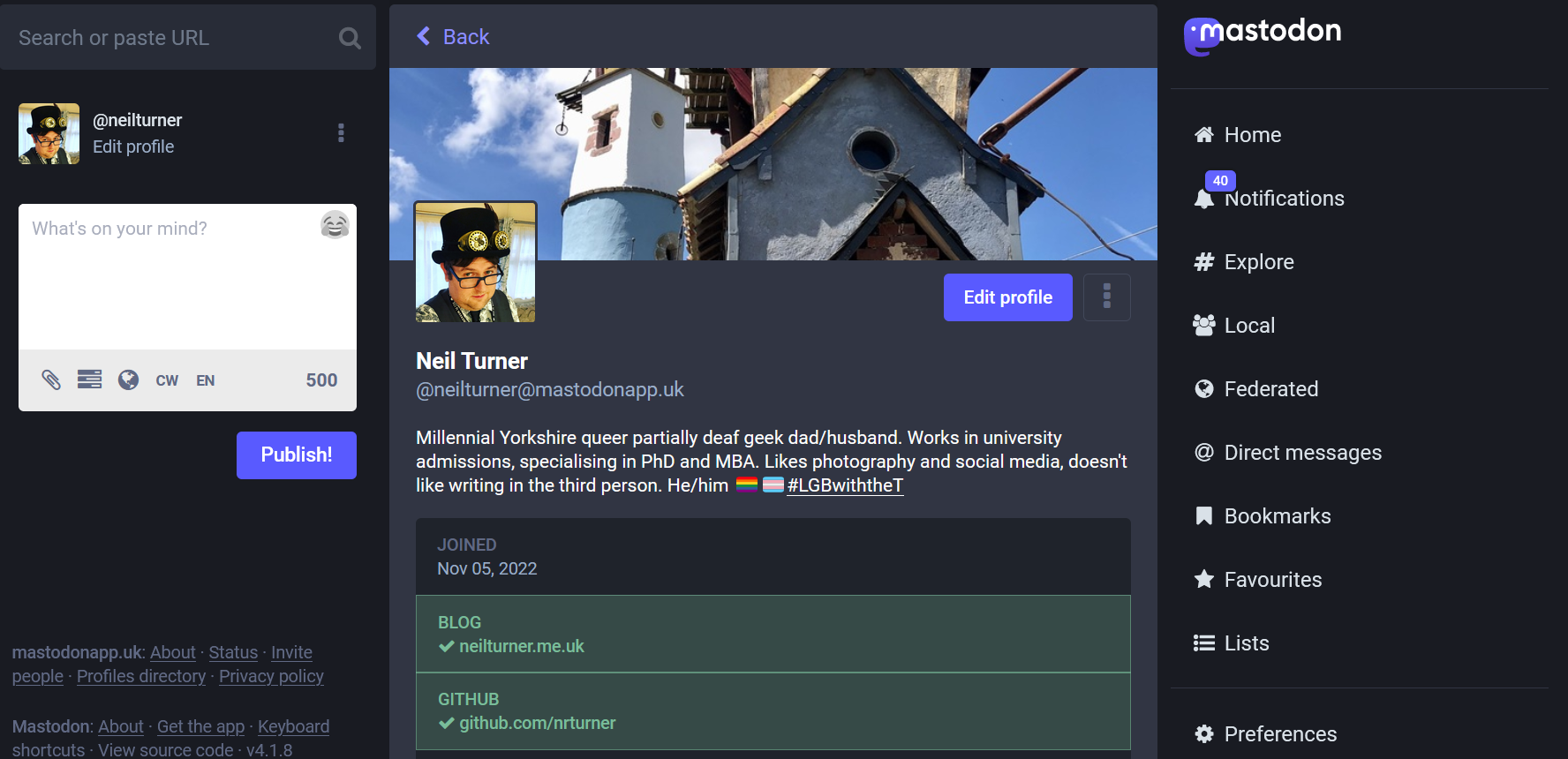
Screenshot of my Mastodon profile

Well, here was me promising to blog here more regularly, and then completely ignoring the blog for 5 months. Go me?

The main purpose of this blog post is to include a link to my Mastodon profile. As I write this, Elon Musk has taken over Twitter and looks to be unleashing his libertarian hellscape vision very quickly. Whilst I don’t intend to leave Twitter, I’ve decided to keep my options open and have set myself up on Mastodon.lol, which is an LGBTQ+-friendly server that doesn’t integrate with any servers that host fascists.

Whilst we’ve been here before with Ello, App.net, Google+, Clubhouse and innumerable other sites that have tried to compete with Twitter and failed, Mastodon seems to be the most popular ‘non-fascsist site’. Good, lord, what a thing to have to type.

We’ll see what happens, eh?

Why I’ve sort-of quit Twitter

I’ve been a Twitter user since June 2006, apparently, and in that time there have been very few days where I haven’t been on it. It’s been a major source of both information, news and entertainment for me for over a decade.

I’m probably not your typical Twitter user, either. For a start, I generally don’t use the official Twitter app; instead, I prefer Tweetbot, a third-party client which had a ‘mute’ filter long before it became available to all Twitter users. And, barring tweets that I’ve muted, I try to read every tweet on my timeline; Tweetbot even remembers my ‘position’ in the timeline and synchronises this between devices. Typically, I would read about 500 tweets per day.

Reading tweets would start at breakfast (which is about 6:30am for me), with catch-ups at lunchtime, whilst commuting on the train, and before bed. In all, I would typically spend over an hour every day reading tweets.

It’s when I have spelt it out like this that I realise that my relationship with Twitter wasn’t really a healthy one. I had a hunch that I was probably spending too much time on Twitter, but, I found it entertaining and enlightening and it was a good way of passing the time.

Until it wasn’t.

I know I’m not the only person who was very disappointed with the outcome of the UK’s general election last month. But as a remain-supporting Labour Party member, it was pretty devastating. And when I woke up to hundreds of tweets on my timeline on Friday 13th December, I just couldn’t face looking at them.

So, I basically quit Twitter. Not completely – I haven’t deleted my account, and I’ve still posted quite a few tweets in the month since then. But you may have noticed fewer retweets and replies, and far fewer ‘liked’ tweets by others. I’m allowing myself up to 5 minutes on Twitter, no more than twice a day, to read other people’s tweets.

And so far, it seems to be going okay. I’m not really missing it as much as I thought I would. I am, perhaps, spending a bit more time on Facebook instead, but Facebook is generally full of closer friends and people that I care about, rather than random internet people.

The time that I used to spend on Twitter is now available for other things. I’ve been a major user of the ‘read it later’ service Pocket, which I use to save interesting links to read later. By December, this inbox of unread links had hit 250 – and some of those articles were hour-long reads. As I write, it’s 33, and I’m hoping it’ll be 0 very soon. It hasn’t been 0 since 2018. Of course, many of these ‘interesting links’ were saved from Twitter, and so I have saved very few new links to read in recent weeks.

Once my reading list in Pocket is clear, I’m planning to tackle a different reading list: books. Most of the books that I ‘read’ are audiobooks – indeed, last year I only finished one printed book whilst on holiday. I started the e-book of Mark Watson’s ‘Eleven’ last January and then made no progress in the subsequent 12 months. All the while, piles – both actual and virtual – of unread books have been accumulating, and it’s about time that I actually read them. I’ve set myself a stretch target of 50 books on this year’s Goodreads Reading Challenge – that’s almost a book a week. So far, I’ve finished 2 audiobooks, although one was started in 2019 and the other was a relatively short book that I powered through on a couple of long car journeys at new year. Still, I’m on target.

I’m also trying to spend more quality time with my daughter. She has recently turned 4, and wants me to play with her more. Not needing to get one last fix of Twitter before bed has given me more opportunities to read books with her at bedtime, and I’m hoping that I can be more present with her.

The timing of this change is interesting, as it comes roughly at the start of a new year and new decade. I wouldn’t call giving up Twitter a ‘new year’s resolution’ – mainly because I made the resolution two weeks before the start of the new year. But it’s something I’m hoping to stick to as the year goes on.

When you walk past gambling shops, there’s usually a yellow sign in the window saying ‘When the fun stops, stop’. I think the fun stopped with Twitter some time ago and it’s taken me some time to realise.

This was originally posted on Medium.

My Twitter archive

A screenshot of my Twitter archive

I’m probably going to regret this, but here I am, signed up to Twitter.

— Neil Turner (@nrturner) June 1, 2007

That was the first tweet that I posted, back on the 1st June 2007. I’ve waited quite some time to find out what that was, because Twitter hasn’t allowed users to view more than their previous 3,200 tweets, and to date I’ve tweeted more than 13,000 times.

Shortly after you request the download (which was a couple of minutes in my case), you get an email with a download link. This downloads a zip file. Your tweets are presented in a CSV (Comma Separated Values) file, for importing into Excel for example, and as JSON (JavaScript Object Notation) for which there is an HTML file allowing you to view your tweets in a web browser.

The browser view resembles Twitter’s web site, and lets you search your tweets as well view tweets by month. It’ll even tell you how many times you tweeted in a given month: July 2007 was my quietest month with 10 tweets, and July 2011 was my busiest with 517 tweets. There’s a notable increase in my Twitter activity after September 2010 when I bought a smartphone.

Having shown my first tweet, here was my second:

mdjdgj

— Neil Turner (@nrturner) June 1, 2007

No, me neither.

Early tweets don’t have clickable links; this was before Twitter introduced their own t.co URL shortener around November 2010, so you have to copy and paste the URLs into the address bar to view them. It’s also odd seeing links being shortened with TinyURL which few people use nowadays.

Other than nostalgia, and ensuring you have your own backup of your tweets, there’s not a whole lot that you can do with a Twitter Archive right now. However, if you are a Timehop user like me, go to twitter.timehop.com and upload your Twitter Archive so that you can get daily reminders of what you have tweeted over the years. I’m hoping that ThinkUp will support Twitter Archives in the next release as well, so that I can get an analysis of all of my tweets.

Trying out app.net

Off into the snowy distance

Thanks to Brad Choate I’ve joined app.net on a month’s free trial. App.net, if you remember, is essentially a clone of Twitter, but with no advertising, more liberal API policy and a monthly or yearly fee. It has also just added 10 GB of online storage for each user.

Previously, the reason why I hadn’t joined app.net because of the cost – $5/month, or $3/month if you pay for a year up front ($36). I didn’t want to pay for something to find that no-one was using it and I was paying for nothing. At least with a free trial, I can test the waters and see if it’s worth it.

Co-incidentally, NetBot, which is essentially TweetBot but for app.net, is currently free to download at the moment, so I’m using that as it’s a familiar interface and I like using TweetBot.

I’ll do full reviews of app.net and NetBot at some point in the future. I only signed up this morning and so it would be a bit premature to do give an opinion about it just yet. In the meantime, you can follow me on app.net as @nrturner.

The probable abandonment of Twitter’s official OS X app

Update: Since this article was posted in October 2012, the official Twitter for Mac client has actually been updated. An April 2013 blog post from Twitter explains this.

Bird

It has now been well over a year since the official Twitter app for OS X was last updated. It launched with the Mac App Store in January 2011, and the most recent version, for Snow Leopard, was released in June 2011. Since then both Lion and now Mountain Lion have come along, and yet Twitter haven’t made any changes.

Early signs of ‘bit rot’ are setting in:

  • There’s no support for posting images using Twitter’s own image service (pic.twitter.com) – you have to use a third-party service
  • Of those third-party services, pix.im is listed but it no longer works
  • The app’s icon doesn’t use the revised Twitter logo from June
  • Promoted tweets and trending topics do not show in the timelines, as they do on the web and in the official mobile clients

It’s a shame to see the official client abandoned in this way. I used it as my main Mac desktop client for quite some time, before switching to Osfoora and then Tweetbot for Mac. And before January 2011 I used Tweetie, which was bought by Twitter and became Twitter for Mac. It’s especially concerning when Twitter has been discouraging third parties from developing ‘traditional’ timeline clients, because at present it’s the third-party clients that offer up-to-date features.

Tweetbot for Mac in Alpha testing

After not quite officially confirming its existence, Tapbots have released an alpha build of Tweetbot for Mac. I talked about Tweetbot for Mac last week and how it would be awesome, so I now have a chance to actually test it.

Firstly, don’t let the ‘alpha’ tag put you off. It’s not a finished product, and there are some bugs (the Tweet Marker support doesn’t seem to work), but in my view it’s ‘beta’ quality at worst. This is from someone who has done a lot of beta testing in my time, and who also spent part of the week battling some paid-for software that acted like a beta product – but more on that another time.

Secondly, apart from being still in the testing stage, feature-wise Tweetbot isn’t finished. There’s not yet any support for synchronising your Tweetbot settings between your Mac and your iOS device, as this requires use of iCloud and is therefore only available to apps from the Mac App Store that Apple has vetted. This will be in the final release but not in any public test versions. Tapbots also intend for it to support Notification Centre on Mountain Lion, which, as well as being another Mac App Store-only feature, is also not available to test because only a few select developers have copies of Mountain Lion at present.

It’s also worth pointing out that, whilst this alpha build is free to test, there’s no support; furthermore, the final product will cost money, as with the iPad and iPhone apps.

So, with those caveats pointed out, what it’s actually like to use?

Well, it works pretty much like any other Mac OS X Twitter client, to be honest. The main difference between the iOS app and the Mac desktop is that, whereas on iOS, tapping a tweet brings up a bar with buttons to retweet, reply and favourite, these now appear when you hover over a tweet with the mouse. But you’ll be pleased to know that the swiping gestures from the iOS app made it to the dekstop, so swiping from left to right shows the tweet details, and from right to left shows the tweet in a conversation view with its replies.

‘Streaming’ support, where new tweets are automatically loaded as they are posted, is enabled as standard. Along the left column, all of the various views are shown, like on the iPad app, so there’s easy access to your profile, lists, retweets and saved searches. And this desktop version of Tweetbot retains its formidable support for third-party services, so there’s integration with Pocket, Instapaper, Readability, Pinboard and bit.ly as a ‘read later’ service (most other apps just offer the first two and Readability if you’re lucky), plenty of third-party image hosting services (but not a custom one yet) and a choice of URL shorteners. And curiously for a desktop client, you can add a location to your tweets.

The other great thing, for me, about Tweetbot is its mute feature to hide tweets that don’t interest you, and this feature is also present on the desktop. So far, in this alpha, you can only mute specific Twitter clients, like Twittascope, RunKeeper, Waze, GetGlue or any other services which auto-tweet things that don’t really interest me, but eventually you will be able to mute specific hashtags or keywords, or put some users on mute – this is great when you follow someone who live-tweets a conference and would otherwise dominate your timeline. The mute settings will also be synchronised between clients when iCloud sync is enabled in the final release.

All in all, in my opinion Tweetbot as it is now – even in its alpha state – is still better than the official Twitter client for the Mac, and just beats out Osfoora which was my previous favourite (I reviewed it back in March). If you use Twitter on a Mac, and have Lion installed, give it a try whilst its free, and, if you like it, buy the final release when it comes out. I don’t think you’ll regret it.

Tweetbot for Mac coming soon

A screenshot of Tweetbot running on a Mac desktop

A couple of weeks ago, the above image was posted by Mark Jardine, one of the developers at Tapbots, showing off his new MacBook Pro with Retina Display. What’s notable is that it shows an OS X desktop version of Tweetbot, my favourite iOS Twitter client. This is big news, and Tapbots later confirmed to The Verge that a full mac version is under development.

To which, my response is “yay!”. I really like Tweetbot on my iPhone as it looks good, works well, and offers plenty of features. It can do everything that the official Twitter for iOS app can do, but will also let you use third party URL shorteners and image upload sites, and offers integration with services like Tweet Marker and Readability which aren’t often available in other Twitter apps. There’s also the ‘mute’ feature, which easily lets you mute certain hashtags that do not interest you, or particular clients like Waze, paper.li, Twittascope and various other services that auto-post things on your friends Twitter feeds that don’t interest you. You can also mute users, and you have the choice of muting them for a short period or indefinitely – great for when someone you follow live-tweets a conference that doesn’t interest you.

I haven’t yet found a desktop Twitter client for the Mac which does all of these things as well as Tweetbot, although Osfoora, my current client of choice, comes close. What excites me most is that Tweetbot is able to synchronise its settings using iCloud, for those that use it both on their iPhone and iPad, and so I’m looking forward to this extending to the Mac OS X app when it launches.

We don’t know much more about when Tweetbot for Mac will launch – there’s nothing about it on the Tapbots web site yet – but I imagine it’ll be after Mountain Lion gets released later this month (19th July). I’ll be almost certain to buy it, although I’ll happily keep on with Osfoora until then.

Creative Commons License
Except where otherwise noted, the content on this site is licensed under a Creative Commons Attribution-ShareAlike 4.0 International License.