Fritz!Box 7530 AX review

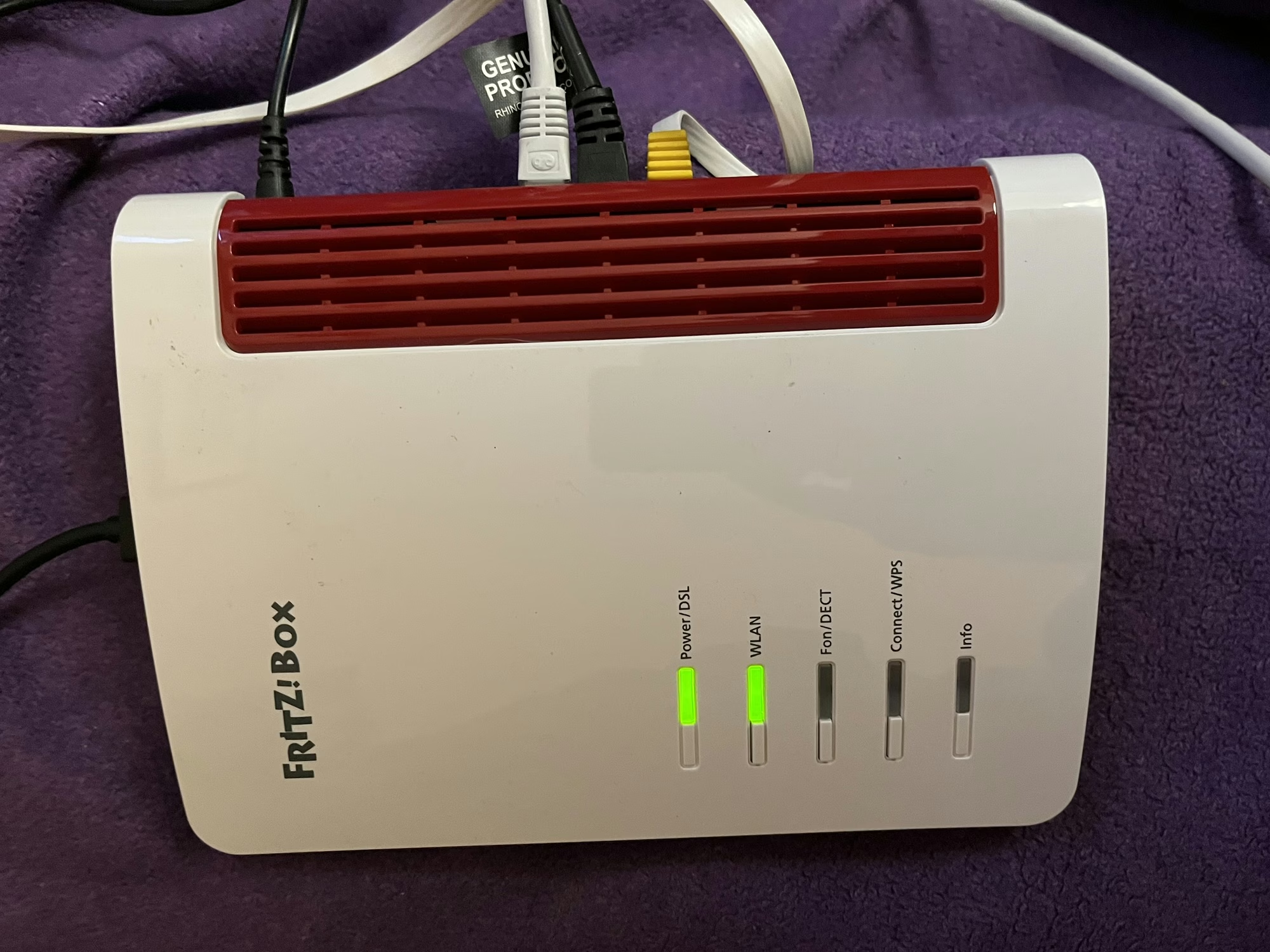
A photo of the Fritz!Box 7530 AX

As is usual when you sign up to a new Internet Service Provider, we were offered a new router as well. We signed up with Zen Internet, who unlike their larger rivals, don’t offer their own branded router hardware. Instead, we’ve now got a Fritz!Box 7530 AX as our home router.

Fritz! devices are more common in mainland Europe – Fritz! is a German company – and Zen are one of the few ISPs that offer their devices in the UK. Indeed, their UK range is much smaller than the range available elsewhere in Europe, where you can also buy Fritz! branded smart plugs.

Connectivity

As for the Fritz!Box 7530 AX, the ‘AX’ indicates that it supports 802.11ax, better known as Wi-Fi 6. It’s ‘standard’ Wi-Fi 6, not the enhanced Wi-Fi 6E, so it uses the 2.4 GHz and 5 GHz bands only. Still, it’s an upgrade over our previous Google Nest Wi-Fi system which only supported Wi-Fi 5. As well as Wi-Fi, you get 4 Gigabit Ethernet ports, and a USB port which can be used for media sharing. It should be noted, however, that you’ll need to use one of these Ethernet ports to connect to the Optical Network Terminal, if you have fibre broadband.

Another difference with our previous Google Nest Wi-Fi system is that there’s no Thread support. This means I just have the one Thread border router now, which a USB dongle plugged into my Home Assistant Green. There is a newer Fritz!Boz, the 7690, which supports Wi-Fi 7 and Zigbee, but this is what Zen offered to us.

If we opted to have a Digital Voice Line, then we could plug our landline phone into the Fritz!Box, and it supports IP-based DECT phones as well.

Design

The design of the Fritz!Box is, frankly, a little dated. It feels like it’s made of quite cheap plastic, and I’m not a fan of the colour scheme. But to be fair, it lives in our spare room, so we don’t actually need to see it very much. It can be wall-mounted, if needed – there are a couple of screw hooks on the bottom.

All the ports are on one side, except for the USB port which is at the top.

What it’s like to use

All Fritz!Box devices ship with Fritz!OS, which is their custom Linux distro. There’s a web-based interface, and apps for iOS and Android. In fact, there are several apps – one for managing the device itself, and one for testing the Wi-Fi signal.

The web interface is pretty good, and gives you a lot of control over the box and your home network. Indeed, it was very good at showing a network topology, including those devices connected via my Powerline adaptors. Plus, the web address is ‘fritz.box’ which is nice and easy to remember.

It supports the creation of a separate guest network, which appears as a separate Wi-Fi network (SSID) to your own, and can be open or secured with a separate password.

Wi-Fi speeds and coverage

In the couple of weeks that we’ve had the Fritz!Box, the speed and coverage of the Wi-Fi signal has been excellent. There hasn’t been anywhere in our house where I’ve noticed any issues. How much of that is down specifically to the Fritz!Box, and how much is due to improvements in Wi-Fi 6 over Wi-Fi 5, I’m unsure. But either way, I’m happy with the connectivity that we’re getting.

Something I will pass on is a comment our Openreach engineer made; Fritz!Box devices don’t seem to like a change from being a DSL router to a router connected to a fibre ONT. Not a problem for us, as we’re already on with fibre, but something to bear in mind if you’re considering one and don’t have full fibre yet.

Home Assistant integration

When I first connected my Home Assistant Green to the Fritz!Box, it found several new devices. These included UPnP and DLNA, which come up when you connect most routers, but also two Fritz! specific integrations: Fritz! Smart Home and Fritz!Box Tools. Of these, the second is most useful, as it allows you to control whether individual devices on your network have Internet access, or whether they’re at home or away. This may result in a large number of devices appearing in your Home Assistant install, however, on those where the devices’ MAC address is available in the integration, the device will be shared and only appear once. That means that my ESPHome devices show as both ESPHome and Fritz! devices with the controls combined. It’s not perfect – my Matter devices show up twice, for example – but it allows you to track where devices like phones without having location services on.

Verdict

So, should you get a Fritz!Box? It’s certainly a very capable router with good Wi-Fi performance, and lots of settings for expert users to access. The web interface is clean and simple to use. However, the design is a bit dated, and there are some nice-to-have features that would make it better if they were included.

As I mentioned earlier, ours came with our Zen broadband package, but you can buy a Fritz!Box from Amazon if you wish (sponsored link). They’re about £145 for the 7530 AX model.

Zen also offer Eero Wi-Fi routers on their faster full fibre packages; I haven’t tested one, but they do look nicer. Eero is owned by Amazon, and is the major competitor to Google Wi-Fi.
Achieving a state of internet Zen

Screenshot of the Zen internet home page

So, following on from our full fibre (FTTP) broadband installation, we also switched to a new internet provider: Zen Internet.

Zen is one of the oldest Internet Service Providers (ISP) in the UK, having been founded 30 years ago, and in that time it has resisted being bought out by a larger rival. It remains one of the smaller players in the UK ISP market, but has a reputation for offering a better standard of service – it’s been Which magazine’s recommended provider for five years running, for example. A friend of mine who works in IT also uses them at home, and recommended them.

In the past, I’ve considered Zen, but found other companies to be cheaper. However, they now offer fibre-only packages (without a digital voice line) that are only a little more expensive than the mainstream providers, and so we’ve signed up.

Our previous provider was Vodafone. They were cheap, but the service wasn’t the best – a number of small outages here and there, but a big one in October was quite disruptive. Pre-2020, I would have put up with the occasional outage, but now that I work from home 2-3 days per week, and use video conferencing almost every day, I need a reliable home broadband service.

A screenshot of Ookla Speedtest results for our Zen home broadband connection

Broadband speeds

So, do Zen internet offer their advertised speeds? In my experience yes – eventually. Part of the reason why I’ve held off writing this for a couple of weeks is to give our internet speed time to settle. When your line is first installed, speeds can fluctuate for the first week or so.

I’ve shared a screenshot of a Ookla Speedtest result above – it shows that we’re getting about 105 Mbps download, and 20 Mbps download. Which is roughly the fastest advertised speeds that we should be getting. We were coping well with 80 Mbps before and so I didn’t see a reason to pay for much faster speeds. Zen apparently offers a 2 Gbps package, which I suppose is great if your household has four teenagers all running separate Twitch streams, but it would be overkill for us.

So far, I’ve been happy with Zen, but as we’ve only had the service a couple of weeks, it’s perhaps too early for a full review. The contract is for 18 months, so I’ll see if I’m still thinking positively with them in late spring 2027.

Full of your daily dose of fibre (broadband)

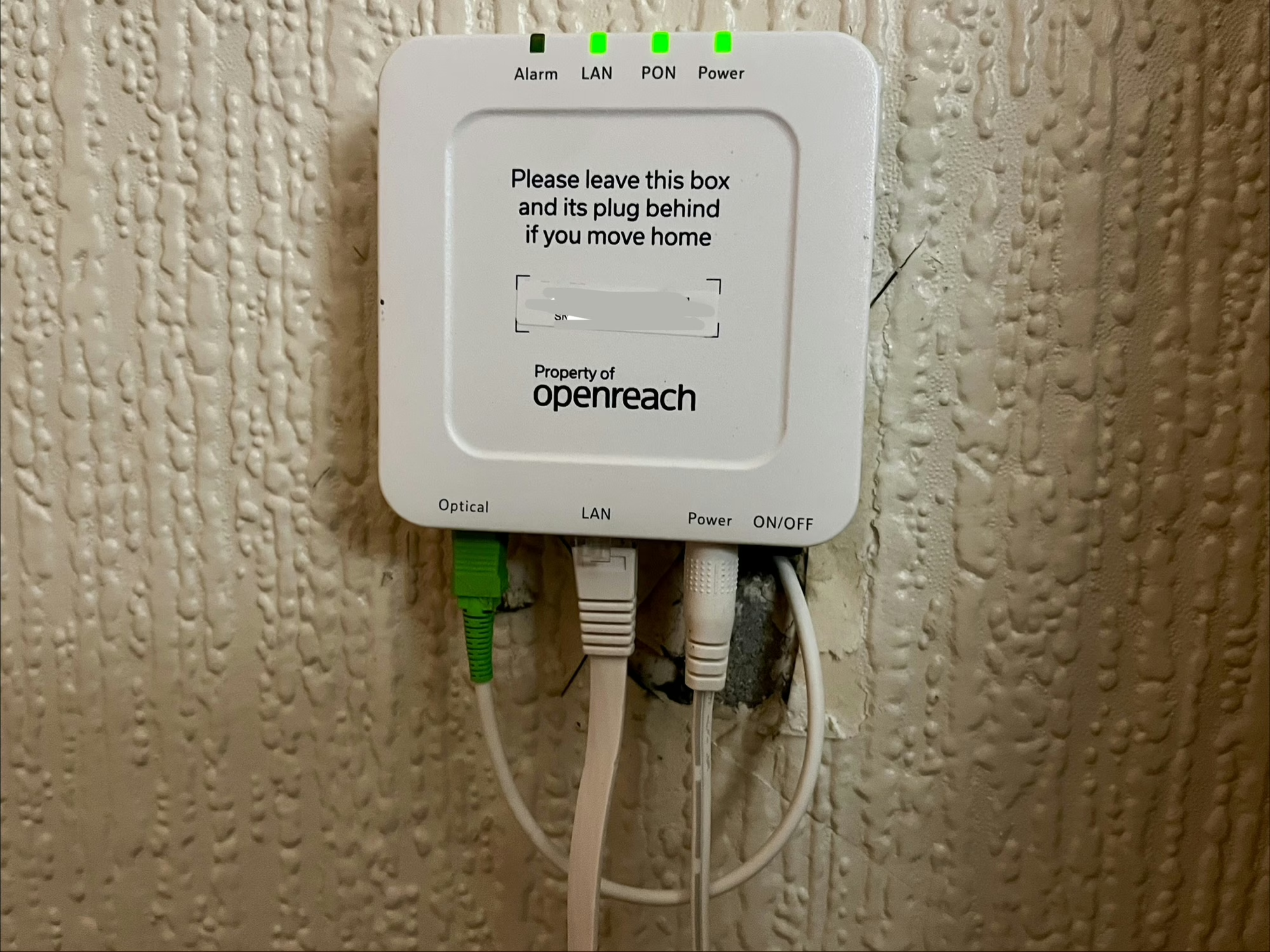
Our OpenReach fibre broadband Optical Network Terminal (or modem)

We’ve brought our home internet connection into the 21st Century and are now hooked up to Openreach’s full fibre broadband network. This is a full fibre-to-the-home (FTTH) connection, where the fibre optic cables run all the way into our house.

Previously, we had a fibre-to-the-cabinet (FTTC) connection, where there were fibre optic cables running to a street cabinet a short distance away. However, the final distance was the same copper cable installed when the house was first connected to the analogue phone network. And whilst we were able to get 80 Mbps speeds over that connection, that was really the limit of that technology. With fibre-to-the-home, we could get speeds of up to 1.6 Gbps, which is frankly ludicrous. When I started university in 2002, the entire university’s internet connection wasn’t even that fast. And yet, provided you’re willing to pay for it, you can get online at speeds that are over 30,000 times faster than dial-up.

Fibre broadband installation

The installation took around 3 hours. Although we pay for our internet service from a retail ISP, it’s Openreach (part of BT) who own the infrastructure and who will do the installation. For us, this involved replacing the copper cable from the nearby telegraph pole, removing the phone socket, and installing an Optical Network Terminal (ONT) – essentially a modem – inside the house. That’s what’s pictured above – you’ll note that it says to leave it behind if moving house. You then plug in your router to this using an Ethernet cable; your router will need to support PPPoE, which any router provided by your ISP will be capable of.

As part of the installation, we also changed to a new ISP, having previously been with Vodafone – more about that in a later blog post.

Once the installation is completed, you may have to wait up to an hour for your connection to start working again. I found I also had to restart the router, but once done, we were back in business.

No landline phone number

One decision we made this time is that we would no longer have a voice line. We had the option of paying extra for it, but the only people who call us on our landline nowadays tend to be scammers, so we decided it wasn’t worth it. Even though we’ve been living in this house for 10 years now, barely anyone has our landline number. If you do switch to fibre broadband and haven’t already been migrated to a digital voice line, then this will happen as part of the installation. That means that your phone is connected to your broadband router, rather than the wall socket. Indeed, the ONT doesn’t have a RJ-11 or BS 6312 socket to connect an analogue phone. It’s worth bearing in mind that your landline phone won’t work in a power cut if this happens.

This also means I can finally get rid of my supply of ADSL microfilters.

Speeds

We’ve actually gone for a modest 100 Mbps package. We were getting by quite well on 80 Mbps, and so for now we don’t really need the extra speed. As I write this, the installation was only completed a few hours ago, and so it’s too early to share what our new speeds are.

We may consider faster speeds in future, should our nine-year-old take up online gaming for example, and at least now the hardware is there to support it.

Broadband speeds

Speedtest.net results from our Vodafone broadband

So last month, we switched our broadband to Vodafone, which also meant that our internet speeds increased from about 30-40 Mbps to around 70-80 Mbps (as per the above Speedtest.net result).

80 Mbps is sadly the fastest speed that we can probably get here. I live in Sowerby Bridge, a small town in the Calder Valley and our options for internet access are limited. In some respects, we’re lucky to have access to Fibre to the Cabinet (FTTC). This means that the cables providing fixed line broadband internet are fibre optic as far as a metal box a couple of streets away. But the cables from that box to our house are a series of thin, copper cables, and current VDSL2 technology means that much higher speeds are unlikely to be possible.

Over Christmas, we stayed with my parents in York. Being a bigger and more affluent city, there are more options available for broadband internet. In addition to the FTTC service provided by BT Openreach, there’s also:

  • Cable broadband from Virgin Media. These cables were laid in the 1990s by Bell CableMedia, which became Cable & Wireless, then NTL, and finally Virgin Media. Whilst they’re also an FTTC solution, the cables from the cabinet to the home include a much larger coaxial cable.
  • Full fibre broadband from Sky and TalkTalk. York’s streets and pavements were dug up again in the late 2010s to install a FTTH (Fibre to the Home) network, which takes fibre optic cables all the way into people’s homes.

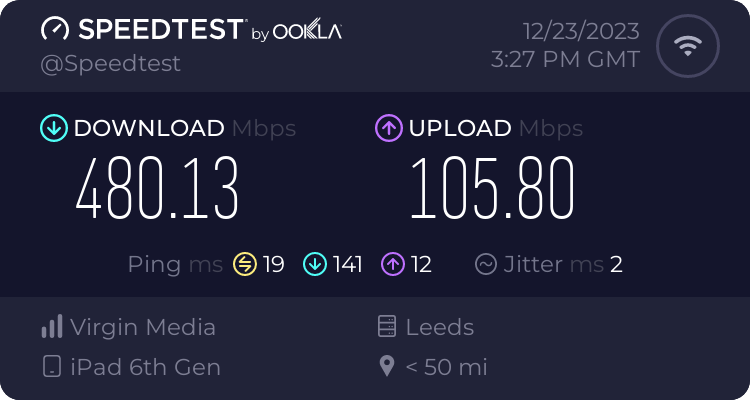
My parents have had cable broadband since this became available in the early 2000s. Initially this was just 512 Kbps, but speeds have increased over the years, and this was the test result whilst I was there at Christmas:

Virgin Media broadband test result

So my parents get broadband speeds that are six times faster for downloads, and nearly three times faster for uploads. And if they wanted to, they could switch to a FTTC broadband solution that could easily double those speeds.

Here in Sowerby Bridge, our best hope for faster broadband is that CityFibre bring their FTTC network in a few years time. So far they’ve installed fibre optic cables in Pye Nest, which is the community between Halifax and Sowerby Bridge, but their web site says there are currently no plans to reach us. Virgin Media did install some cables nearby a few years ago, but they seemed to bypass our street unfortunately.

There is wireless broadband to consider, but we get a weak 4G signal as we’re in a steep valley. 5G is available up the hill in Halifax and may make it down here in future. But, for now, I think 80 Mbps on a fixed line is the best that I can expect.

Switching to a new ISP

Last month, we switched to Vodafone as our new Internet Service Provider (ISP) at home.

We’ve been with Now Broadband (Sky’s budget brand) since autumn 2018, who, at the time, could offer us faster speeds for less money. And they’ve been pretty good; when I was working at home full-time during lockdown, I rarely had any issues. Our bandwidth was sufficient for me to participate in online meetings whilst our (then) four-year-old watched Netflix in another room. Our typical download speeds were in the 35-40 Mbps:

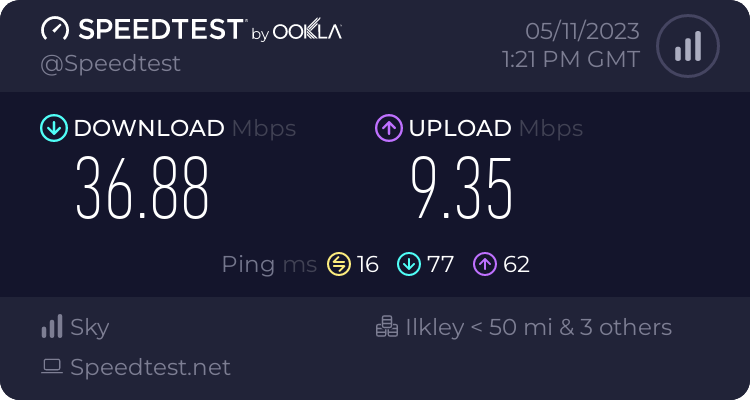
Speedtest.neet results from the 5th November 2023, showing 36.88 Mbps download and 9.35 Mbps upload on our old ISP, Now Broadband

But then Now raised their prices by £9 per month. They probably told us that they would do this, but I have no recollection of being informed in advance.

Finding a new ISP

Meanwhile, Vodafone could offer faster speeds and a new router, for £2 less than Now before the price rise. So, we would be getting a better service, and paying £11 less per month for it than if we stayed with Now.

We used the MoneySavingExpert broadband comparison tool, which showed that Vodafone was the cheapest big name that didn’t have a poor customer service rating. Shell Energy were cheaper, but their customer service isn’t great and they’ve just been taken over by Octopus Energy who don’t currently offer broadband.

I signed up using Quidco (referral link) and should get £82.50 cashback in late spring, so factoring that in, what a savings.

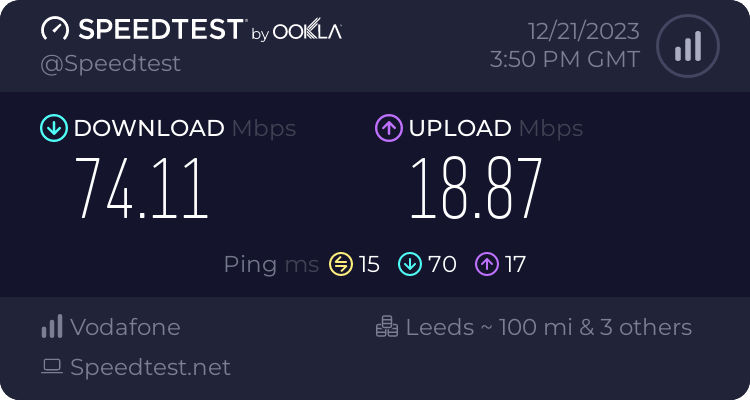
The switchover took a couple of hours, and seemed to happen early in the morning, so by 7am we were already online with Vodafone. And the speeds are much better – around 75 Mbps download and 19 Mbps upload, so almost twice as fast. Considering that this is over DSL, I’m impressed with how fast it is.

Speedtest.neet results from the 21st December 2023, showing 74.11 Mbps download and 18.87 Mbps upload on our new ISP, Vodafone Broadband

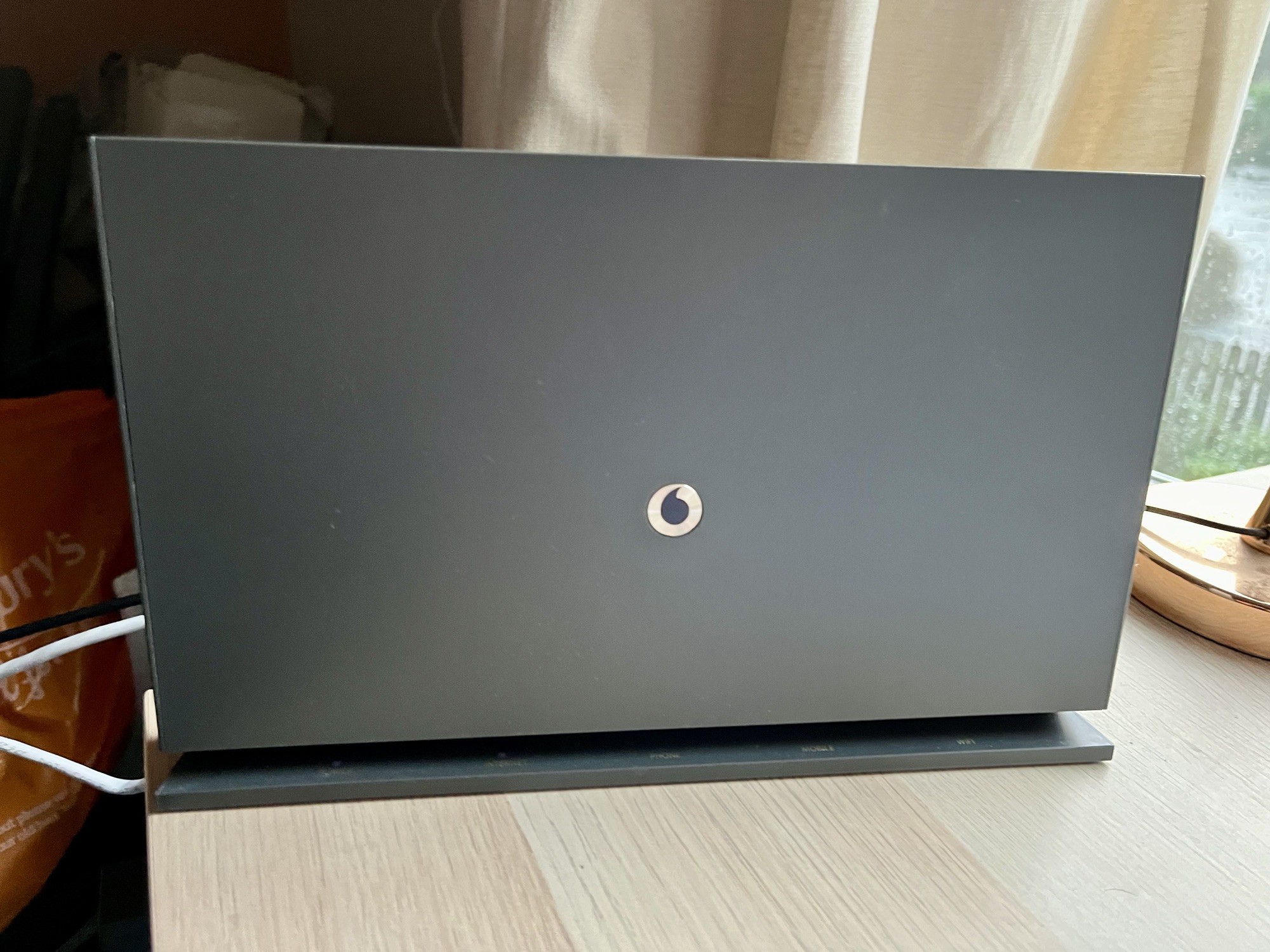
The new Vodafone broadband hub is also better than the basic Now broadband router that we had previously. It has four 1 Gbps Ethernet sockets for a start, compared to just two on the Now router; this means I no longer need a separate Ethernet switch. It also looks nicer; it’s free-standing but has mounting holes on the back for screws.

Digital Voice Line

The hub also supports Digital Voice Line, where your phone calls are made over the internet, rather than PSTN. Openreach intend to switch off the analogue phone network in two years time, so switching now is timely. This means that our landline phone plugs into the hub, rather than the micro-filter attached to the master phone socket. That being said, since the switchover, our phone hasn’t actually worked. The fact that it took me several days to realise shows how much we use our landline, but I’ll need to get on to Vodafone to have them look into it.

As with all changes to a new ISP, over the first few weeks there was a little instability with the connection. But it’s settled down now and works well. The other issue I had early on was with connecting to my Raspberry Pi externally, as port forwarding didn’t seem to work properly. This was a bit of a gut punch, considering how much effort it took me to get Home Assistant working with HTTPS, but it seems to be sorted now.

If it’s been a while since you switched your ISP, I would recommend that you do a quick check to see if you can get a better deal elsewhere. Broadband providers make a lot of money from people who just let their contracts auto-renew. Even if you’re happy with your current ISP, you could try haggling with them to see if they can offer you a cheaper package.