
Simplenote

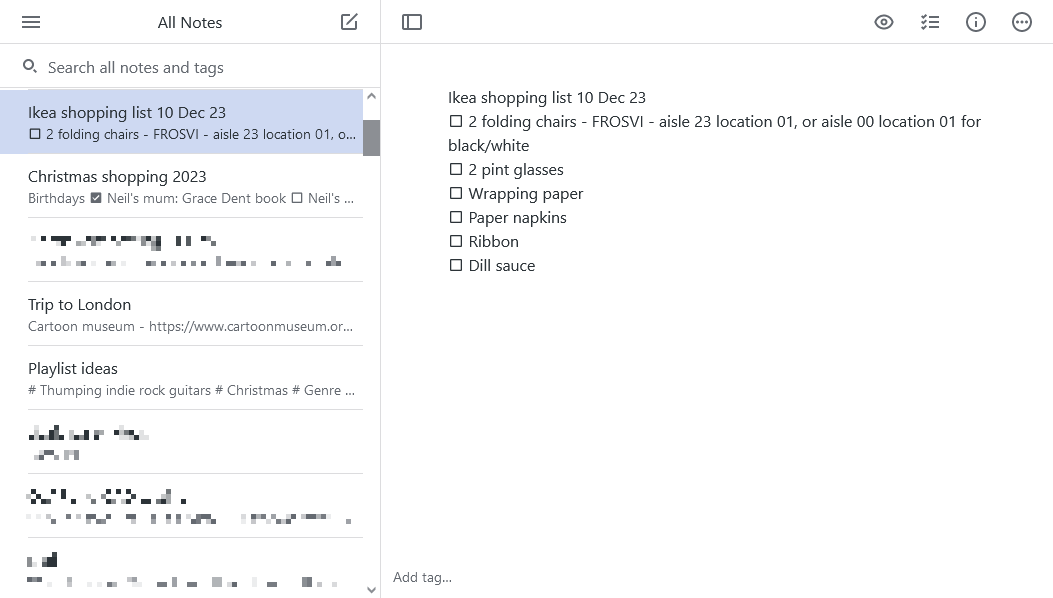
Screenshot of the web version of Simplenote

Last year, I decided to switch my go-to note-taking app to Simplenote. For years, I’ve used Evernote, which is a very powerful app that lets you capture web pages, scan documents, save voice notes and link notes to events on a calendar. Which, is great if you need those features.

I don’t. I just needed somewhere to keep track of ideas, lists and important notes. And so really Evernote was overkill for what I used – its apps are huge and it can be slow to open, especially on the web. The same applies to Microsoft’s OneNote – both it and Evernote are big, powerful apps that incorporate way more features than I need.

Simplenote, meanwhile, is just what it says it is – a simple app for taking notes. There are apps for all common platforms, and its web interface offers the same features. Furthermore, the official apps are open source, and there’s an open API, so you can use third-party apps as well. ResophNotes is a very lightweight app for Windows, for example.

You can use Markdown, so when you enable a preview mode, any headers, list items etc will show up with formatting. You can also add tick-boxes next to any list items, so that you can tick off items on a shopping list, for example.

Your notes are kept in sync across your devices, and the service is free to use.

I’ve found that I’m much happier using Simplenote, and make more notes as a result. When you’re easily distracted like I am (squirrel!), being able to keep track of important information is really useful.

The re-launched Microsoft OneNote

A screenshot of OneNote on Mac OS X

Yesterday Microsoft unwrapped the latest changes to its OneNote software. Originally introduced with Office 2003, OneNote is now a separate product, albeit one integrated with Microsoft’s OneDrive (previously SkyDrive) service.

The main changes are that the basic OneNote system is free and available without having to buy Microsoft Office, and that there’s now an API for third-party services to connect to. Existing Office 2013 and Office 365 customers get some premium features, but the basic note-keeping and synchronisation tools are available for all at no cost now. There is also a Mac OS X app for the first time, as previously Office:mac 2011 didn’t include OneNote.

The new API access means that there’s already an IFTTT channel for OneNote, and the folks at Feedly have included support in their feed reader (free for now but paid customers only from next month). A few other apps are also available in OneNote’s app directory.

I imagine most people will be interested in a comparison with Evernote, which is the main leader in cloud-based note-taking. Though I’m not able to do a full comparison, personally I’ll be sticking with Evernote. The OS X app for OneNote is big (over 400 megabytes when installed) and slow to start up. I’ve found Evernote a bit easier to manage plain text notes, although OneNote offers more flexibility with arranging items within notes. Evernote also lets you export and print notes, unlike OneNote’s free offering.

Other competitors include Google Keep and Apple’s iCloud Notes. Google Keep is Android and web-only (an unofficial iOS app exists), but supports voice memos. iCloud Notes is available on iOS, OS X and the web, but there’s no Windows app and only simple text notes are supported. Whilst I think that the new OneNote is definitely better than Google or Apple’s offerings, Evernote is still the service to beat.