How to use Bluesky Labellers

Last year, I wrote about how to view and share pronouns on Bluesky. Bluesky is the social network that I spend the most time on nowadays and, as I write this, recently surpassed 30 million users.

The Pronouns Labeller uses an interesting feature of Bluesky called labels, which can be applied to individual posts (or skeets) and whole accounts. They can be used in a positive way, such as sharing pronouns, but can also be applied as a potential warning to other users. Today, I’m listing some of the labellers that I use – all of these are listed on the (unofficial) Bluesky Labellers page, which ranks them by popularity.

To use these, you’ll first need to subscribe to the labeller whilst logged in to Bluesky – there’ll be a big ‘Subscribe to labeller’ button on their profile. Once subscribed, you can configure which labels you want to see, and optionally hide all posts with a certain label (or all posts from users with that label).

If you want to apply a label to your own account, then there may be additional steps, usually detailed on a pinned post on the profile.

  • TTRPG Class Identifier. It’s somewhat telling that this is the most popular labeller on Bluesky. Once you follow, you’ll be given a class from a table-top role-playing game (such as Dungeons and Dragons) which will display as a label on your profile. There are commands that you can send to re-roll your class, and you can choose your race too. More details available here.
  • Nations. Allows you to add your country’s flag as a label, and see others’ flags. You can also add the standard pride flag emoji, and/or the trans pride emoji to your account too.
  • Sorting Hat. I have my issues with the author of the Harry Potter books, due to her views about trans people, but this lets you tell the world which Hogwarts house you would belong to, and see others.
  • XBlock Screenshot Labeller. Labels posts containing screenshots from other social networks, so that you can have them labelled and optionally hidden.
  • Developer Labels. Show off what programming languages you know on your posts.
  • Private School and Landlord labeller. Subscribing to this will reveal which private (fee-paying) school various (mainly UK) users attended, so you can see who benefitted from a paid-for education. Nepo Baby Labeller works in a similar way.
  • Birthdays. Will show you if it’s a user’s birthday.
  • Profile Labeller. Warns you about potential bots, and people whose posts are bridged in from other social networks.

Anyone can make a label, and there’s a Label Starter Kit on GitHub if you want to make your own. If I had the time and the skills, I would consider writing a labeller which allows users to show which British university they graduated from, for example.

Labels are one thing that I particularly like about Bluesky – especially as users can contribute their own. It’s quite a unique feature – I’m not aware that others have anything similar. Sometimes, a bit of extra context on each post is welcome.

Croissant, a social media cross-posting app

A screenshot of the Croissant app on an iPhone 13 Mini

If you cast your minds back around three years, there was just one major public-facing text-based social media platform: Twitter. Now that Twitter is called X, and only Nazis and grifters seem to be left there, we’ve ended up with some people on Bluesky, some on Threads and others on Mastodon. And so Croissant makes it easy to cross-post to all three at once.

Although I mainly post on Bluesky these days, I try to keep my accounts on Threads and Mastodon active as well.

Once you have linked your accounts to Croissant, you get a nice big space to write your post, and a character count. Whilst Threads doesn’t seem to impose a maximum character limit, it’s 300 characters on Bluesky, and 500 on most Mastodon instances.

Below, there are buttons to @mention someone (which includes a search tool on Mastodon and Bluesky), add hashtags and add images. What I particularly like about Croissant is that, when you add an image, there’s a really clear prompt to add an alt text description of the image. Draft posts can be saved, and you can set how visible the post will be on Mastodon and Threads (public, unlisted etc.). You can also add content warnings if posting to Mastodon.

Although Croissant is free to download, to unlock most features you’ll need to pay an annual subscription of £20. Also, it’s only available for iOS 18 and macOS 15 (Sequoia) or later; my elderly sixth generation iPad can only manage iOS 17 so I’m only able to run it on my iPhone.

Asking your friends a question every day

An illustration of a question mark appearing from a wizard's hat. Generated by Bing AI Image Generator

A couple of years ago, I asked my Facebook friends a question – what animal do you think our child wants as a pet? And as an incentive, whoever guessed correctly could nominate a charity to receive a £5 donation. The post got around 60 comments before the correct answer – a parrot – was guessed, and the £5 went to the Bradford Metropolitan Food Bank.

We didn’t buy our child a parrot as a pet – they’re expensive to buy and insure, and can out-live their humans – but it gave me an idea.

So for the whole of 2022, I asked a new, unique question to my Facebook friends. I wrote most of these in an Excel spreadsheet over the course of Christmas 2021, and then added to it over the year. Questions were usually posted in the morning, and all got at least one comment – but some many more.

I have around 300 friends on Facebook and so I tried to come up with questions that were inclusive, or hypothetical, so as not to exclude people. For example, not all my friends drive, so asking lots of questions about cars would exclude people. I also wanted to avoid any questions that could be triggering for people, so most were framed around positive experiences.

I suppose I was taking a leaf out of Richard Herring’s book – I suppose literally because he has published several Emergency Questions books – but it’s something I enjoyed doing. It also meant that I found out some more facts about my friends and got to know some of them better. It also reminded me of the really early days of blogging with writing prompts like the Friday Five.

This year, I’ve asked the same questions, but included my answers in the posts, as I didn’t usually get a chance to answer my own questions in 2022. This has also required some re-ordering of questions, as some related to events like Easter which were on different days this year.

And for 2024? Well, I’m slowly working on some brand new questions, although I’m only up to March so far. And I keep thinking of great ideas for questions, only to find that I’ve already asked them before.

Maybe I’ll publish them as a page on here someday.

Being more or less social

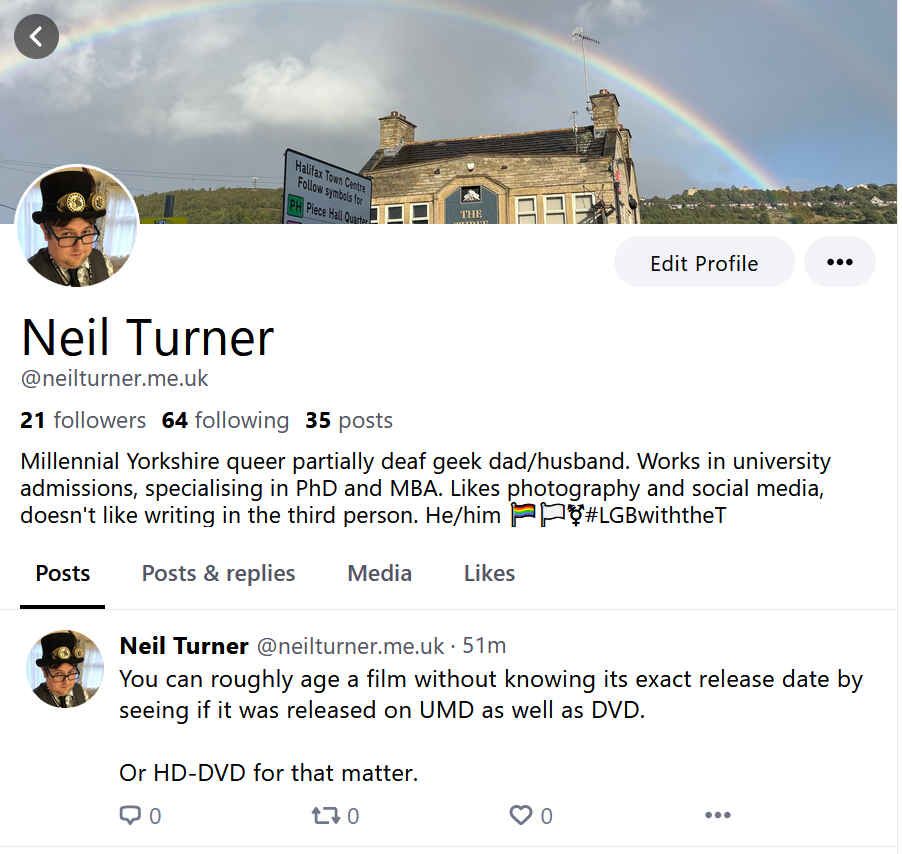
A screenshot of my profile on the Bluesky social network.

Good grief, has it really been almost 6 months since my last blog post?

I mostly dropped by to link out to a couple of additional social media profiles that you can follow, should you wish to. I appreciate that many people are leaving Twitter/X/whatever Elon Musk decides it’s called this week, and not everyone is leaving in the same direction.

Firstly, I’ve just signed up to Bluesky. It’s invite only at the moment, so I doff my cap to a work colleague who gave me her first invite. I’ve just made the one post there and I’ll see how I get on with it.

I managed to – eventually – get my account verified there, which is how I show as ‘@neilturner.me.uk’ and not a bsky.social address. It should have been straightforward, but over the years my DNS settings have seemingly got out of sync, and this has required some fixing. Hopefully everything works now.

And I’m on Meta’s Threads, which I joined on launch day back in August. Again, I’ve just made the one post there. It doesn’t look like many people that I followed on Instagram are active on Threads – my feed seems to basically be the same 5 people.

My primary social media presence is still on Mastodon. So, if you want to hear from me in between my massive gaps in blogging, that’s probably your best bet. I joined Mastodon back in November 2022, and I feel most-settled there.

Perhaps if Bluesky and/or Threads open up a bit more, I might cross-post things, but we’ll see.

My Twitter archive

A screenshot of my Twitter archive

I’m probably going to regret this, but here I am, signed up to Twitter.

— Neil Turner (@nrturner) June 1, 2007

That was the first tweet that I posted, back on the 1st June 2007. I’ve waited quite some time to find out what that was, because Twitter hasn’t allowed users to view more than their previous 3,200 tweets, and to date I’ve tweeted more than 13,000 times.

Shortly after you request the download (which was a couple of minutes in my case), you get an email with a download link. This downloads a zip file. Your tweets are presented in a CSV (Comma Separated Values) file, for importing into Excel for example, and as JSON (JavaScript Object Notation) for which there is an HTML file allowing you to view your tweets in a web browser.

The browser view resembles Twitter’s web site, and lets you search your tweets as well view tweets by month. It’ll even tell you how many times you tweeted in a given month: July 2007 was my quietest month with 10 tweets, and July 2011 was my busiest with 517 tweets. There’s a notable increase in my Twitter activity after September 2010 when I bought a smartphone.

Having shown my first tweet, here was my second:

mdjdgj

— Neil Turner (@nrturner) June 1, 2007

No, me neither.

Early tweets don’t have clickable links; this was before Twitter introduced their own t.co URL shortener around November 2010, so you have to copy and paste the URLs into the address bar to view them. It’s also odd seeing links being shortened with TinyURL which few people use nowadays.

Other than nostalgia, and ensuring you have your own backup of your tweets, there’s not a whole lot that you can do with a Twitter Archive right now. However, if you are a Timehop user like me, go to twitter.timehop.com and upload your Twitter Archive so that you can get daily reminders of what you have tweeted over the years. I’m hoping that ThinkUp will support Twitter Archives in the next release as well, so that I can get an analysis of all of my tweets.

Trying out app.net

Off into the snowy distance

Thanks to Brad Choate I’ve joined app.net on a month’s free trial. App.net, if you remember, is essentially a clone of Twitter, but with no advertising, more liberal API policy and a monthly or yearly fee. It has also just added 10 GB of online storage for each user.

Previously, the reason why I hadn’t joined app.net because of the cost – $5/month, or $3/month if you pay for a year up front ($36). I didn’t want to pay for something to find that no-one was using it and I was paying for nothing. At least with a free trial, I can test the waters and see if it’s worth it.

Co-incidentally, NetBot, which is essentially TweetBot but for app.net, is currently free to download at the moment, so I’m using that as it’s a familiar interface and I like using TweetBot.

I’ll do full reviews of app.net and NetBot at some point in the future. I only signed up this morning and so it would be a bit premature to do give an opinion about it just yet. In the meantime, you can follow me on app.net as @nrturner.

10,000 tweets

Robin

Last night I posted my 10,000th tweet, although as I had been anticipating it, it was an announcement rather than just something random:

And this is my 10,000th tweet! Only taken almost 5 years…

— Neil Turner (@nrturner) May 21, 2012

I joined Twitter on the 1st of June 2007, so it’s taken me a mere 11 days shy of 5 years to tweet that much. My blog post at the time implied a little animosity – perhaps because this was yet another social network to join. I’d only joined Facebook a few months previously. And I don’t think I imagined Twitter would become as popular as it has today.

Although 10,000 tweets over 5 years implies 2,000 tweets per year, it’s probable that my tweet rate (number of tweets per day) has been much higher over the past 18 months, what with having a smartphone that can tweet at any time. Before, I’d have to use a computer or send a text message.

Whether I’ll still be using Twitter in 5 years remains to be seen, but it’s done well so far.