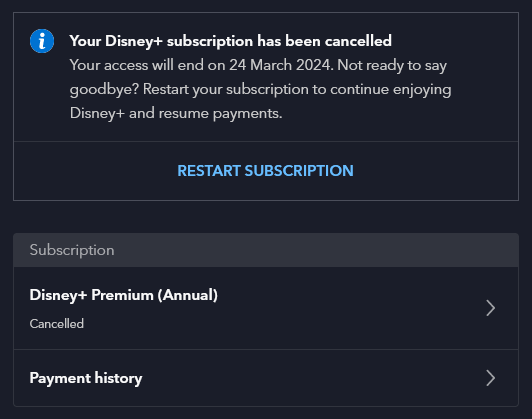
Disney Minus

A screenshot of our Disney + account setting showing it cancelled.

Last week, we cancelled Disney+. Our annual subscription was due to renew, and at over £100 for the year, we could no longer justify it.

We’ve had a subscription ever since Disney+ launched in the UK, in the early days of lockdown in 2020. In fact, before then we had a subscription to DisneyLife, which was Disney’s UK-only streaming service for video and music, and used to cost £5 per month. Over time, Disney+ has got better, especially now that content from 20th Century Fox is on there.

But we just don’t watch enough of it. When we signed up to Disney+, there was only one price tier at £7.99 per month or £79 per year. Whilst that was more expensive than DisneyLife, there was more content available so it was worth it. Now there are three price tiers, and the most expensive is £10.99 per month, or £109 per year. That’s more than double what we were paying just five years ago. Whilst there is once again a £5 per month tier, it’s with adverts, and we don’t want those.

Like many kids, our eight-year-old seems to just want to watch YouTube Kids now. It’s something we’ve tried to resist for years, but apparently watching home-made videos and Minecraft walk-throughs is far more interesting than the professionally-produced content that we were paying for. We’ll keep paying for Netflix, as you can download content onto an iPad to watch offline. We tend to clip our eight-year-old’s iPad into a stand fixed to the back of the front passenger seat for long car journeys.

We’ve had Amazon Prime in the past, shared using Amazon Household with another family member, but we don’t have this now. Again, it’s getting more expensive, and we’d rather avoid the adverts. And whilst we’ve had free trials of Apple TV+ and Now TV, we’ve never paid for these beyond the trial period. We also don’t pay for a TV package, and just have Freeview and Freesat for live television.

I guess we’ll just re-subscribe to these from time-to-time when there’s something we actually want to watch.

I do find it odd comparing streaming video with streaming music. There’s a handful of music streaming services – Spotify, YouTube Music, Amazon Music, Deezer and so forth – and for the most part, they all have the same music. Yet with streaming video services, most shows are on one or two at best, and many or exclusive to one service.

My favourite things of 2023

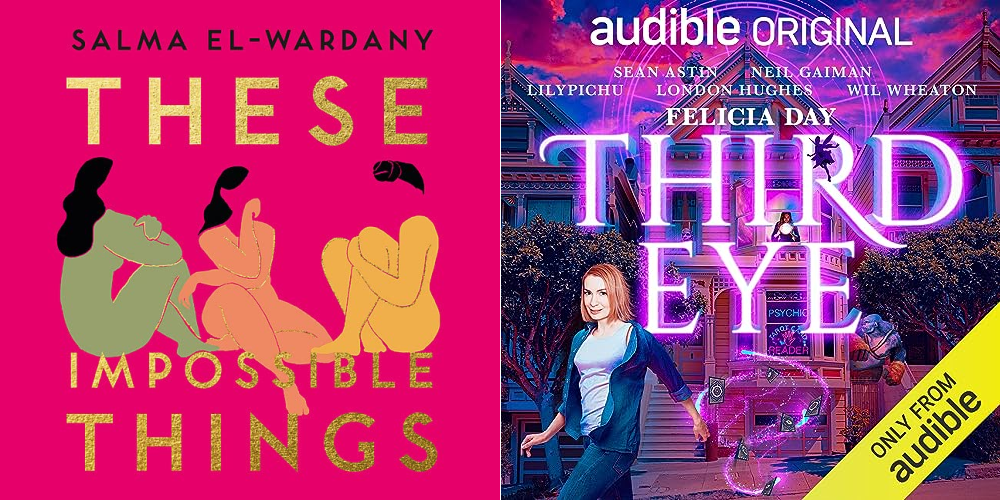
Covers for books I read in 2023, including These Impossible Things by Salma El-Wardany and Third Eye by Felicia Day

There’s only 32 hours of 2023 remaining in my timezone, so it’s time to review the things I’ve consumed this year and pick out my favourite content.

Note: all links below marked with a * are Amazon referral links, and so I receive a small amount of commission from any purchases. But please feel free to buy these from a local, independent tax-paying shop, or borrow them from your local library, as I did with several of these recommendations.

Favourite book of 2023

So far I’ve read 95 books this year, although to be fair, quite a few of these were bedtime stories for our eight-year-old. Those aside, my favourite book was ‘These Impossible Things’ by Salma El-Wardany*. It tells the story of three young British Asian women, who are navigating the divide between family and cultural expectations, and life as a young person in the UK in the 21st century. It’s very well-written, with very relatable characters. This is El-Wardany’s debut novel and so I’m interested to see what comes next.

Honourable mentions: There were a few books that I awarded five stars to on Goodreads this year:

Favourite film of 2023

We haven’t been able to watch many films this year, and those that we have seen at the cinema have tended to be child-friendly films. We’re also behind on Marvel films and haven’t seen any in a couple of years. Of those that we have seen, probably my favourite was the Barbie movie, which was just hilarious all the way through. We saw it a few weeks after it came out and there were several of us laughing out loud in the cinema.

Honourable mentions: Dungeons and Dragons: Honour Amongst Thieves* was fun, and it was good to see Hugh Grant playing an antagonist for once. And it was nice to finally see a sequel to Chicken Run – I had the first film on VHS, which gives you an idea of how long ago since that came out, and meant I’ve had to explain to our eight-year-old what a ‘VHS’ is.

It’s also worth noting that we are planning to see Wonka tomorrow.

Favourite TV show of the year

Again, we’ve not had much time to watch TV this year. When you work full-time in a different city to where you live, and have a child who has school and homework and weekend activities, there’s not a lot of time to keep up with TV. Of the shows that I have seen bits of, The Repair Shop has filled that niche of being interesting, comforting and educational.

Favourite audio series of the year

Okay, so I basically created this category so that I could tell you about Felicia Day’s ‘Third Eye’*. It’s an Audible exclusive, and is more akin to a radio play rather than an audiobook. But, it has a narrator in the form of Neil Gaiman and is split into chapters. Felicia Day wrote the script for TV several years ago, and although no TV channels picked it up, it’s become a very good audio series with Day playing the lead character. London Hughes, Alan Tudyk and Wil Wheaton provide some of the other voices.

So – these are the things that I have watched, read and listened to in 2023. Next year, I’m hoping to catch up with the Marvel films we’ve missed (especially now that the pace of release has slowed down) and continue to read more things. Maybe I’ll manage 100 books across the year this time?

Google Chromecast review

A photo of a Google Chromecast

There were only a couple of presents that I specifically asked for Christmas this year, and one of these was a Google Chromecast. At £30, it’s a cheap and easy way of getting internet content onto your TV.

Roku versus Chromecast

If you’ve read my blog for a while, you’ll know that I’ve had a Roku 2 XS since summer 2014. I wanted a Chromecast to complement it, and alleviate some of the Roku’s shortcomings.

The Roku is good little device, especially as it now supports almost all streaming media services in the UK with the recent additions of Rakuten’s Wuaki.tv and Amazon Prime Instant Video. And it’s easy to use, since it comes with a remote control – unlike the Chromecast. The main issues I’ve been having are:

  • Speed – apps such as BBC iPlayer are very slow. You can press pause, and the Roku will take several seconds before it actually responds in any way. I imagine newer Roku devices (the third and fourth series) are much faster; the Roku 2 series was on its way out when I bought it in 2014. That being said, it’s still receiving software updates which is good.
  • Stability – sometimes the Roku crashes, and has to reboot. I’ve had particular problems with the YouTube app causing this.
  • Netflix – the Netflix app on the Roku (second series at least) is poor. It doesn’t support multiple user profiles per account, so whatever you watch goes on the viewing history of the main profile. And parental controls don’t work, so you can’t watch any shows on the Roku which require a parental control PIN.
  • Spotify – Roku has a Spotify app, but you need to be a Premium subscriber to use it – that means paying £10 per month. I’m on Spotify’s £5 per month ‘Unlimited’ plan, which suits me but doesn’t work with the Roku.

Where the Chromecast excels

Setting up the Chromecast is quite easy – it took around 10 minutes which included installing a software update. And installation is as simple as plugging it into a spare HDMI socket, and then connecting the USB cable to a spare socket (a mains adaptor is included if required).

To ‘cast’ something, you just need to open an app on your Android or iOS mobile device, and look for the cast icon. Whatever you’re streaming will then appear on your TV, and you use your device to control it – playing, pausing etc. And, it only casts the content that you’re streaming, so your TV won’t flash up any notifications for example. This is a big advantage over simple Bluetooth speaker systems, for example, which simply broadcast all of the sounds that your device makes.

Compared with the Roku 2, the Chromecast is very fast. Tapping the cast icon in an app registers almost straightaway on the Chromecast and the only delays seem to be caused by buffering, rather than the device itself being slow.

Netflix works as well as it would do on a mobile device, so we can watch more adult things when our one-year-old isn’t about, but also ensure that their profile doesn’t show them. And Spotify streaming via Chromecast is available to all users – even those with free accounts.

There’s also a guest mode, which lets anyone who doesn’t have your Wifi password to cast to your Chromecast – provided that they have the PIN code displayed on the home screen. The PIN changes at least once a day.

…and some pitfalls

I’ve already mentioned the lack of a remote. But this problem is exacerbated, in my view, because you have to go into the app to access the controls to play and pause. On iOS, at least, the controls don’t appear on your device’s lock screen. You can lock your device and the content will still play, but pausing when the phone rings (for example) is a bit more involved. It’d be nice if there was an iOS widget that could pause whatever is playing, but I don’t know if that’s possible.

Not all apps support Chromecast. The big one that’s missing is Amazon Prime Instant Video, although there is a relatively easy workaround. The other app that I miss is UKTV Play, which is the only way that we can watch shows on Dave, like the new series of Red Dwarf. Living in a valley prevents us from receiving Dave via Freeview, we can’t get Virgin Media, it’s not on Freesat and we’re too cheap to pay for Sky.

I was also hoping that my favourite Podcast app, Overcast, would work, but apparently not. A tweet from the developer suggests that it would not be trivial to add this in future. And you’ll need to use an app such as AllCast if you want to view photos and videos from Dropbox on your Chromecast. I had mixed results with this in my testing.

Also, none of the built-in apps on iOS support Chromecast. This isn’t surprising – Apple sells a rival device, the Apple TV, and has a rival protocol called AirPlay. AirPlay is, in my view, more basic than the Chromecast protocol. With AirPlay, your mobile device acts as an intermediary – it receives the content stream, decodes it, and then sends it via AirPlay to your Apple TV. The Chromecast, instead, streams directly from the content provider – your device merely sends some instructions. The main benefit is that it won’t drain your device’s battery.

Sadly, I also had some stability issues when using the NextUp Comedy app with the Chromecast. Like with the Roku, these caused the Chromecast to lock up and restart. However, at least my device remembered where it was, so I could pick it up again easily after a restart.

Putting Chrome into Chromecast

There’s a reason for the Chromecast having such a name, and that’s because you can cast web pages from the Google Chrome web browser on the desktop. This is how you can get the aforementioned Amazon Prime and UKTV Play onto your Chromecast, but it does mean that you’ll have to play and pause playback using your computer. Which isn’t ideal when your computer is in a different room to your TV, like it is in our house.

Overall

The Chromecast isn’t perfect and has some key pitfalls as mentioned. But it’s great value for £30, and relatively simple for a moderately tech-minded person to use.

Netflix – 8 tips to get the most from your subscription

A screenshot of the Netflix home page when logged in

We’re a few months into our Netflix subscription and on the whole we haven’t been getting as much value out of it as I expected us to, which is a shame. I had considered cancelling it, as it’s not worth paying for something that I don’t use. And whilst I’m still open to that idea if we’re still not using it much in a few months’ time, I decided to rethink how we’re using Netflix rather than going for the nuclear option straight-away.

So, here are my tips for making the most of your Netflix subscription.

1. Add lots of titles to your list

Netflix has a ‘queue’ of sorts, called My List, where you can add films and shows that you want to watch. These could be films that you haven’t seen before, or TV shows that you want to watch again, or children’s’ shows that your kids want to watch over and over again. Keeping lots of titles here will mean that you avoid the situation where you open Netflix to watch something but then can’t immediately think what you want to watch.

2. Add TV shows to your list

Netflix, despite its name, isn’t just about ‘flicks’, i.e. movies/films. There are plenty of TV shows on there, and in some cases you can watch every season. So add a few TV shows to your list as well as films – that way, if you don’t have enough spare time for a whole film, then you can watch a quick half hour TV show.

3. Install Netflix’s mobile apps to add to your list on the go…

Let’s say you’re out with your friends, and someone recommends a film or TV show to you. If you have the Netflix app on your phone, you can simply add it to your list there and then. No need to write it down or try to remember it and then forget it. And then you can watch it when you have the time to do so.

4. …or to watch things on the go

Admittedly, watching films and TV shows on a smartphone screen doesn’t make for a good experience. But if you have a generous data allowance on your mobile contract and nothing better to do, then why not pass the time with a quick TV show? Even better if you have a tablet with a larger screen. And it’s great for sick days when you can’t face getting out of bed to watch TV.

5. Watch films in bits

Netflix remembers your position when watching content, even if you break off and have to do something else. So if you don’t have time to watch a full feature-length film, just watch a bit of it. Then, pick it up again when you have some more time. The position will synchronise between the web site and apps, so you could start watching a film on your Roku or Apple TV, then watch a bit on your iPhone before finishing it off on the web site.

6. Build up your taste profile for better recommendations

One of Netflix’s big selling points is its ability to recommend films and TV shows to you that you may not have come across. As you watch content on Netflix, it learns what you like and, over time, its recommendations should improve. However, when you first get started Netflix may struggle to suggest anything sensible, so spend some time on the ‘taste profile’ tab on the web site to refine its suggestions. Or just browse around and rate any films and TV shows that you have already seen.

As Netflix’s recommendations improve, you’ll hopefully find some interesting new content to add to your list.

7. Find out when new releases are available using Netflix Notifier

Netflix Notifier is a third-party site which lets you create a watchlist of films that you want to see, but that aren’t on Netflix yet – and then emails you when they become available. I reviewed it in July when I added four films – of those, so far only Hunger Games: Catching Fire has become available to watch in the UK.

Note: since this blog was written, Netflix Notifier has closed down.

8. Use a VPN to access another country’s library

Because of the weird and wonderful world of international copyright licensing agreements, the selection of films and TV shows differs between each country that Netflix operates in. A way around this is using a VPN – a Virtual Private Network – to fool Netflix into thinking you’re based somewhere else. So a British user could use a VPN located in the US to watch shows that would be otherwise unavailable. Be aware that you’ll probably have to pay extra for a decent VPN connection. And bear in mind that film studios are pressuring Netflix to block access from VPNs – whilst it would be impossible to block every VPN, some of the more popular ones may get locked out.

How to work out whether Netflix is worth it for you

Netflix is basically an all-you-can-eat buffet, when compared to ‘a la carte’ services like Google Play and Blinkbox where you pay for each individual episode or season. To take the example of Channel 4 show Misfits, Blinkbox charges £1.89 per episode or £8.99 per series; if you watch four episodes in a month, then Netflix is cheaper as it costs £5.99 per month. Films on Blinkbox are typically around £2.50, or more for new releases.

So if you’re watching, say, two films, or four TV shows, or a film and two TV shows each month, then you’re probably getting your money’s worth. If not, and you’ve tried all of my suggestions above, then you may wish to reconsider whether a subscription service like Netflix is best for you. You may get better value from other sites where you pay for each show individually.

Joining Netflix

A screenshot of the Netflix home page when logged in

Christine and I decided to sign up for Netflix last week. I’d been pondering it for a while but we decided that the price (£6 per month) was worth it considering the number of TV shows on offer. Unlike in the US, Netflix in Britain is online streaming only.

We’ve previously had a DVD rental by post subscription – originally with Amazon, which then got taken over by Lovefilm, and is now back in with Amazon again. That was £3 per month but we were barely using it. We were mainly renting films, and whilst we often have a spare half hour or so for a TV show it’s harder to find time on an evening for a film lasting two hours or more.

Amazon’s takeover of Lovefilm also meant that it was a lot easier to cancel. I almost cancelled Lovefilm a couple of years ago, but whilst on the phone I got talked into taking a cheaper package. Now Amazon just let you cancel in a rather nonchalant way online. I get the impression that Amazon see the DVD rental by post part of their business as a niche that it doesn’t have much of a future when compared to streaming.

Of course, Amazon has its own Instant Video service which does the same thing as Netflix, but we decided not to sign up; Netflix is available on more devices, and you can access everything on Netflix at no extra cost. Amazon, on the other hand, charge extra for some premium content.

What we’ve watched on Netflix

So far we’ve only watched a few things – in fact, Christine has watched more than me, mainly because I was out quite a bit last week whilst she was at home, on call. We’ve started watching Heroes together, as I never watched it when it was on, and Christine’s not seen all of the episodes. Considering it was shown in 2006, it already looks dated, with big CRT monitors in the background, non-smartphones and it being filmed in standard definition. Christine has also watched Grimm, and… Foster’s Home for Imaginary Friends. Yeah. We’ll get around the watching Orange is the New Black as well at some point, as I hear it’s very good – and a Netflix exclusive.

Netflix’s library extends into the few thousands, although there are some interesting omissions. For example, the second Iron Man film is there, but not the first or the third. Such is the weird world of entertainment rights I suppose. Still, you get a lot for £6 a month, and you can dip in and out of series as you please. And there’s no DVDs to return.

50 years of Doctor Who

Someone's parked a TARDIS in Bradford City Centre...

Tomorrow, the 23rd November, is the 50th anniversary of the first episode of Doctor Who. A special extended episode, called The Day of the Doctor, will be broadcast simultaneously across the world, and in 3D at selected cinemas.

Sadly I will be out at a friend’s birthday tomorrow and so will have to avoid any spoilers until I get to watch it on BBC iPlayer on Sunday.

The build-up to the 50th anniversary has been huge – doctorwhosavetheday.com has been unlocking short clips once a certain number of tweets and status updates with the hashtag have been posted. There have been a number of specially-commissioned TV shows, such as last week’s The Science of Doctor Who with Professor Brian Cox, and a documentary drama called An Adventure in Space and Time (iPlayer link). And miniature TARDISes have been popping up in other BBC programmes such as Eastenders and Holby City.

The biggest surprise of all was the release of the prequel to The Day of the Doctor, conveniently called The Night of the Doctor:

Without wanting to reveal too many spoilers, the mini-episode fills in some gaps in the Doctor’s timeline.

It’s a very different situation to ten years ago, at the fortieth anniversary in 2003. Back then, Doctor Who had been off our screens for several years, and had a reputation of being a low budget show with wobbly sets and cheesy special effects. Nowadays, the announcement of the new Doctor warrants a half hour special TV show, as happened earlier this year when Peter Capaldi was confirmed as the twelfth Doctor.

I was a bit too young to watch Doctor Who the first time around, so I picked it up with the revived series in 2005, and the ninth Doctor, Christopher Eccleston. And since then I’ve been hooked – never missing an episode and owning many of them on DVD and Blu-Ray. I even read up on some of the background information on the characters, on sites such as the TARDIS Data Core. And I’m not the only one, as many of my friends are fans of the show.

I’m really pleased that such a classic British show is still popular, and, if you excuse the pun, constantly ‘regenerating’ for new generations to enjoy. Let’s hope it’s still going in another fifty years. You never know, time travel may even be science fact in 2063, and not just science fiction… 🙂